
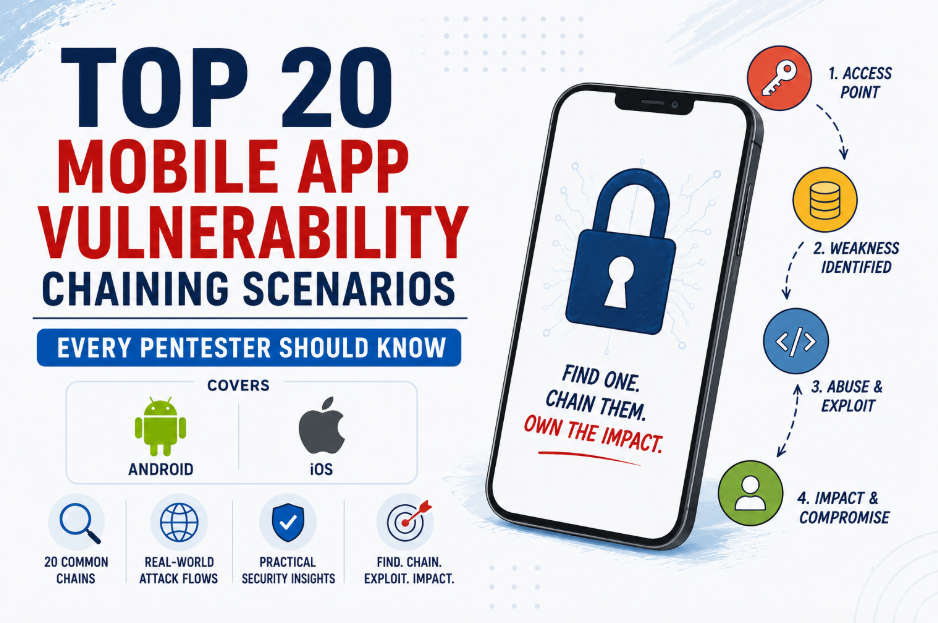
Mobile applications are no longer just a user interface for backend services. They store sensitive data, communicate with multiple APIs, integrate third-party SDKs, and often implement security controls such as biometrics, certificate pinning, and device binding. Because of this complexity, a single vulnerability rarely results in a critical impact.
In most real-world mobile application penetration tests, attackers achieve serious impact by chaining multiple weaknesses together. A hardcoded API key may expose an internal endpoint, which leads to an authorization flaw. An exported Android component may allow access to a hidden feature that ultimately results in privilege escalation. Individually, these issues may seem low or medium severity, but together they can become critical. In this article, we’ll look at 20 common vulnerability chaining scenarios that security researchers and penetration testers frequently encounter during Android and iOS assessments.
Why Vulnerability Chaining Matters
Modern mobile applications include several layers of security, including client-side protections, backend authorization, encrypted communication, and secure local storage. Breaking one layer is often not enough to compromise an application.
Instead, attackers combine multiple weaknesses to bypass these protections. This approach is known as vulnerability chaining. Mobile pentesting like any other pentesting should never focus only on finding individual vulnerabilities. Understanding how different issues can work together often reveals the application’s true security risk.
1. Device Binding Bypass → Session Reuse → Multi-device Account Hijacking
Some applications bind user sessions to a specific device to prevent account sharing or session theft. If this mechanism is implemented only on the client side or validated incorrectly, attackers may reuse authentication tokens on different devices. The application continues to trust the stolen session even though it originates from another device.
Extract Authentication Token
↓
Bypass Device Validation
↓
Reuse Session on Another Device
↓
Hijack User Account
Some of the impacts are:
- Account takeover
- Session hijacking
- Unauthorized multi-device access
2. Hardcoded API Keys → Backend Access → Sensitive Data Exposure
Many applications accidentally include API keys, access tokens, or cloud credentials inside the APK or IPA file. While some keys are intended to be public, others provide access to internal services or administrative APIs. An attacker can extract these secrets through reverse engineering and use them to communicate directly with backend services. If proper authorization checks are missing, sensitive customer information or administrative functionality may become accessible.
Reverse Engineer APK / IPA
↓
Extract Hardcoded API Key
↓
Access Backend APIs
↓
Retrieve Sensitive Data
Some of the impacts are:
- Sensitive data disclosure
- Backend API abuse
- Administrative access
3. Firebase Misconfiguration → Database Access → User Data Exposure
Firebase is widely used for authentication, storage, analytics, and real-time databases. Misconfigured security rules can unintentionally allow anyone to read or modify application data. Attackers often discover Firebase project URLs during reverse engineering and directly query the database without using the mobile application.
Discover Firebase Project
↓
Weak Security Rules
↓
Access Firebase Database
↓
Read User Information
Some of the Impact are:
- User information disclosure
- Data modification
- Unauthorized database access
4. Root/Jailbreak Detection Bypass → Runtime Hooking → Authentication Bypass
Many mobile applications attempt to block rooted or jailbroken devices. However, if these checks can be bypassed, attackers can use tools such as Frida or Objection to hook application functions at runtime. This allows security controls like SSL pinning, biometric verification, or authentication checks to be modified or skipped.
Bypass Root/Jailbreak Detection
↓
Attach Frida / Objection
↓
Hook Authentication Logic
↓
Bypass Security Checks
Some of the impacts are as mentioned below:
- Authentication bypass
- Security control bypass
- Runtime manipulation
5. Exported Android Activity → Unauthorized Action → Privilege Escalation
Android applications expose Activities to allow interaction between different components. If an Activity is accidentally exported without proper access control, another application or an attacker using ADB can launch it directly. This may expose hidden functionality that was never intended to be accessible outside the application.
Exported Activity
        ↓
Launch via Intent
        ↓
Access Hidden Functionality
        ↓
Perform Unauthorized Action
        ↓
Privilege Escalation
Some of the impacts are as mentioned below:
- Authentication bypass
- Access hidden admin screens
- Trigger privileged operations
- Execute unauthorized business actions
6. Mobile App Reverse Engineering → Hidden API Discovery → Backend Exploitation
Reverse engineering often reveals endpoints that are not visible through normal application usage. Developers sometimes leave test APIs, administrative routes, or deprecated endpoints inside the application. Attackers can interact with these hidden APIs directly and identify authorization weaknesses that may expose sensitive functionality.
Reverse Engineer Application
↓
Discover Hidden APIs
↓
Interact with Backend Directly
↓
Exploit Backend Functionality
Some of the impact are:
- Hidden API discovery
- Backend exploitation
- Administrative function exposure
7. Exported Content Provider → Read Sensitive Data → Account Compromise
Content Providers are commonly used to share data between Android applications. If they are exported without proper permission checks, attackers can directly query them. Sensitive information such as authentication tokens, user profiles, or cached credentials may become accessible.
Exported Provider
↓
Query Provider
↓
Read Tokens
↓
Reuse Session
Some of the impact are:
- Credential disclosure
- Session theft
- Account compromise
8. Deep Link Abuse → Authentication Bypass → Sensitive Screens
Deep links allow applications to open specific pages directly from URLs. Improper validation may allow attackers to access internal screens without completing the normal authentication flow. This often exposes payment pages, profile information, or administrative interfaces.
Deep Link
↓
Improper Validation
↓
Open Restricted Activity
↓
Privilege Escalation
Some of the impact are:
- Authentication bypass
- Unauthorized page access
- Business logic abuse
9. WebView XSS → JavaScript Interface Abuse → Native Code Execution
Applications frequently use WebViews to display web content. If user-controlled input reaches the WebView without proper validation, Cross-Site Scripting (XSS) becomes possible. When JavaScript interfaces are exposed, injected scripts may invoke native application methods and perform sensitive operations.
WebView XSS
↓
Javascript Interface
↓
Call Native Functions
↓
Sensitive Operations
Some of the impact are:
- Native function abuse
- Sensitive information disclosure
- Remote code execution in specific scenarios
10. WebView File Access Enabled → Local File Read → Credential Theft
Enabling unrestricted file access in WebView allows local files to be loaded using the file:// scheme. Attackers may leverage this behavior to access cached application files, configuration files, or locally stored credentials.
WebView
↓
allowFileAccess=true
↓
Load file://
↓
Read Sensitive Files
Some of the impact are:
- Local file disclosure
- Token theft
- Sensitive information exposure
11. Intent Injection → Internal Activity Abuse → Unauthorized Operations
Android Intents are designed for communication between components. If applications fail to validate incoming Intents, attackers can manipulate application behavior. This may trigger privileged functionality or bypass expected user interactions.
Malicious Intent
↓
Internal Component
↓
Missing Validation
↓
Privilege Escalation
Some of the impact are:
- Unauthorized actions
- Privilege escalation
- Business logic abuse
12. Weak Biometric Authentication → Session Reuse → Account Takeover
Some applications use biometric authentication only to unlock the user interface instead of validating sensitive operations with the backend. If an active session already exists, attackers may bypass biometric protection and continue using the authenticated session.
Biometric Prompt
↓
Authentication Only UI
↓
Session Already Valid
↓
Sensitive Operations
Some of the impact are:
- Account takeover
- Unauthorized transactions
- Sensitive data exposure
13. API Parameter Tampering → IDOR → Account Takeover
Applications often rely on identifiers such as user IDs, account numbers, or transaction IDs. If backend authorization is missing, modifying these values may expose another user’s information. This remains one of the most common vulnerabilities found during API and mobile security assessments.
Authenticated Request
↓
Modify User ID
↓
Backend Missing Authorization
↓
Access Other User
Some of the impact are:
- Account takeover
- Data disclosure
- Unauthorized data modification
14. Debuggable Build → Runtime Inspection → Sensitive Data Leakage
Applications accidentally released with debugging enabled allow attackers to inspect runtime behavior using development tools. Memory inspection can reveal API tokens, credentials, encryption keys, and other sensitive information.
android:debuggable=true
↓
ADB Access
↓
Inspect Memory
↓
Extract Secrets
Some of the impact are:
- Secret extraction
- Runtime analysis
- Sensitive data exposure
15. Weak Encryption → Extract Key → Decrypt Sensitive Data
Encrypting local data provides little protection if encryption keys are hardcoded or generated insecurely. Attackers who recover these keys can decrypt locally stored databases, configuration files, or cached user information.
Encrypted Storage
↓
Hardcoded AES Key
↓
Decrypt Database / Server Response
↓
Read Sensitive Information
Some of the impact are:
- Confidential data disclosure
- Offline data recovery
- Privacy compromise
16. JWT Stored Insecurely → Token Theft → Privilege Escalation
JSON Web Tokens (JWTs) are commonly used for authentication. Storing them in plaintext files or insecure storage locations makes them easy to steal. Once obtained, attackers can replay the token to access protected APIs until it expires.
JWT Stored
↓
Read Token
↓
Replay API
↓
Account Compromise
Some of the impact are:
- Session hijacking
- Account takeover
- Privilege escalation
17. Certificate Pinning Disabled or Bypassed → HTTPS Interception → Account Takeover
Applications without proper certificate validation are vulnerable to Man-in-the-Middle (MITM) attacks. Intercepted authentication tokens or session cookies can then be reused to impersonate legitimate users.
Weak Certificate Validation
↓
MITM Attack
↓
Intercept Authentication Tokens
↓
Replay Session
Some of the impact are:
- Traffic interception
- Credential theft
- Session hijacking
18. Insecure Local Storage → Token Theft → API Abuse
Authentication tokens, passwords, or personal information stored without adequate protection are attractive targets for attackers. Once extracted, these credentials can be used to access backend APIs directly without interacting with the mobile application.
SharedPreferences / NSUserDefaults
↓
Access Token Stored Plaintext
↓
Reuse Token
↓
Authenticated API Calls
Some of the impact are:
- API abuse
- Account compromise
- Sensitive information disclosure
19. Client-side Business Logic → Request Manipulation → Financial Fraud
Applications should never trust calculations performed on the client side. Prices, discounts, reward points, or transaction values can often be modified before reaching the server. If backend validation is weak, attackers may manipulate business logic for financial gain.
Modify Request
↓
Client Calculates Price
↓
Backend Trusts Client
↓
Free Purchase
Some of the impact are:
- Financial fraud
- Unauthorized purchases
- Reward point abuse
20. Hardcoded Encryption Keys → Traffic Decryption → Excessive Data Exposure
Some applications encrypt API requests using custom algorithms while embedding the encryption keys directly inside the application. Attackers can recover these keys through reverse engineering and decrypt intercepted traffic, exposing sensitive requests and responses.
APK/IPA Reverse Engineering
↓
Hardcoded Key & IV/ Encryption Keys
↓
Decrypt Client Side Stored Data / Server Response
↓
Excessive Data Disclosure
Some of the impact are:
- Traffic decryption
- Sensitive information disclosure
- Easier backend analysis
Mobile application security is no longer limited to identifying isolated vulnerabilities. The most critical findings often emerge when multiple weaknesses are combined into a practical attack path. A hardcoded API key may expose a hidden backend endpoint. An exported component may lead to privileged functionality. Weak local storage may expose authentication tokens that enable API abuse. Individually, these issues may appear moderate, but together they can result in complete account compromise, sensitive data exposure, or financial fraud.
For penetration testers, understanding how vulnerabilities interact is just as important as finding the vulnerabilities themselves. During Android and iOS security assessments, always look beyond individual findings and consider how they can be chained to demonstrate realistic business impact. This approach not only improves the quality of your assessment but also helps organizations prioritize the risks that matter most.