
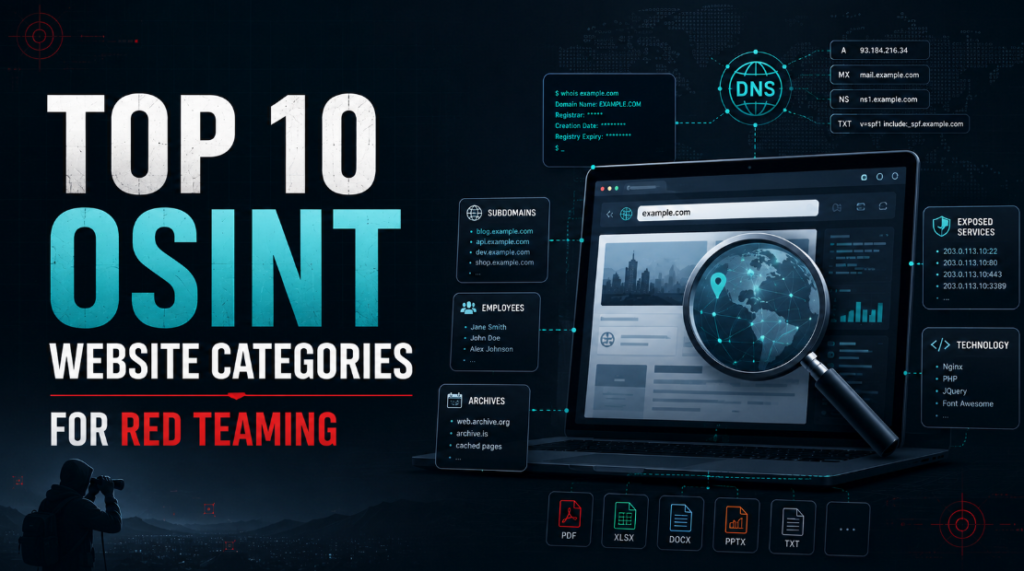
Open-Source Intelligence, commonly known as OSINT, is one of the most important parts of a red-team assessment. Before actively scanning a company’s infrastructure, a red-team operator can collect significant information from publicly available sources. This information may include domains, subdomains, internet-facing services, employee details, email-address patterns, leaked credentials, public source code, archived webpages, exposed documents and third-party technologies.
However, effective OSINT is not about opening dozens of similar tools and collecting duplicate results. A better approach is to use different websites for different reconnaissance objectives. For example, Shodan, Censys and Netlas provide similar internet-infrastructure intelligence. Listing them as three separate techniques creates unnecessary repetition. They are more useful when grouped under a single reconnaissance objective.
This guide covers 10 distinct OSINT purposes for red teaming, along with the most useful websites for each purpose.
1. URL, JavaScript and Web Resource Intelligence
There are plenty of websites available in the internet for this, some of the recommended websites are:
- urlscan.io
- VirusTotal URL Search
- PublicWWW
- Common Crawl
- AlienVault OTX
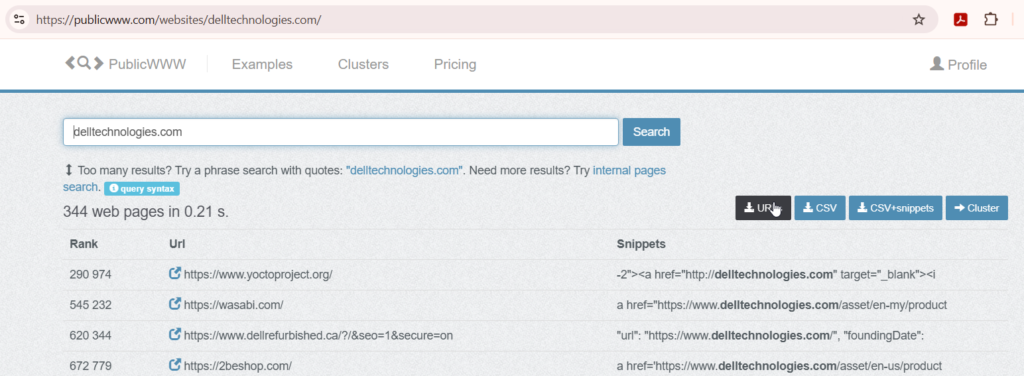
These websites help investigate pages, URLs, JavaScript files and external resources loaded by an application.
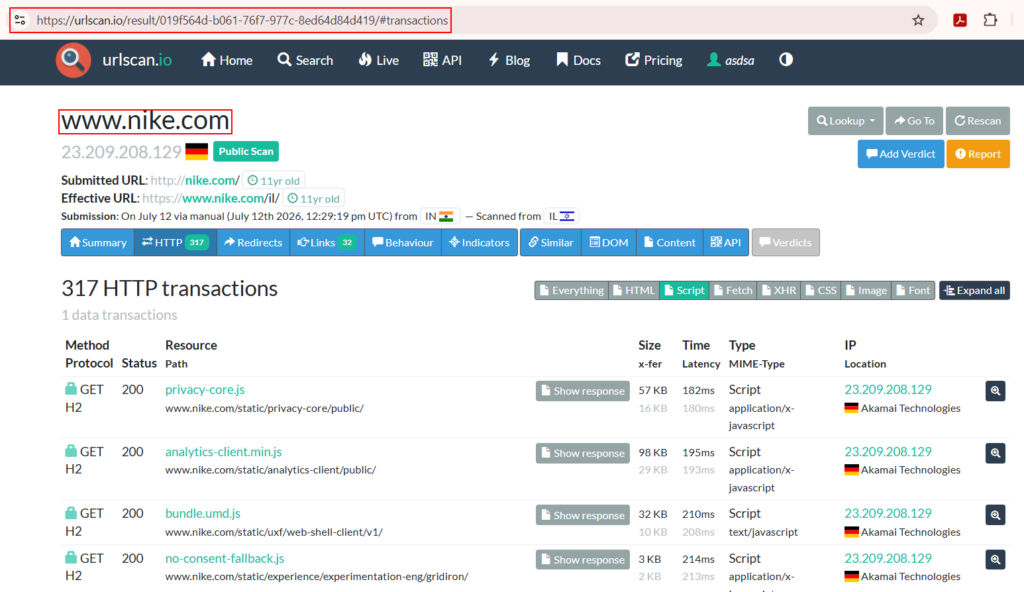
For example “urlscan.io” loads submitted pages in an automated browser and records information about the page and its network activity. A result may include:
- Page screenshot
- Requested URLs
- JavaScript files
- API calls
- IP addresses
- Redirects
- Cookies
- Third-party domains
- Analytics services
- Authentication providers
- Cloud resources
JavaScript resources may expose:
- API base URLs
- Hidden routes
- Feature flags
- Environment names
- Cloud-storage locations
- Authentication endpoints
- WebSocket endpoints
- Third-party integration keys
- Internal service names
Red-team objective: Use URL and web-resource intelligence to identify hidden endpoints, scripts, third-party services and relationships that are not immediately visible through the main page.
2. Search Engine Intelligence and Google Dorking
Search engines provide and give insights on lot of data. Some of the recommended websites are:
- Bing
- DuckDuckGo
- Yandex
Search engines are usually the best starting point for OSINT. They can reveal public documents, login portals, employee information, forgotten application paths, support pages and references to systems that are not linked from the organisation’s main website. The real value comes from using advanced search operators rather than normal searches. Common Google operators include:site:
filetype:
inurl:
intitle:
intext:
Examples:
site:example.com
site:example.com inurl:login
site:example.com inurl:admin
site:example.com filetype:pdf
site:example.com filetype:xlsx
site:example.com filetype:docx
"example.com" "confidential"
"example.com" "internal use only"
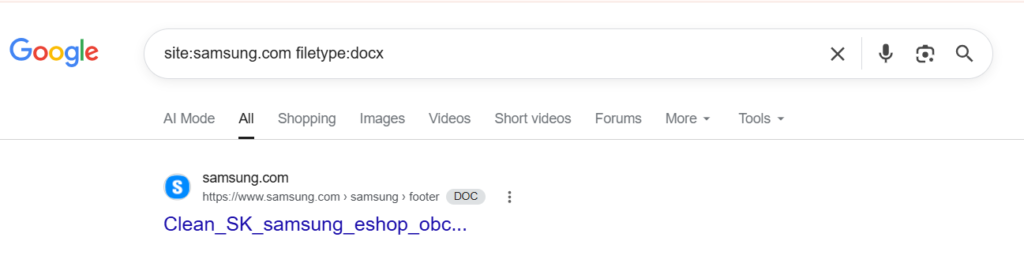
These searches may reveal:
- Login portals
- Administrative interfaces
- Public reports
- Employee directories
- API documentation
- Configuration guides
- Old application paths
- Publicly indexed documents
- References to internal systems
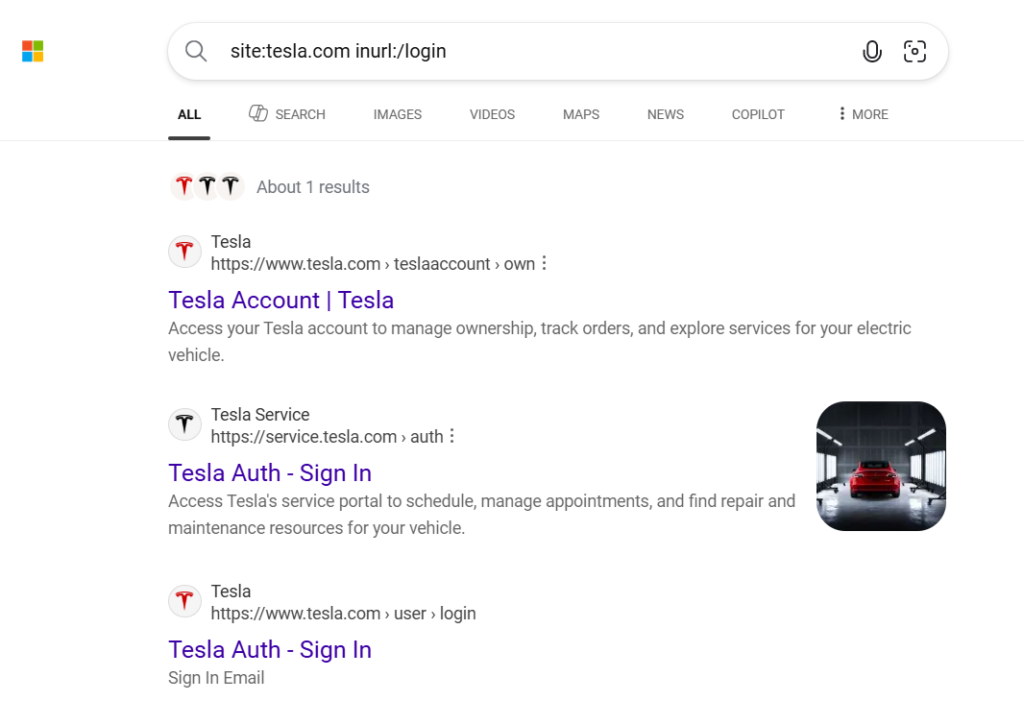
Search engines produce different results depending on their indexing methods. A page missing from Google may still appear in Bing or Yandex.
Red-team objective: Use search engines to understand the organisation, identify public assets and create the initial list of domains, products, portals and search terms.
3. Domain, Subdomain and DNS Discovery
Domain subdomain and DNS discovery helps a lot in enumerating and identifying assets. Some of the recommended websites are:
- SecurityTrails
- DNSDumpster
- crt.sh
- VirusTotal
- ViewDNS.info
- DNSlytics
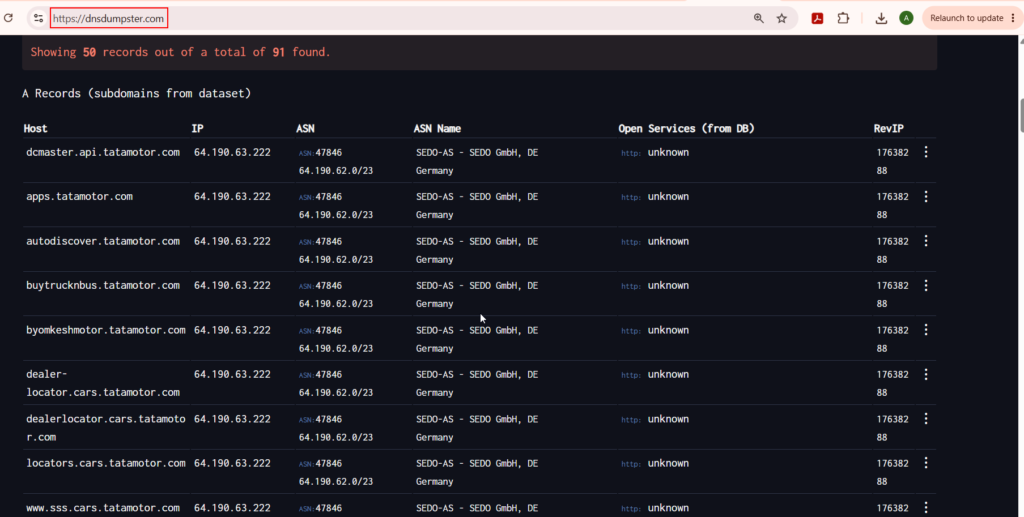
These platforms can be grouped together because they help discover domains, subdomains, DNS records and infrastructure relationships. Certificate Transparency services such as crt.sh can reveal hostnames found in publicly issued TLS certificates. DNS intelligence platforms such as SecurityTrails can provide current and historical DNS information. Certificate Transparency allows domain owners and researchers to review publicly logged certificates issued for domains. This makes certificate records useful for passive subdomain discovery.
A search for an organisation may reveal:www.example.com
api.example.com
vpn.example.com
mail.example.com
staging.example.com
dev.example.com
support.example.com
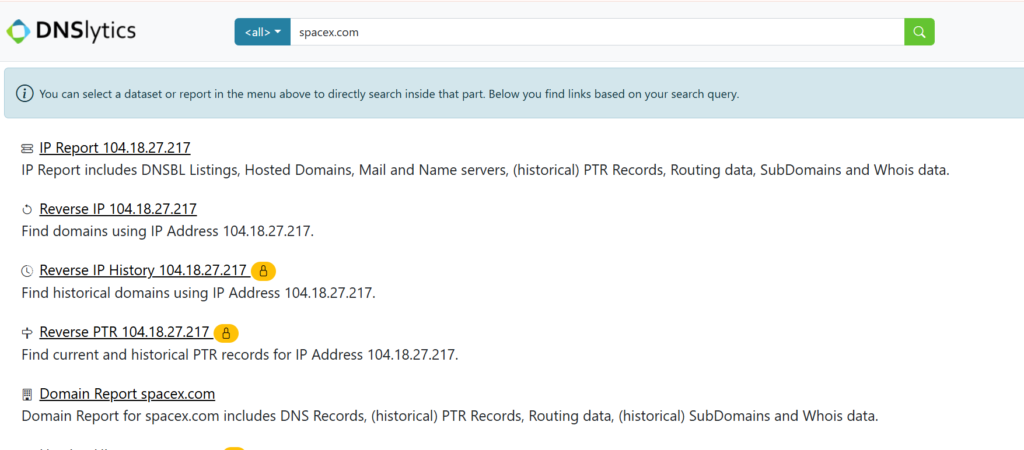
Useful information may include:
- Current DNS records
- Historical DNS records
- Subdomains
- Mail servers
- Name servers
- Previous IP addresses
- Certificate names
- Hosting providers
- Related domains
Historical DNS records are particularly useful because an organisation may have moved an application to a new provider while leaving its previous server active.
Red-team objective: Use these platforms to build a broad list of domains and subdomains associated with the target. However, A certificate entry or historical DNS record does not prove that an asset is currently active or owned by the target. Resolve the hostname, verify ownership and check the approved scope before performing active testing.
4. Internet-Facing Host and Service Discovery
Internet Facing Host and Service Discovery also helps in increasing the scope by bringing hidden assets into the scope of the assessment. Some of the Recommended websites are:
- Shodan
- Censys
- Netlas
- ZoomEye
- BinaryEdge
- FOFA
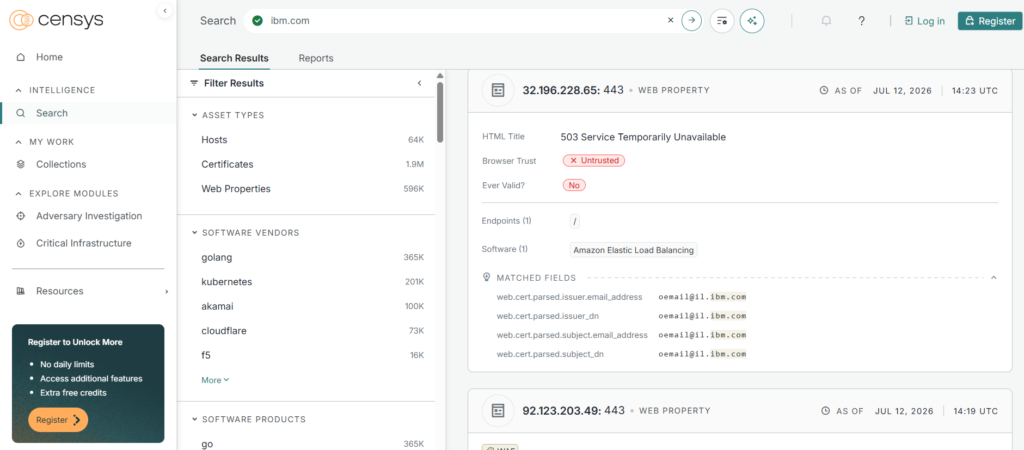
These websites provide broadly similar internet-intelligence capabilities and should be treated as one reconnaissance category. For Example Shodan describes itself as a search engine for internet-connected devices, while Censys provides searchable intelligence about internet-facing servers, services and certificates. They may reveal:
- Public IP addresses
- Open ports
- Service banners
- Software products
- Server versions
- TLS certificates
- Hostnames
- Autonomous system information
- Exposed management interfaces
- Remote-access services
- Internet-connected devices
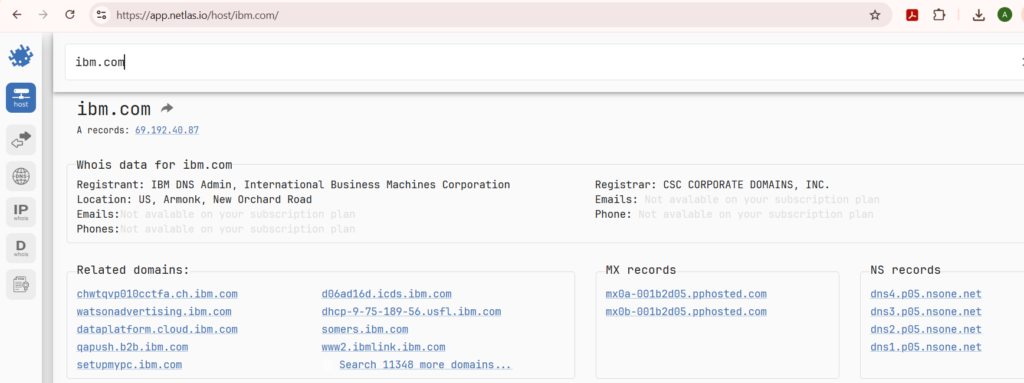
Example Shodan searches might include:
hostname:example.com
org:”Example Company”
ssl:”example.com”
net:192.0.2.0/24
port:443
During an authorised engagement, these platforms may help identify:
- VPN gateways
- Firewalls
- Remote desktop services
- Development servers
- Exposed databases
- Administrative interfaces
- Legacy systems
- Services running on uncommon ports
- Hosts sharing the target’s certificate
Red-team objective: Use internet-intelligence search engines to identify services and systems exposed by the organisation without performing the initial scanning yourself. The information may be old because each platform scans the internet at different intervals. Treat the results as leads and validate them using approved active-reconnaissance methods.
5. Historical Website and Endpoint Discovery
Some of the Recommended websites:
- Internet Archive Wayback Machine
- Common Crawl Index
- Arquivo.pt
- Memento Time Travel
Websites change frequently. Applications are redesigned, API versions are replaced and old pages are removed. Historical web archives can reveal information that is no longer present on the current website. The Wayback Machine provides access to archived versions of webpages collected over time. The Internet Archive describes itself as a digital library that preserves websites and other digital material.
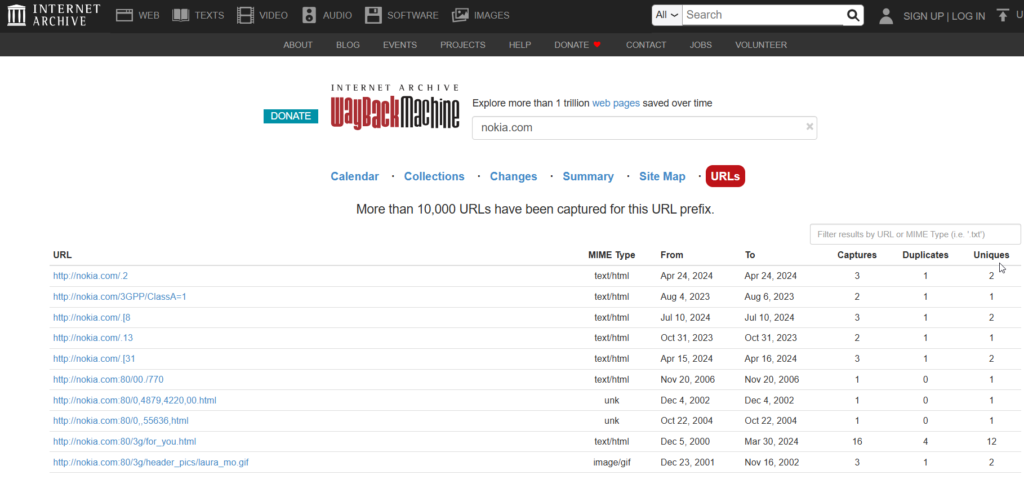
Archived pages may reveal:
- Removed login portals
- Legacy application paths
- Old API endpoints
- Previous JavaScript files
- Deprecated products
- Old employee directories
- Downloadable files
- Previous company names
- Acquired brands
- Cloud-storage references
- Development or support portals
For example, a current website might expose only:/login
/api/v3/
Historical captures might reveal:/admin-login
/partner-portal
/remote-access
/api/v1/
/api/v2/
/backup/
/downloads/
These old paths may provide valuable leads during endpoint discovery.
Red-team objective: Use web archives to identify removed pages, legacy applications, historical endpoints and previous versions of the target’s website. An archived URL is not proof that the endpoint still exists. It should be validated against the current application and checked against the engagement scope.
6. Public Source Code and Secret Exposure
Recommended websites:
- GitHub
- GitLab
- Bitbucket
- SourceForge
- Gitee
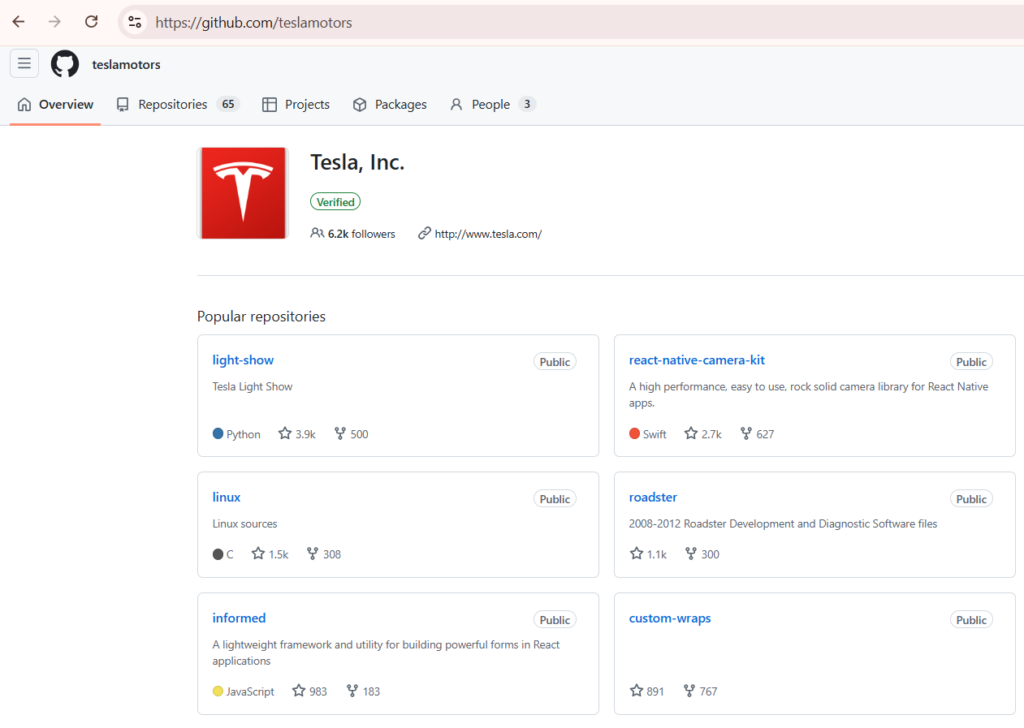
Public source-code platforms can reveal far more than application code. Developers may accidentally publish configuration files, internal URLs, API endpoints, credentials or infrastructure details. Useful search terms include:
"example.com"
"api.example.com"
"@example.com"
"Example Company"
Useful filename searches include:
filename:.env
filename:config.yml
filename:settings.py
filename:application.properties
filename:docker-compose.yml
filename:terraform.tfvars
filename:credentials
filename:id_rsa
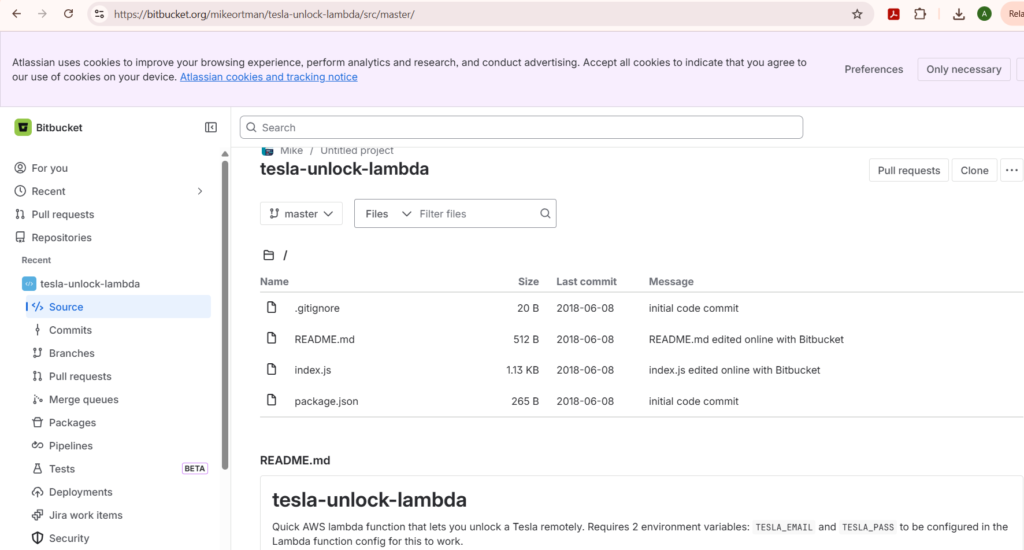
Public repositories may reveal:
- API endpoints
- Internal hostnames
- Cloud bucket names
- Development environments
- Database connection strings
- CI/CD configurations
- Infrastructure-as-code files
- Environment variables
- API keys
- Access tokens
- Employee usernames
- Private package names
- Old secrets in commit history
Repository issues, pull requests and commit messages can also reveal internal project names, technical problems and architectural decisions.
Red-team objective: Use code-hosting platforms to identify exposed development information, secrets, internal infrastructure and undocumented application components. Do not use discovered credentials unless credential validation is explicitly permitted. Store evidence securely and report serious secret exposure through the approved engagement process.
7. Employee, Email and Organisational Intelligence
Some of the recommended websites:
- Hunter
- RocketReach
- Apollo
- ContactOut
- Email Format
- The Org
Employee intelligence is useful for understanding how an organisation is structured, which technologies it uses and how corporate email addresses are formatted. For example LinkedIn may reveal:
- Employee names
- Job titles
- Departments
- Office locations
- Technologies mentioned in profiles
- Recent hires
- Former employees
- Security and IT personnel
- Contractors
- Subsidiaries
Email-intelligence websites such as Hunter may identify professional email addresses and common naming formats. Hunter states that its email finder uses public web information, likely address permutations and verification checks. Possible corporate email patterns include:
firstname.lastname@example.com
firstinitiallastname@example.com
firstname@example.com
firstname_lastname@example.com
This information may support:
- Username-format identification
- Employee directory creation
- Social-engineering preparation
- Password-policy assessment planning
- Corporate identity correlation
- Department mapping
Red-team objective: Use professional and email-intelligence platforms to understand the organisation’s employees, departments, naming conventions and technology usage. Finding an employee’s email address does not authorise phishing, password spraying or direct contact. Social-engineering activity must be explicitly included in the rules of engagement.
8. Technology Stack and Third-Party Integration Discovery
Some of the Recommended websites:
- BuiltWith
- Wappalyzer
- WhatRuns
- SimilarTech
- PublicWWW
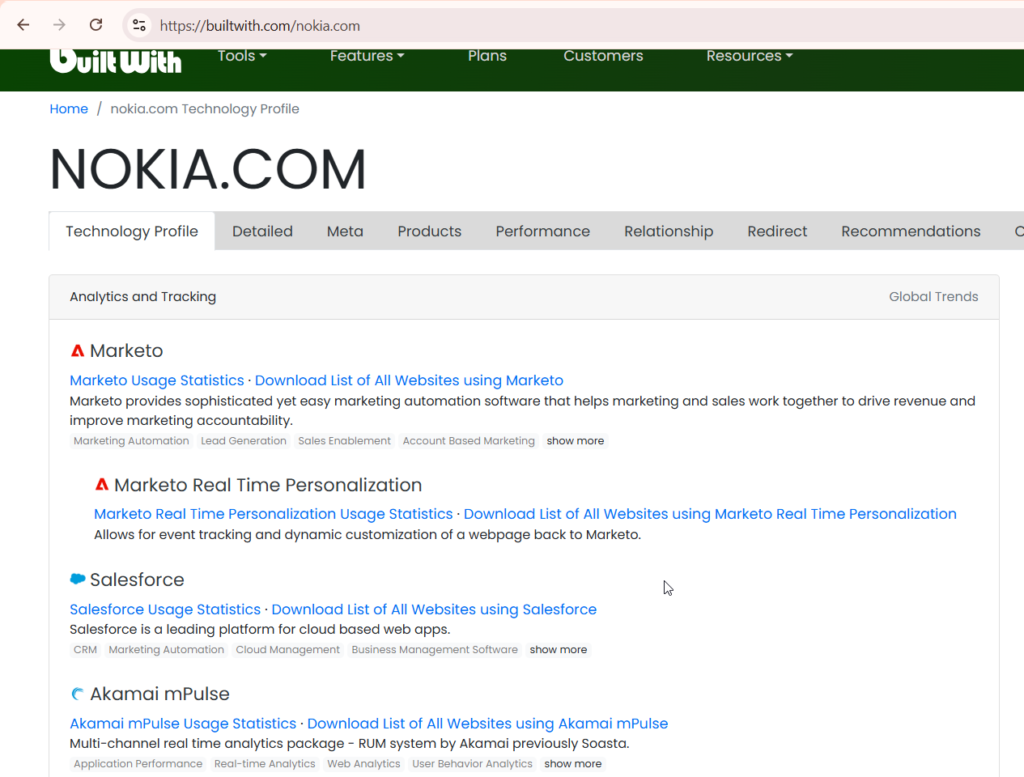
Technology-profiling websites identify technologies used by public web applications. They may detect:
- Content-management systems
- JavaScript frameworks
- Web servers
- Analytics platforms
- Tag managers
- Content delivery networks
- Customer-support tools
- Payment providers
- Advertising services
- E-commerce platforms
- Authentication services
- Marketing integrations
For example, the results may indicate that an application uses:
- WordPress
- React
- Cloudflare
- Google Tag Manager
- Segment
- Stripe
- HubSpot
- Zendesk
- Auth0
This information helps testers understand the application architecture and identify third-party dependencies. PublicWWW can also search website source code across the internet. It may help find websites using a particular analytics identifier, JavaScript snippet, tracking code or application-specific string. For example, the same analytics identifier may appear across several related domains, helping connect apparently separate applications.
Red-team objective: Use technology-profiling websites to understand the target’s web stack, third-party integrations and possible relationships between websites. Technology-detection platforms can produce false positives or historical results. Confirm technologies using HTTP responses, cookies, JavaScript files and approved fingerprinting methods.
9. Breach, Credential and Exposure Intelligence
Some of the recommended websites over clear web are:
- Have I Been Pwned
- DeHashed
- Intelligence X
- LeakCheck
- Hudson Rock
- SpyCloud, where organisational access is available
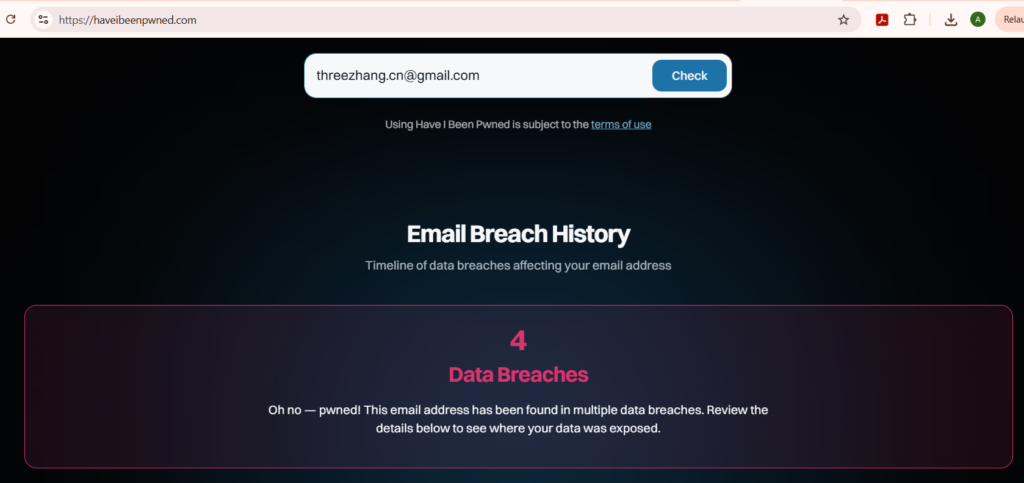
Breach-intelligence platforms help determine whether email addresses, usernames or domains have appeared in previously exposed datasets. Possible findings include:
- Corporate email addresses in known breaches
- Reused usernames
- Previously exposed passwords
- Stealer-log references
- Compromised browser sessions
- Historical credential exposure
- Breach dates and sources
During a red-team assessment, this information can help answer questions such as:
Have employees appeared in previous breaches?
Which business units have the greatest historical exposure?
Are corporate email addresses associated with unrelated third-party breaches?
Are older company domains still appearing in credential datasets?
Does the organisation need stronger password-reset and MFA controls?
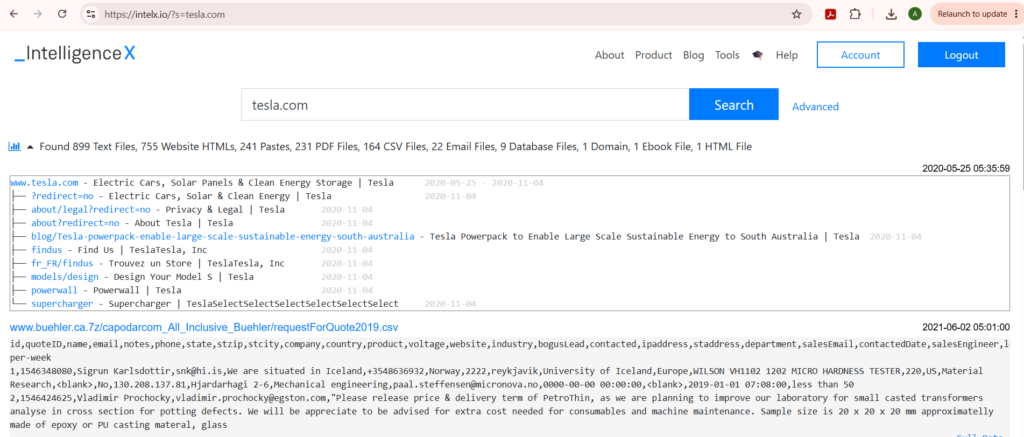
Red-team objective: Use breach-intelligence services to understand historical credential exposure and determine whether compromised identities could present organisational risk. A breach record does not prove that the current password remains valid. Do not attempt credential stuffing, password spraying, session replay or account access unless the rules of engagement explicitly permit it. Some platforms may contain highly sensitive or unlawfully obtained data. Use only legally approved services and follow the client’s data-handling requirements.
10. File, Document and Metadata Intelligence
Some of the recommended websites and services:
- Bing
- VirusTotal
- Hybrid Analysis
- Any.Run for approved public samples
- Metadata2Go
- Exif.tools
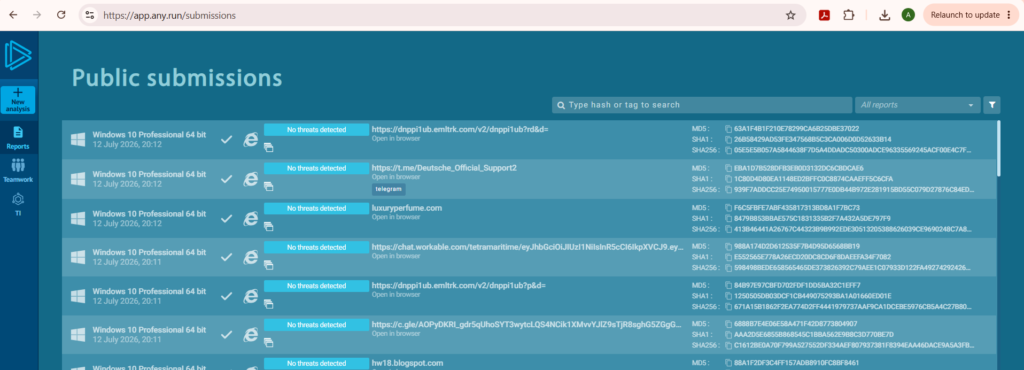
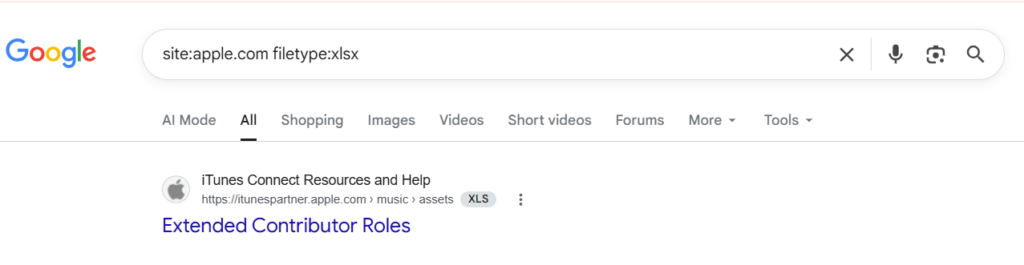
Public documents can contain metadata and internal information that is not visible when the file is opened normally. Useful document searches include:
site:example.com filetype:pdf
site:example.com filetype:docx
site:example.com filetype:xlsx
site:example.com filetype:pptx
site:example.com filetype:csv
Documents may expose:
- Author names
- Employee usernames
- Software versions
- Internal file paths
- Printer names
- Hostnames
- Organisation names
- Template information
- Creation and modification dates
- Email addresses
- Internal department names
For example, document metadata might contain:
Author: firstname.lastname
Company: Example Corporation
Application: Microsoft Office 2016
Path: C:\Users\jsmith\Documents\Project\
This information may help identify username conventions, operating environments and internal naming patterns. Documents themselves may also contain:
- Network diagrams
- Office locations
- Vendor information
- Screenshots of internal applications
- Project names
- Architecture details
- Support contacts
- Internal URLs
Red-team objective: Use public documents and metadata-analysis services to discover employee identities, naming conventions, technology information and internal references. Do not upload confidential client documents to third-party metadata or malware-analysis websites. Where possible, download authorised public files and analyse them locally using tools such as ExifTool.
The most effective OSINT workflow is not based on the number of websites used. It is based on selecting the right website for each reconnaissance objective. Search engines help locate public information. DNS and certificate platforms reveal domains and subdomains. Internet-intelligence services identify exposed hosts and services. Web archives reveal historical applications. Code repositories expose development information. Professional networks help map employees and technologies. Breach platforms provide historical identity-exposure intelligence.
Several websites may provide similar information, but they should be treated as alternatives or supporting sources rather than completely separate reconnaissance techniques. During a red-team assessment, the collected information should be verified, documented and compared with the agreed scope. Public availability does not remove the requirement for authorization. A disciplined red-team operator does not test every asset discovered through OSINT. They determine which assets belong to the organization, confirm which ones are in scope and use the intelligence to guide controlled security testing.