
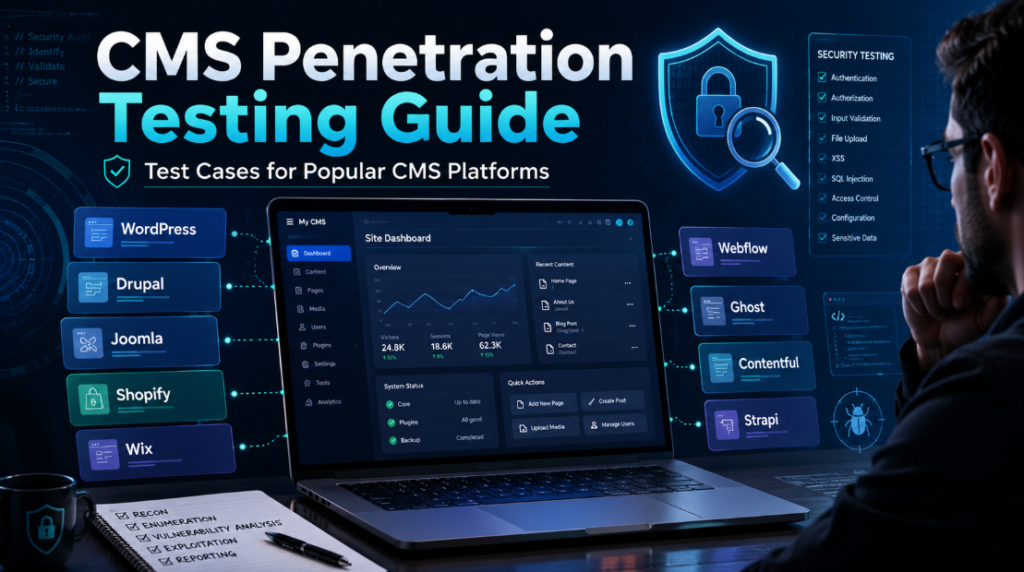
Content management systems(CMS) are used to build and manage blogs, corporate websites, online stores, news portals, government platforms, customer portals, educational websites and enterprise digital experiences. Instead of developing every feature from scratch, organizations use CMS platforms to manage pages, users, media files, templates, products, workflows and integrations from a centralized interface.
The security of a CMS does not depend only on the core platform. A modern CMS installation may contain dozens of plugins, extensions, themes, APIs, webhooks, custom modules, cloud services and third-party applications. A fully updated CMS can therefore remain vulnerable because of an outdated plugin, insecure custom code, excessive user permissions, exposed API credentials or weak publishing workflows. CMS penetration testing should examine the complete application ecosystem rather than checking only the CMS version. The assessment must cover the public website, administrative interface, authenticated user functions, APIs, extensions, file uploads, content workflows and external integrations. This guide covers the security test cases that can be performed against popular open-source, SaaS, e-commerce, enterprise and headless CMS platforms. All testing should be conducted only on systems for which appropriate authorization has been obtained.
Common Security Test Cases for Every CMS
1. CMS Identification and Component Discovery
The first step is to determine which CMS is running and what components are installed around it. CMS information may be exposed through HTML generator tags, asset directories, cookies, response headers, JavaScript files, API responses, documentation pages and predictable administrative URLs. Component discovery is important because security weaknesses are often present in plugins, themes and custom extensions rather than in the CMS core. Important checks include:
- Identify the CMS platform and version.
- Identify active and inactive plugins, modules or extensions.
- Detect installed themes and templates.
- Identify JavaScript frameworks and third-party libraries.
- Discover administrative, authoring and preview interfaces.
- Identify REST, GraphQL and custom API endpoints.
- Detect CDN, WAF, reverse proxy and caching technologies.
- Identify development, staging and legacy environments.
- Check whether CMS version information is exposed unnecessarily.
- Look for documentation, changelog, license and installation files.
2. Core, Plugin and Extension Management
CMS platforms are frequently compromised through unsupported or abandoned components. Even when a vulnerable plugin is disabled from the CMS dashboard, its files may remain accessible from the web server. The assessment should verify whether the organization maintains an accurate inventory of CMS components and whether security updates are applied consistently. Test cases include:
- Confirm that the CMS core is running a supported version.
- Review installed plugins, modules and extensions.
- Identify abandoned or unmaintained components.
- Check for publicly known vulnerabilities in detected versions.
- Verify that inactive extensions have been removed.
- Review custom extensions separately from publicly available components.
- Check whether updates are tested before production deployment.
- Verify whether automatic security updates are enabled where appropriate.
- Search for old extension directories left after upgrades.
- Check whether development packages are deployed in production.
3. Administrative Interface Security
The CMS administrative interface provides control over content, users, templates, extensions and system configuration. Exposure of this interface is not necessarily a vulnerability, but it increases the importance of strong authentication and access controls. Administrative security should be assessed from both an unauthenticated and authenticated perspective. Important test cases include:
- Identify all administrative and authoring interfaces.
- Verify that HTTPS is enforced.
- Test whether usernames can be enumerated.
- Review password-policy enforcement.
- Verify multi-factor authentication for privileged users.
- Test login rate limiting using approved test accounts.
- Review account-lockout behaviour.
- Test password-reset and account-recovery workflows.
- Verify that sensitive actions require reauthentication.
- Check whether default administrator accounts are present.
- Review administrative session duration.
- Verify session invalidation after password changes.
- Test whether administrator pages are cached by shared systems.
- Check whether administrative access can be restricted through VPN, SSO or an identity-aware proxy.
4. Role-Based Access Control
Most CMS platforms support multiple roles such as contributor, author, editor, publisher, store manager and administrator. These roles must be tested individually because interface restrictions do not always match backend authorization. The tester should create a role matrix and attempt actions both through the graphical interface and by sending direct HTTP or API requests. Test cases include:
- Verify that users can access only permitted administrative sections.
- Test whether authors can modify another author’s content.
- Check whether editors can install extensions or change system settings.
- Test whether low-privileged users can create administrator accounts.
- Verify permission enforcement on direct API requests.
- Test horizontal privilege escalation between users of the same role.
- Test vertical privilege escalation between different roles.
- Review custom roles created by plugins or developers.
- Check whether deleted or disabled users retain active sessions.
- Verify separation between content-management and user-management privileges.
- Test bulk actions such as bulk deletion, publishing and exporting.
- Review permissions inherited through groups or teams.
5. Session Management
CMS administrators often remain logged in for long periods, making session security particularly important. Weak session handling can allow a stolen token to provide extended administrative access. Testing should examine how sessions are created, renewed, stored and invalidated. Important checks include:
- Review Secure, HttpOnly and SameSite cookie attributes.
- Verify session rotation after authentication.
- Test whether logout invalidates the server-side session.
- Verify session invalidation after password changes.
- Review idle and absolute session timeouts.
- Test remember-me functionality.
- Check whether sessions are exposed in URLs or browser storage.
- Test concurrent-session handling.
- Verify CSRF protection for state-changing operations.
- Check whether administrative and public sessions use separate cookies.
- Verify that staging and production environments do not share sessions.
6. File and Media Upload Security
Most CMS platforms provide media libraries, profile-image uploads, document uploads, product images, theme imports or plugin installation functions. These features can introduce stored cross-site scripting, unrestricted file upload, malware distribution and unauthorized file access. Testing should use harmless proof-of-concept files and should focus on validating the control rather than deploying destructive payloads. Test cases include:
- Test file-extension validation.
- Verify MIME-type and file-content validation.
- Test filename sanitization.
- Check for double-extension handling.
- Test alternative image and document formats.
- Verify file-size restrictions.
- Check whether uploaded images are reprocessed.
- Confirm that uploads cannot execute as server-side code.
- Verify storage outside executable directories.
- Test access controls for private documents.
- Review direct object storage URLs.
- Test SVG and HTML upload handling.
- Check whether metadata is removed from uploaded media.
- Review temporary file and failed-upload cleanup.
- Verify malware-scanning integration where required.
7. Input Validation and Content Rendering
A CMS accepts input through page editors, comments, forms, widgets, product descriptions, metadata, profile fields and APIs. Because some content is later viewed by administrators, stored vulnerabilities can be particularly dangerous. Testing should cover every location where user-controlled input is saved, previewed or rendered. Important checks include:
- Stored cross-site scripting in pages and posts.
- Reflected cross-site scripting in search and error pages.
- DOM-based cross-site scripting in custom JavaScript.
- HTML injection in rich-text editors.
- Injection through page titles and metadata.
- Template injection in custom templates.
- SQL or NoSQL injection in custom modules.
- Path traversal in file and template functions.
- Open redirects in login and redirect parameters.
- Header injection in download and email functions.
- Email header injection in contact forms.
- Unsafe handling of XML-based content.
- Unsafe deserialization in custom extensions.
- Injection through imported CSV, XML or JSON files.
- Spreadsheet-formula injection in exported data.
8. Backup, Configuration and Debug Information Exposure
CMS migrations, backups and troubleshooting activities often leave sensitive files within publicly accessible directories. Such files may disclose database credentials, API secrets, user information or complete copies of the website. The tester should inspect predictable backup locations as well as references discovered through HTML, robots files, source maps and application errors. Look for:
- Database exports.
- Website archive files.
- Old configuration files.
- Environment files.
- Debug and application logs.
- Error reports.
- Source maps.
- Temporary files.
- Version-control directories.
- Deployment scripts.
- Container configuration.
- Cloud credentials.
- SMTP credentials.
- Payment gateway secrets.
- Installation and migration files.
- Old copies of the website under alternate directories.
9. Publishing and Content Workflow Security
CMS platforms commonly support drafts, reviews, approvals, scheduled publishing and content previews. Weaknesses in these workflows may allow an unauthorized user to publish content, access confidential announcements or bypass editorial approval. Test cases include:
- Attempt to access unpublished content.
- Test draft-preview links from unauthenticated sessions.
- Verify preview-link expiration.
- Test whether authors can approve their own content.
- Attempt to bypass required approval stages.
- Test scheduled publishing controls.
- Verify permissions for unpublishing and deleting content.
- Review content-version history access.
- Check whether deleted content remains publicly accessible.
- Test rollback and restoration permissions.
- Verify separation between authoring and publishing environments.
- Test whether archived content remains indexed or accessible.
Common CMS Platforms and Specific Testcases
1. WordPress Security Testing

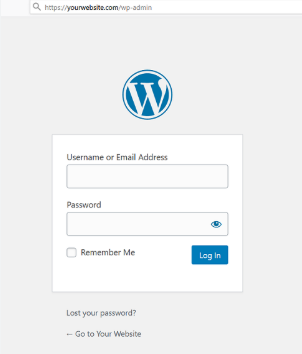
WordPress has a large ecosystem of themes and plugins, which makes component security one of the most important parts of a WordPress assessment. The platform itself may be updated, while a vulnerable plugin or abandoned theme exposes the entire application. A WordPress test should cover the core installation, authentication mechanisms, REST API, XML-RPC service, roles, media handling, plugins, themes and custom code. Multisite installations require additional checks because several websites may share the same codebase and administrative environment. Testcases are as mentioned below:
- Identify the WordPress core version.
- Enumerate installed plugins and themes.
- Check for outdated, vulnerable or abandoned plugins.
- Verify whether inactive plugins remain publicly accessible.
- Review custom plugins and child themes.
- Test username enumeration through author pages, login responses and APIs.
- Review login and password-reset rate limiting.
- Verify multi-factor authentication for administrators.
- Test application-password creation and revocation.
- Identify exposed WordPress REST API routes.
- Test access to private posts, drafts, users and media metadata.
- Verify authorization on custom plugin API endpoints.
- Test whether restricted fields can be modified through the API.
- Determine whether XML-RPC is enabled and required.
- Verify whether XML-RPC receives the same authentication protections as the main login.
- Review pingback functionality.
- Test media upload restrictions for every role.
- Check whether private media files are accessible using direct URLs.
- Review Contributor, Author, Editor and Administrator capabilities.
- Test whether authors can modify another author’s posts.
- Check whether editors can access plugin or theme management functions.
- Search for exposed wp-config.php copies, debug logs and migration archives.
- Verify that production debugging is disabled.
- Review WordPress cron and scheduled tasks.
- Test CSRF protection on administrative actions.
- Review multisite site isolation and super-administrator permissions.
- Check whether one multisite administrator can affect another site.
2. Joomla Security Testing

Joomla applications are extended through components, modules, plugins and templates. A Joomla website may contain many third-party extensions, each of which can introduce its own routes, upload functions, forms and administrative controls. Joomla also provides detailed access-control functionality. Incorrectly configured access levels may expose administrative functions or restricted content even when the user interface hides them. Testcases are as mentioned below:
- Identify the Joomla version.
- Enumerate installed components, modules, plugins and templates.
- Check extension versions against vendor advisories.
- Review custom Joomla components.
- Identify administrator and API endpoints.
- Test administrator login enumeration and rate limiting.
- Review multi-factor authentication configuration.
- Test user registration and account activation.
- Review user groups, access levels and inherited permissions.
- Verify that authors cannot edit another user’s content.
- Test whether restricted menu items can be accessed directly.
- Review permissions for media, extensions, templates and global configuration.
- Test Joomla Web Services API authorization.
- Check for excessive data exposure through API responses.
- Review media manager upload restrictions.
- Test SVG, HTML and document uploads.
- Verify access control for files stored in media directories.
- Test content forms for stored cross-site scripting.
- Review template overrides and custom PHP files.
- Search for exposed configuration.php backups.
- Verify that debug mode and detailed error reporting are disabled.
- Review cache, log and temporary directories.
- Check whether installation directories or migration files remain accessible.
- Test CSRF protection on administrator and frontend actions.
3. Drupal Security Testing
Drupal is widely used for government, education, media and enterprise websites. Its security model is highly configurable and depends heavily on modules, permissions, content types, views and workflows. A Drupal assessment should pay close attention to permission combinations. A single overly broad permission may allow a low-privileged user to administer content, access unpublished information or modify configuration. Testcases are as mentioned below:
- Identify the Drupal core version.
- Enumerate contributed and custom modules.
- Identify installed themes and distributions.
- Check for unsupported or vulnerable modules.
- Review custom modules and event subscribers.
- Test administrative authentication and password recovery.
- Review user roles and permissions.
- Check dangerous permissions such as administering users, permissions, modules or configuration.
- Test access to content belonging to other users.
- Review node-level access controls.
- Test access to unpublished and archived content.
- Review editorial workflows and moderation states.
- Test whether users can bypass required approval stages.
- Examine Drupal Views for unintended information exposure.
- Test filters and contextual arguments in Views.
- Review JSON, REST and GraphQL endpoints.
- Verify object-level authorization on API responses.
- Test field-level access restrictions.
- Review file and private-file system configuration.
- Test media uploads and file access.
- Check whether private files are accessible through predictable paths.
- Review text formats and allowed HTML for each role.
- Test stored cross-site scripting through rich-text fields.
- Search for exposed configuration exports and database backups.
- Review trusted host configuration.
- Verify that development and debugging modules are disabled.
- Check error logging and stack-trace exposure.
- Review cache behaviour for authenticated and anonymous content.
4. TYPO3 Security Testing

TYPO3 is commonly found in European enterprise, education and public-sector environments. It provides detailed backend user groups, page permissions, workspaces, extensions and file-management capabilities. The flexibility of TYPO3 can lead to complex permission structures. Security testing should therefore cover backend access, extension security, page-tree permissions, file mounts and publishing workflows. Testcases are as mentioned below:
- Identify the TYPO3 core version.
- Enumerate installed extensions.
- Review unsupported and custom extensions.
- Identify backend login paths.
- Test backend authentication controls.
- Verify multi-factor authentication for backend users.
- Review backend users and user groups.
- Test page-tree and page-mount permissions.
- Review file mounts and storage permissions.
- Verify that editors cannot access files outside assigned locations.
- Test workspace and publishing controls.
- Attempt to publish content without approval.
- Review frontend user groups and restricted pages.
- Test direct access to protected content.
- Review routing and URL handling.
- Test forms and extension parameters for injection weaknesses.
- Review Fluid templates for unsafe output handling.
- Test file-upload restrictions.
- Search for exposed configuration files and backups.
- Review installation and maintenance tools.
- Verify that development context and debug output are disabled.
- Test API endpoints created by extensions.
- Review cache behaviour for restricted content.
5. Umbraco Security Testing

Umbraco is a .NET-based CMS commonly used for corporate and public-facing websites. It distinguishes between backoffice users who manage the CMS and members who authenticate to the public website. An Umbraco assessment should test both security boundaries. Custom controllers, Surface Controllers, APIs, Razor templates and third-party packages are frequently more important than the core CMS itself. Testcases are as mentioned below:
- Identify the Umbraco version.
- Enumerate installed packages and custom extensions.
- Review the backoffice login and recovery functions.
- Test user enumeration and rate limiting.
- Verify multi-factor authentication for backoffice users.
- Review backoffice groups and section permissions.
- Test content-node permissions.
- Verify that editors cannot access developer or package-management functions.
- Test the separation between backoffice users and website members.
- Review member registration and password recovery.
- Test member-to-member authorization.
- Identify custom controllers and API endpoints.
- Test authorization attributes on custom endpoints.
- Review Razor templates for unsafe rendering.
- Test rich-text content for stored cross-site scripting.
- Review media upload and file access controls.
- Test access to unpublished and protected media.
- Search for exposed configuration files, logs and database backups.
- Verify production error handling.
- Review preview and unpublished-content URLs.
- Test cache handling for member-only pages.
- Review package security and update status.
6. Craft CMS Security Testing

Craft CMS is frequently used for custom websites that require flexible content modelling. It offers a control panel, plugin ecosystem, GraphQL support, asset management, project configuration and Twig-based templates. Because Craft websites are often heavily customized, the assessment should focus on custom modules, plugins, GraphQL schemas, template logic and content permissions.
- Identify the Craft CMS version.
- Enumerate installed plugins and custom modules.
- Check plugin support and security status.
- Test control-panel authentication.
- Review password-reset and account-activation workflows.
- Verify multi-factor authentication for privileged users.
- Review user groups and permissions.
- Test section and entry-level permissions.
- Verify draft, revision and propagation controls.
- Test access to unpublished entries.
- Review GraphQL schemas and tokens.
- Test whether public GraphQL schemas expose sensitive fields.
- Verify token scope and revocation.
- Review Twig templates for unsafe output handling.
- Test custom controllers and actions.
- Review asset-volume permissions.
- Test access to private assets.
- Check whether asset transformations expose restricted originals.
- Search for environment files, database backups and configuration exports.
- Review project-configuration files.
- Verify debug mode and development settings are disabled.
- Test preview links and live-preview functions.
- Review webhook and third-party integration security.
7. Ghost CMS Security Testing

Ghost is commonly used for blogs, publications, newsletters and membership websites. Its major security areas include the administrative interface, themes, members, newsletters, Content API, Admin API and integrations. The Content API is designed for public content, whereas the Admin API provides privileged content-management capabilities. Exposing an Admin API key can lead to serious administrative impact. Testcases are as mentioned below:
- Identify the Ghost version.
- Review the /ghost/ administrative interface.
- Test authentication and password-recovery controls.
- Verify multi-factor authentication where supported.
- Review staff roles such as Contributor, Author, Editor and Administrator.
- Test whether lower roles can publish or modify unauthorized content.
- Review member registration and authentication.
- Test member-only and paid-content restrictions.
- Verify newsletter subscription and unsubscribe workflows.
- Review Content API exposure.
- Search frontend scripts for exposed Admin API credentials.
- Verify Admin API token scope and storage.
- Review theme templates for unsafe output handling.
- Test custom integrations and webhooks.
- Verify webhook authenticity and replay handling.
- Test image and media uploads.
- Review access to draft and preview content.
- Search for exposed configuration files and backups.
- Verify secure mail and newsletter configuration.
- Review custom-domain and redirect behaviour.
- Test whether deleted or unpublished posts remain accessible through caches or feeds.
8. WooCommerce Security Testing

WooCommerce extends WordPress with product management, carts, customer accounts, checkout, orders, coupons, APIs and payment integrations. A WooCommerce assessment must therefore combine WordPress security testing with e-commerce business-logic testing. Technical controls may appear secure while weaknesses in cart calculations, discounts, order ownership or payment callbacks create financial impact. Testcases are as mentioned below:
- Perform the complete WordPress security checklist.
- Review WooCommerce plugins and extensions.
- Test product, variation and quantity manipulation.
- Verify that prices are recalculated on the server.
- Test negative, decimal and extremely large quantities.
- Attempt to purchase unpublished or hidden products.
- Test cart ownership and isolation.
- Review guest-to-authenticated cart transitions.
- Test checkout-step bypass.
- Verify server-side validation of payment status.
- Test expired and disabled coupons.
- Attempt coupon reuse.
- Review coupon stacking and minimum-value restrictions.
- Test currency and rounding edge cases.
- Review order-history authorization.
- Modify order, invoice and download identifiers.
- Test cancellation, return and refund permissions.
- Review store-manager privileges.
- Test WooCommerce REST API keys and scopes.
- Verify revoked API keys.
- Search for API keys in logs, URLs and frontend code.
- Verify webhook signatures.
- Test webhook replay and duplicate processing.
- Ensure callbacks cannot update arbitrary orders.
- Test digital-download link expiration.
- Verify download limits and customer binding.
- Test refunded and cancelled order downloads.
- Review personal-data export and deletion functions.
9. Shopify Security Testing

Shopify is a hosted e-commerce platform, so the merchant generally does not control the underlying infrastructure. Testing should focus on merchant-controlled themes, applications, staff permissions, customer accounts, APIs, webhooks and business logic. Custom Shopify applications deserve particular attention because they may process customer information, orders, inventory and payment-related events outside the Shopify platform. Testcases are as mentioned below:
- Review owner, staff, collaborator and custom-role permissions.
- Verify that restricted users cannot install applications.
- Test permissions for refunds, exports and payment settings.
- Review inactive staff and collaborator accounts.
- Test customer registration, login and password recovery.
- Check customer and order enumeration.
- Review order-history isolation.
- Test customer-address and profile authorization.
- Review custom Liquid templates.
- Test user-controlled theme content for stored cross-site scripting.
- Inspect custom scripts and third-party widgets.
- Search theme assets for secrets and tokens.
- Review OAuth state and redirect URI validation in custom apps.
- Verify shop-domain validation.
- Review requested application scopes.
- Test application uninstall and token revocation.
- Verify secure session handling for embedded applications.
- Test application proxy endpoints.
- Review Admin API and Storefront API separation.
- Test GraphQL object-level authorization.
- Review query cost and rate controls.
- Verify webhook message authentication.
- Test replay and duplicate webhook processing.
- Validate the shop identity associated with each webhook.
- Test discount codes and gift cards.
- Review product-variant and inventory controls.
- Verify shipping and tax calculations.
- Test refund and cancellation permissions.
- Review subscription and recurring-payment workflows.
- Test restricted product and customer-segment logic.
10. Adobe Commerce and Magento Security Testing

Adobe Commerce, previously known as Magento Commerce, is used for complex e-commerce environments with large product catalogues, multiple stores, customer groups, integrations and customized checkout workflows. Magento installations frequently contain third-party modules and custom code. The assessment should examine the administrative interface, extensions, APIs, GraphQL, checkout logic, cache behaviour and background processes.
- Adobe Commerce Test Cases
- Identify the Magento or Adobe Commerce version.
- Enumerate installed extensions and custom modules.
- Review unsupported or vulnerable components.
- Test administrative authentication and password recovery.
- Verify multi-factor authentication for administrators.
- Review administrator roles and resource permissions.
- Check for shared or inactive administrative accounts.
- Test customer registration and account recovery.
- Review customer-to-customer authorization.
- Test customer-group and pricing isolation.
- Review REST and SOAP API tokens.
- Test token revocation and expiration.
- Test GraphQL object-level authorization.
- Check access to customer, cart and order objects.
- Review GraphQL query complexity.
- Test guest-cart identifiers.
- Verify cart and quote ownership.
- Test price, quantity and product-option manipulation.
- Review coupon and cart-rule enforcement.
- Test shipping and tax calculations.
- Validate payment and order-state transitions.
- Test refund, cancellation and credit-memo permissions.
- Review product and image uploads.
- Test import and export functions.
- Check whether cron tasks or maintenance endpoints are exposed.
- Review cache behaviour for customer-specific pages.
- Verify that administrative and customer content is not cached publicly.
- Search for exposed environment files, deployment configuration and backups.
- Review multi-store and website isolation.
- Test whether one store administrator can affect another store.
11. Wix Security Testing

Wix provides hosted website building, member accounts, stores, bookings, events, forms, data collections and custom development through Velo. The underlying infrastructure is managed by Wix, but customer-controlled logic can still contain serious vulnerabilities. Velo functions and data-collection permissions are particularly important because developers may assume that frontend restrictions provide sufficient protection. Testcases are as mentioned below:
- Review site-owner, administrator and custom-role permissions.
- Test member registration and login.
- Review password-reset and account-recovery functions.
- Test access to member-only pages.
- Check whether restricted content appears in frontend source or API responses.
- Review Wix Data collection permissions.
- Test anonymous read, create, update and delete access.
- Verify record-level authorization.
- Review Velo backend functions.
- Test HTTP functions and custom APIs.
- Confirm that sensitive decisions are made in backend code.
- Search frontend bundles for API keys and secrets.
- Review form and file-upload functions.
- Test access to CRM and contact information.
- Review automation and webhook integrations.
- Test stores, bookings, events and membership logic.
- Review payment-status validation.
- Test custom code added through embedded scripts.
- Review custom-domain and DNS security.
- Test staging or duplicated versions of the website.
- Check whether removed pages remain accessible through direct URLs.
12. Squarespace Security Testing

Squarespace provides hosted websites, online stores, memberships, scheduling, forms and integrations. Because the hosting layer is managed by the provider, security testing should focus on account access, website configuration, custom code and customer-facing workflows. Custom JavaScript, embedded widgets and third-party marketing tools often create a larger attack surface than the standard website builder itself. Testcases are as mentioned below:
- Review website-owner, administrator and contributor permissions.
- Test administrator authentication and account recovery.
- Verify multi-factor authentication for privileged users.
- Review member-area access controls.
- Test paid and restricted content.
- Check whether protected content is present in page source or static assets.
- Review customer account and order authorization.
- Test forms for injection and spam controls.
- Review file-upload functionality provided through integrations.
- Inspect code-injection areas.
- Test custom JavaScript for DOM-based cross-site scripting.
- Review embedded third-party widgets.
- Search frontend code for exposed credentials.
- Test product-price and quantity validation.
- Review discount-code and gift-card logic.
- Test digital-product access.
- Review scheduling and appointment authorization.
- Verify payment and webhook integrations.
- Test custom-domain and redirect configuration.
- Review DNS and domain-transfer protections.
- Check staging, trial or duplicated websites for exposed content.
13. Webflow Security Testing

Webflow combines visual website design with CMS collections, forms, localization, memberships, APIs, custom code and third-party integrations. Many Webflow websites also use external services for authentication, payments and backend processing. The assessment should identify which security controls belong to Webflow and which are implemented through external scripts or automation platforms. Testcase are as mentioned below:
- Review workspace, site and content-editor permissions.
- Test user and membership authentication where enabled.
- Review access to restricted pages.
- Check whether protected content is loaded before authorization.
- Test CMS collection access.
- Review collection-item identifiers and direct URLs.
- Inspect custom code and embedded JavaScript.
- Test frontend code for DOM-based cross-site scripting.
- Search scripts for exposed API tokens.
- Review Webflow API token permissions.
- Test token revocation.
- Review form validation and spam protection.
- Test form submissions for stored injection in connected systems.
- Review file uploads and externally hosted assets.
- Test localization and translated content permissions.
- Review staging and webflow.io versions of the site.
- Check whether staging exposes unpublished content.
- Review custom domains and redirect rules.
- Test webhook and automation integrations.
- Review integrations with membership and payment services.
- Check whether sensitive data is transmitted to analytics or marketing tools.
14. HubSpot CMS Hub Security Testing

HubSpot CMS Hub is often integrated with CRM records, forms, memberships, marketing automation, serverless functions and external applications. A vulnerability may therefore affect more than website content. Testing should examine private content, CRM-connected forms, HubL templates, custom modules, serverless functions and API tokens. Testcases are as mentioned below:
- Review user, team and content permissions.
- Test private-content and membership authentication.
- Verify authorization for restricted pages.
- Review password-reset and account-activation workflows.
- Test forms for injection and data leakage.
- Verify that CRM fields are not exposed unnecessarily.
- Review file-manager permissions.
- Test access to documents and private assets.
- Review HubL templates and custom modules.
- Test unsafe rendering of user-controlled data.
- Review custom JavaScript.
- Examine serverless functions for authentication and authorization.
- Test API endpoints used by custom modules.
- Review private-app and OAuth token scopes.
- Verify token revocation.
- Search frontend code for exposed tokens.
- Review workflows and automation triggers.
- Test whether form submissions can trigger unintended business processes.
- Review staging and content-preview links.
- Test multi-domain and language configuration.
- Review webhooks and third-party integrations.
- Check whether deleted contacts or content remain accessible through cached assets.
15. Adobe Experience Manager Security Testing

Adobe Experience Manager is an enterprise content-management and digital-experience platform. AEM deployments may contain author, publish and dispatcher layers, along with workflows, replication agents, packages, servlets and cloud integrations. AEM security testing must examine the separation between authoring and publishing systems. Administrative or author-only endpoints should not be exposed through the public publish environment. Testcases are as mentioned below:
- Identify the AEM version and deployment model.
- Discover author, publish and dispatcher endpoints.
- Verify that authoring interfaces are not publicly exposed.
- Test authentication for administrative and author accounts.
- Review users, groups and repository permissions.
- Test content-path authorization.
- Review permissions under sensitive repository locations.
- Check access to system consoles and diagnostic endpoints.
- Review replication agents and credentials.
- Test publishing and activation workflows.
- Verify that authors cannot approve their own restricted content.
- Review package-manager access.
- Test whether low-privileged users can install or build packages.
- Identify custom Sling servlets and components.
- Test selector, extension and path handling.
- Review JSON rendering of repository content.
- Test access to unpublished or internal content.
- Review dispatcher filtering rules.
- Test cache behaviour and cache-key variations.
- Verify that authenticated responses are not cached publicly.
- Review DAM asset permissions.
- Test private asset access and transformations.
- Search for exposed configuration, logs and backups.
- Review cloud-service credentials.
- Test workflow payload and metadata handling.
- Verify CSRF protection on administrative actions.
16. Liferay DXP Security Testing

Liferay is used for enterprise portals, intranets, customer platforms and digital workplaces. It supports users, organizations, sites, roles, portlets, workflows, documents and APIs. Its flexible multi-tenant and organizational model makes authorization testing particularly important. Permissions may be inherited across sites, organizations and role types.
- Identify the Liferay version.
- Review deployed applications, modules and portlets.
- Test administrative authentication.
- Review regular, site and organization roles.
- Test inherited permissions.
- Verify isolation between sites and organizations.
- Review user and membership management.
- Test whether site administrators can access global functions.
- Review document-library permissions.
- Test private-file and folder access.
- Review workflow and publication permissions.
- Test unpublished and staged content.
- Identify JSON web services, REST and GraphQL endpoints.
- Test object-level and function-level authorization.
- Review API authentication and token scopes.
- Test custom portlets for injection and CSRF weaknesses.
- Review virtual-host and site-mapping configuration.
- Check staging and remote-publishing settings.
- Search for exposed configuration and backup files.
- Verify production error handling.
- Review search indexing for restricted content.
- Test whether restricted documents appear in search results or previews.
- Review SSO and identity-provider integration.
17. SharePoint Security Testing
SharePoint is commonly used for intranets, document portals, collaboration sites and publishing platforms. Both SharePoint Online and SharePoint Server rely heavily on site permissions, groups, external sharing, document libraries and custom web parts. The assessment should focus on information exposure and authorization rather than treating every SharePoint site like a traditional public CMS. Testcases are as mentioned below.
- Identify whether the environment is SharePoint Online or SharePoint Server.
- Review site collections, sites and subsites.
- Test inheritance of permissions.
- Review owners, members and visitors groups.
- Identify direct user permissions outside normal groups.
- Test anonymous and external sharing.
- Review guest-user access.
- Check whether sharing links are organization-only, specific-person or anonymous.
- Test document and folder authorization.
- Review version history and deleted-item access.
- Test access to drafts and unpublished pages.
- Review approval and publishing workflows.
- Examine search results for restricted content.
- Test whether metadata reveals confidential information.
- Review list and library permissions.
- Test API and Microsoft Graph authorization.
- Review custom web parts and SharePoint Framework components.
- Search client-side code for exposed secrets.
- Review legacy forms and workflows.
- Verify secure integration with Power Automate and Power Apps.
- Test upload and document-preview functions.
- Review sensitivity labels and retention controls.
- Check whether inactive external users retain access.
- Review administrative and tenant-wide sharing settings.
18. Strapi Security Testing

Strapi is an open-source headless CMS that provides an administrative panel, REST APIs, GraphQL, media uploads, plugins and customizable content types. Misconfigured public-role permissions are a common source of information exposure. Strapi applications are also frequently customized using JavaScript or TypeScript, making custom controllers, policies, services and middleware important assessment targets. Testcases are as mentioned below:
- Identify the Strapi version.
- Enumerate installed plugins.
- Review the administrative login.
- Test administrator password recovery.
- Review administrative roles and permissions.
- Examine Public and Authenticated API roles.
- Verify permissions for every content type.
- Test whether public users can create, update or delete records.
- Test object-level authorization.
- Review relation and nested-object exposure.
- Test REST API filtering and population parameters.
- Review GraphQL permissions.
- Test GraphQL depth and complexity controls.
- Review custom controllers and services.
- Verify policies on custom routes.
- Test mass assignment of protected fields.
- Review user registration and role assignment.
- Test password-reset and email-confirmation workflows.
- Review media-upload restrictions.
- Test access to uploaded private files.
- Review cloud-storage provider configuration.
- Search configuration and build artifacts for secrets.
- Verify environment separation.
- Review CORS and security middleware.
- Test webhook and third-party integration security.
- Verify that development mode and detailed errors are disabled.
19. Payload CMS Security Testing

Payload CMS is a developer-focused headless CMS built around collections, globals, hooks, access-control functions and custom Node.js code. Its flexibility means security depends heavily on application-specific access-control logic. Testing should not rely only on the administrative interface. Access-control functions must be verified against REST, GraphQL and local API behaviours.
- Identify the Payload CMS version.
- Review administrative authentication.
- Test user collection and role handling.
- Examine collection access-control functions.
- Review field-level access controls.
- Test document ownership and tenant isolation.
- Verify access to globals.
- Test REST and GraphQL APIs.
- Review GraphQL nested-object authorization.
- Test draft and version access.
- Review localization access controls.
- Test mass assignment of hidden or restricted fields.
- Review hooks for unsafe processing.
- Test custom endpoints.
- Review upload collections.
- Test file validation and private-file access.
- Review authentication token handling.
- Verify token invalidation after password changes.
- Test password-reset and account-verification flows.
- Review custom React components in the administration panel.
- Search frontend and build files for secrets.
- Review environment separation.
- Verify production error handling.
- Test multi-tenant isolation where implemented.
- Review integrations and webhook authenticity.
20. Contentful Security Testing
Contentful is a headless CMS organized around organizations, spaces, environments, roles and API tokens. Content is consumed through delivery, preview, management and GraphQL APIs. The most important distinction is between public delivery credentials and privileged management credentials. Preview APIs may expose unpublished content and should not be treated like normal public delivery APIs. Testcases are as mentioned below:
- Review organization, space and environment permissions.
- Test role inheritance and custom roles.
- Verify separation between development and production environments.
- Review Content Delivery API tokens.
- Review Content Preview API tokens.
- Check whether preview tokens are exposed in frontend code.
- Review Content Management API tokens.
- Verify management tokens are never exposed to clients.
- Test token scope and revocation.
- Review GraphQL endpoint exposure.
- Test access to draft and unpublished entries.
- Check whether restricted fields are returned.
- Review content-model permissions.
- Test asset authorization.
- Review private and sensitive media handling.
- Verify webhook authenticity at the receiving application.
- Test duplicate and replayed webhook events.
- Review application integrations.
- Test preview applications and preview URLs.
- Search build logs and frontend bundles for secrets.
- Review cross-origin configuration.
- Test rate limiting and large GraphQL queries.
- Review archived and deleted content exposure.
- Verify that environment aliases do not expose development content.
CMS penetration testing is more than running a vulnerability scanner against a WordPress, Drupal or Joomla installation. Modern CMS platforms operate as complete application ecosystems containing users, APIs, media libraries, workflows, e-commerce functions, cloud services and third-party integrations. Each CMS has its own platform-specific attack surface. WordPress assessments must concentrate on plugins, themes, REST APIs and role capabilities. Drupal assessments require careful permission and content-access testing. Shopify and other hosted commerce platforms require testing of applications, webhooks, APIs and checkout logic. Enterprise platforms such as AEM, Sitecore and SharePoint require strong separation between authoring, publishing, administrative and public environments. Headless CMS platforms such as Contentful, Strapi, Sanity and Directus require detailed API-token, dataset and object-level authorization testing.
The most effective approach is to combine a common CMS security baseline with platform-specific test cases. This provides broader coverage and helps identify vulnerabilities in the CMS core, extensions, custom development, permissions, workflows and business logic before they can be abused.