One situation that many penetration testers and security consultants encounter during Internal VAPT engagements or Red Team Assessments is receiving access to a client environment through a VPN-connected workstation. In many cases, the client provides a Windows system that already has VPN access configured, and internal applications are only reachable through that machine.
From an access perspective, this solves the problem. The tester can connect to the VPN and reach the target application. However, a different challenge quickly appears. Most security professionals do not perform their daily testing activities from the system throuch which access is provided to them by the client. Over time, many of us build a preferred testing environment on Kali Linux, WSL or our daily working workstations. Our wordlists are already organized, custom scripts are available, Python environments are configured, and tools such as FFUF, SQLMap, Nuclei, Katana, Dirsearch, and many others are already installed and ready to use.
When access is limited to a workstation provided, we often find ourselves asking the same questions:
- Should I install all my tools on the provided Windows System?
- Should I use WSL?
- Should I copy scripts back and forth between systems?
- Should I maintain two separate testing environments?
While these approaches work, they add unnecessary overhead to an assessment. The goal of a penetration test is to focus on testing the target application, not rebuilding an entire toolset on a different operating system or system in general. Fortunately, there is a simpler solution. Instead of moving our tools to the VPN-connected system, we can move the traffic.
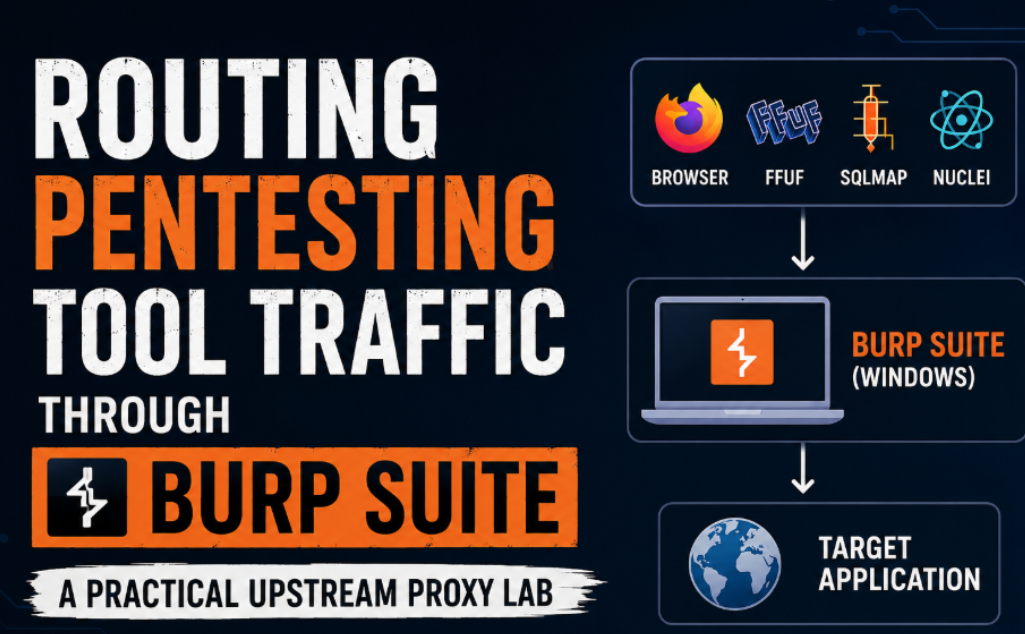
By using Burp Suite as an upstream proxy, we can allow a Kali Linux system to send traffic through a Windows machine that already has access to the target environment. This allows us to continue using our preferred testing environment while still reaching applications that would otherwise be inaccessible.
In this article, we will build a practical lab to demonstrate exactly that. We will configure Burp Suite on a Windows host, route traffic from a Kali Linux virtual machine through it, and then use several common security tools to show how the same setup can be reused throughout a VAPT engagement. The objective is not only to understand upstream proxying but also to create a workflow that can be applied in real-world assessments.
Understanding the Problem
Before jumping into the technical setup, it is worth understanding why this approach is useful. Imagine that you are performing an internal web application assessment for a client. The client provides VPN access that is configured only on a Windows laptop. Once connected, several internal applications become accessible. At first, everything seems straightforward.You open Burp Suite, browse the application, and start testing. Then you need to perform content discovery and your preferred workflow uses FFUF. Next, you might want to run Nuclei templates against the application. After that, you want to perform some SQL injection validation using SQLMap. You may also want to run Katana to identify hidden endpoints or use custom Python scripts for automation.
Suddenly you realize that all your tools are sitting inside your Kali environment or in your personal system while the application is only reachable through Windows system provided by client. This is where many testers start installing tools on Windows or experimenting with WSL. While there is nothing wrong with that approach, it often leads to duplicate environments, duplicated configurations, and additional troubleshooting.
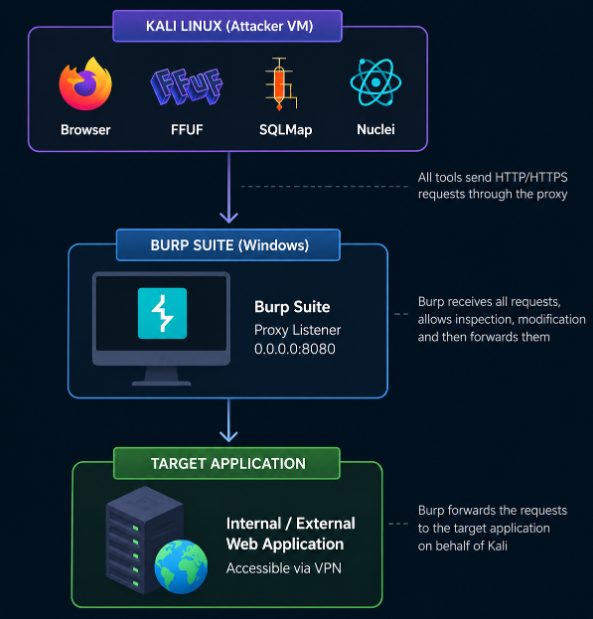
A better option is to allow Kali Linux to continue doing what it does best while the Windows machine simply acts as a bridge to the target application. This is where upstream proxying becomes valuable. A demonstration on how to setup burp upstream proxy is already demonstrated in my previous blog. In this blog i will cover how to route the traffic of various tools via the same proxy.
Tools & Routing Traffic Through Upstream Proxy
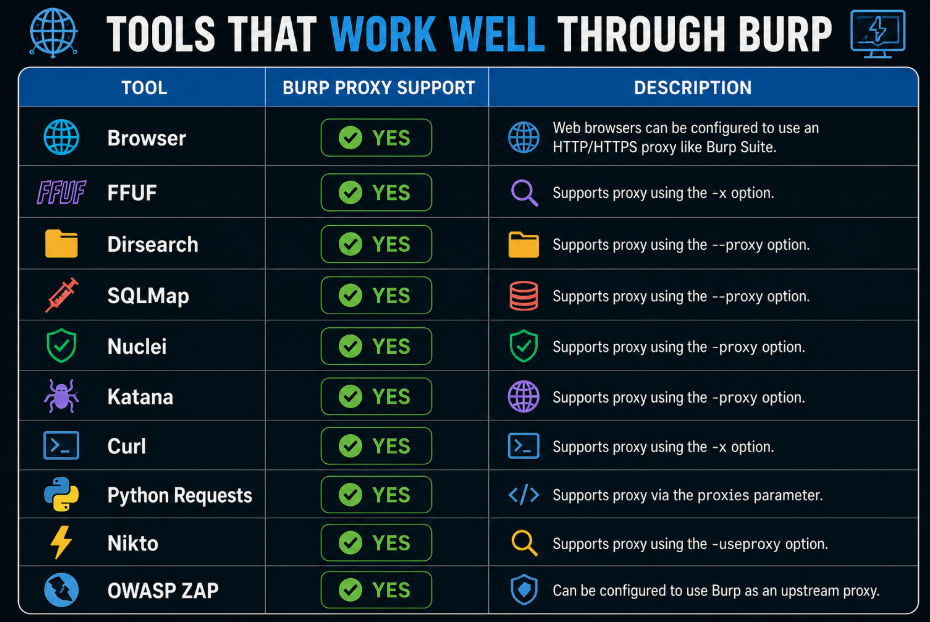
Since the upstream proxy is setup using Burp Suite here, it is designed primarily for HTTP and HTTPS traffic. Its not feasible to route the traffic of tools such as Nmap as its majorly TCP, UDP, ICMP etc. However we can route other web application testing tools whose traffic is over HTTP like SQLMap, FFUF, Dirsearch, Nuclei, Katana etc.
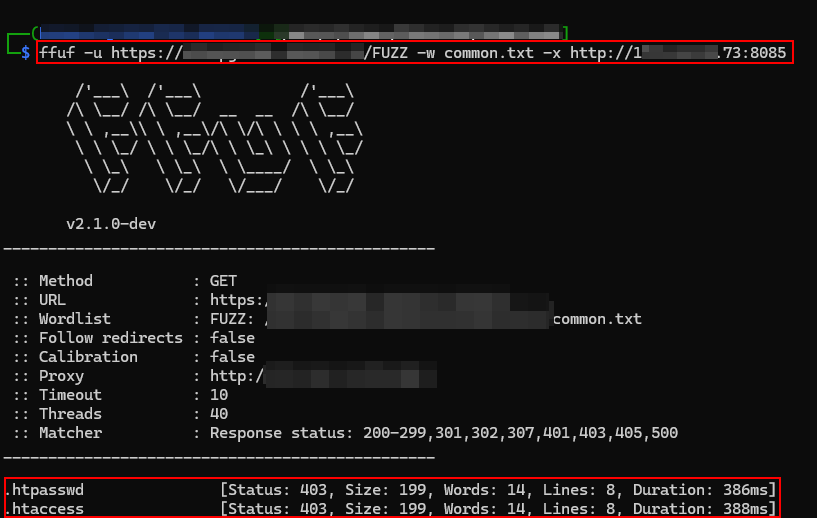
FFUF:
ffuf -u http://target/FUZZ -w wordlist.txt -x http://192.168.1.100:8085
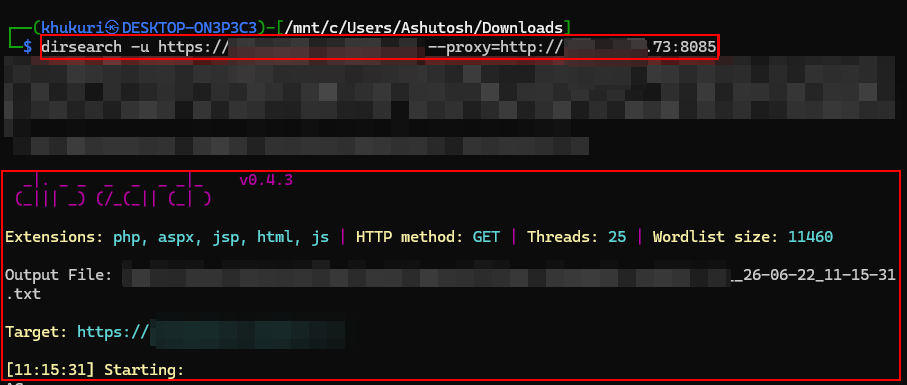
Dirsearch:
dirsearch -u http://target –proxy=http://192.168.1.100:8085
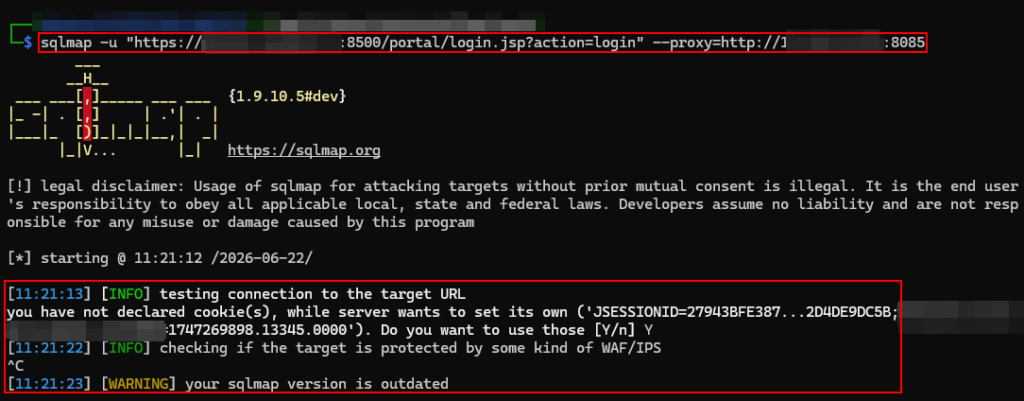
SQLMAP:
sqlmap -u “http://target/page.php?id=1” –proxy=http://192.168.1.100:8085
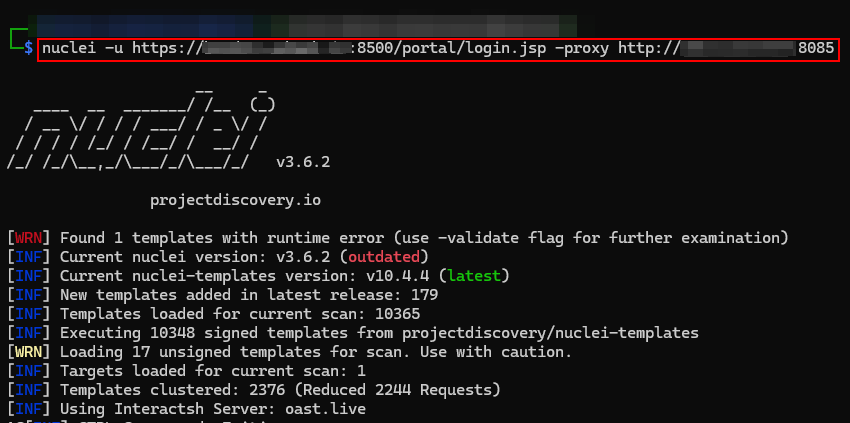
Nuclei:
nuclei -u http://target -proxy http://192.168.1.100:8085
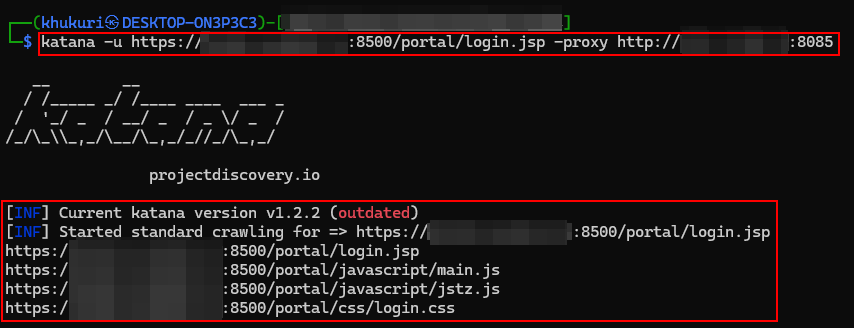
Katana:
katana -u http://target -proxy http://192.168.1.100:8085
Curl:
curl -x http://192.168.1.100:8080 http://target
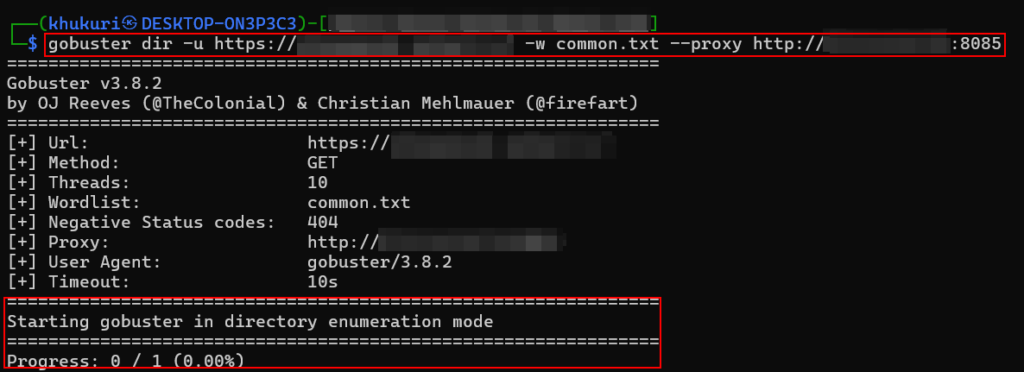
Gobuster:
gobuster dir -u http://target -w wordlist.txt –proxy http://192.168.1.100:8085
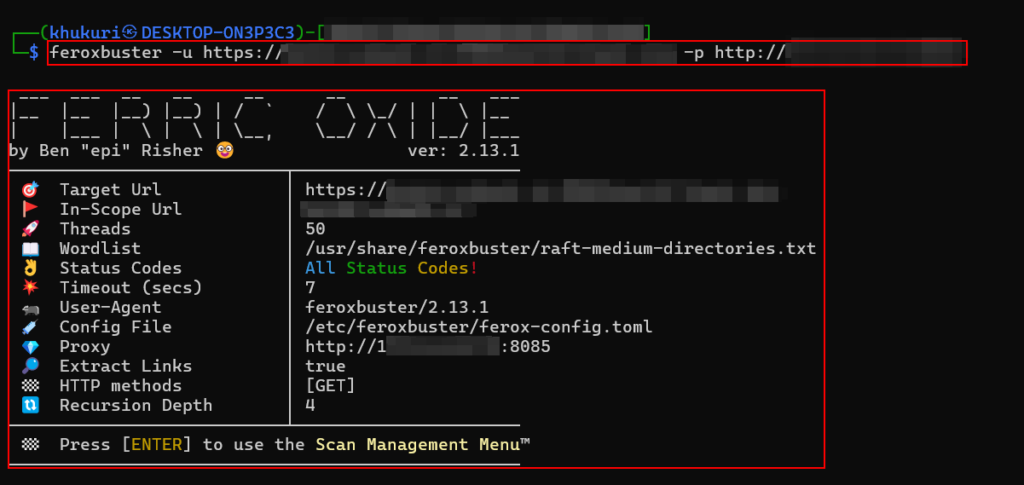
Feroxbuster:
feroxbuster -u http://target -p http://192.168.1.100:8085
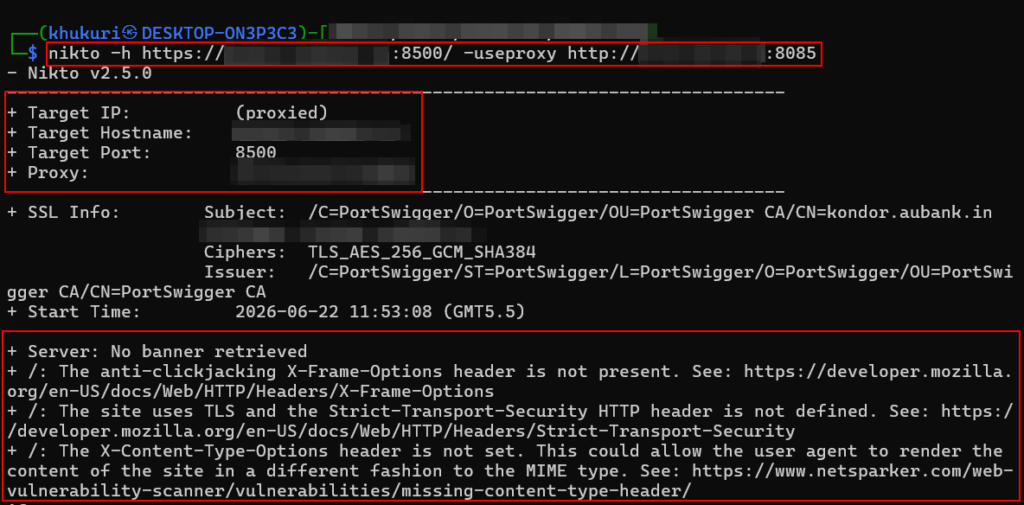
Nikto:
nikto -h http://target -useproxy http://192.168.1.100:8085
Whatweb:
whatweb –proxy http://192.168.1.100:8085 http://target
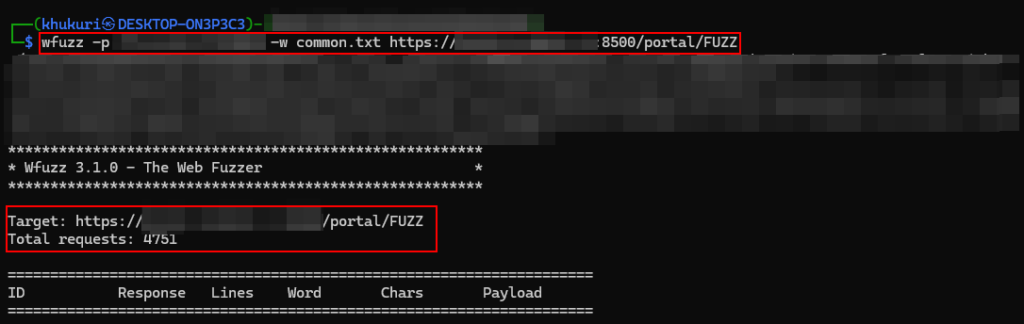
Wfuzz:
wfuzz -p 192.168.1.100:8085 -w wordlist.txt http://target/FUZZ
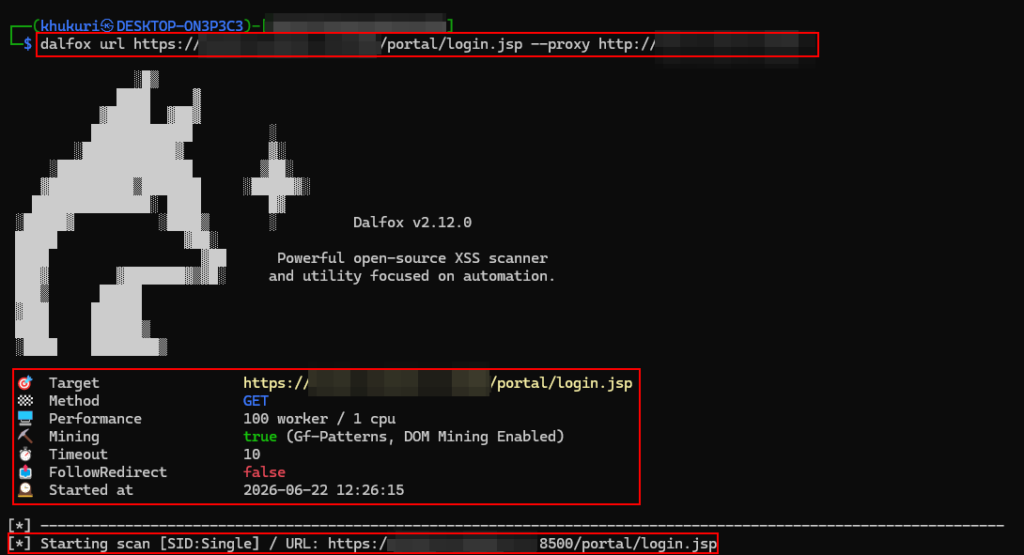
Dalfox:
dalfox url http://target –proxy http://192.168.1.100:8085
Arjun:
arjun -u http://target -oB http://192.168.1.100:8085

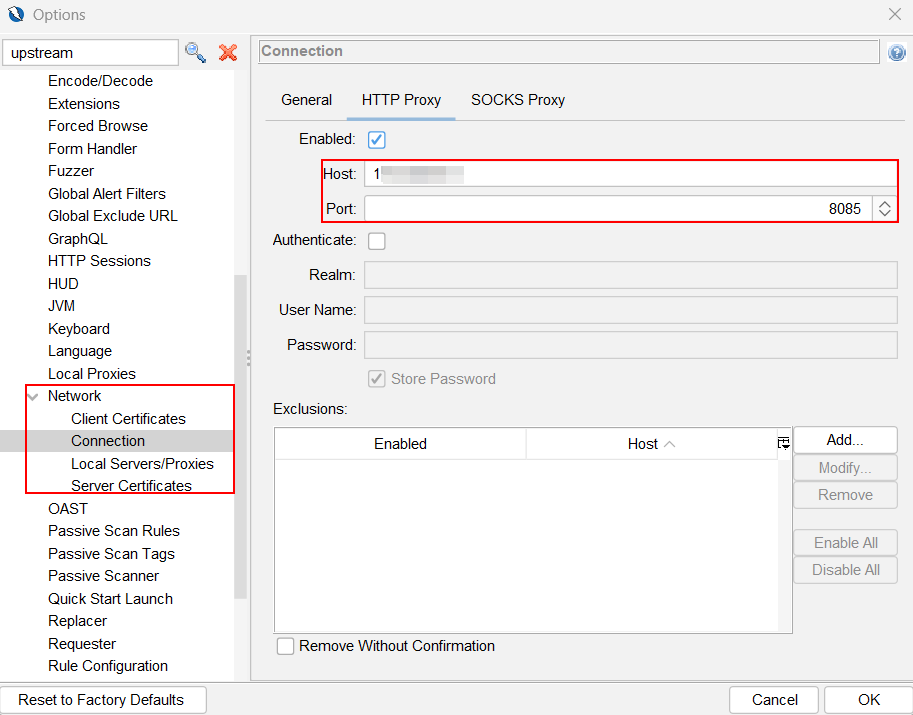
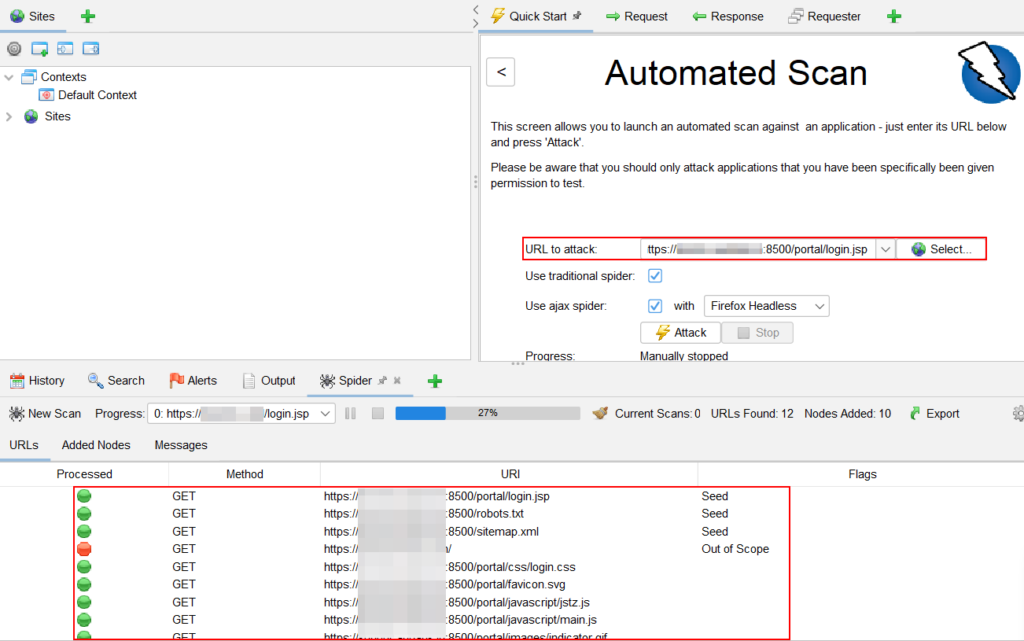
OWASP ZAP:
Tools → Options → Connection → Use Upstream Proxy → 192.168.1.100:8085
Python Requests:
requests.get(url, proxies={“http”:”http://192.168.1.100:8080″,”https”:”http://192.168.1.100:8080″}, verify=False)
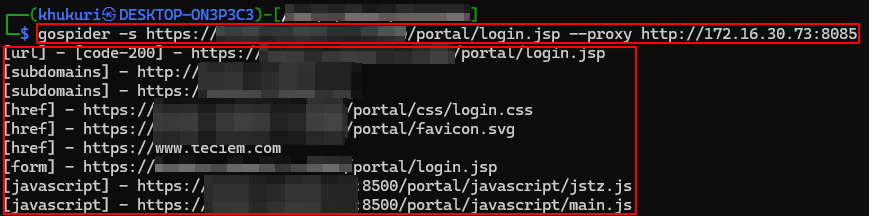
Gospider:
gospider -s https://target.com –proxy http://192.168.1.100:8085
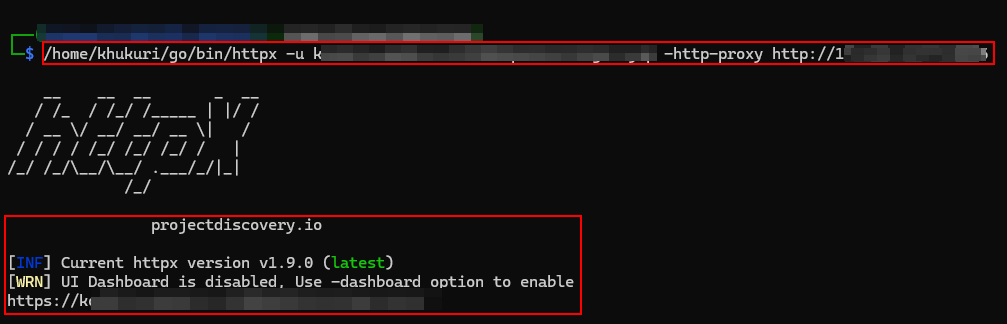
Httpx:
httpx -u https://target.com -http-proxy http://192.168.1.100:8085
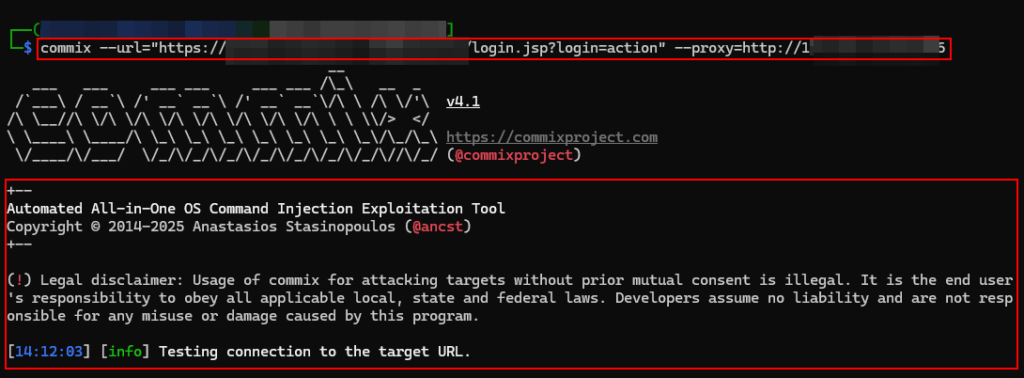
Commix:
commix –url=”https://target.com?id=1″ –proxy=http://192.168.1.100:8085
Wget:
wget -e use_proxy=yes -e http_proxy=http://192.168.1.100:8080 https://target.com
Upstream proxying is often introduced as a networking feature, but its real value becomes clear when applied to practical assessment scenarios. Many consultants work in environments where VPN access is available only on a specific workstation while testing activities are performed from another system. Instead of rebuilding a complete testing environment on the VPN-connected machine, Burp Suite can be used as a bridge between systems.
By routing traffic through a centralized proxy, we gain visibility into browser activity, automated scanning, content discovery, crawling, and custom tooling from a single location. More importantly, we can continue using the Kali Linux environment or personal systems that already contains our tools, scripts, and workflows.
For consultants performing internal VAPT engagements or Red Teaming, this approach can simplify testing, reduce setup time, and provide better visibility into every request sent to the target application.
Sometimes the easiest solution is not moving the tools to the target network, it is simply moving the traffic.