

Modern Vulnerability Assessment and Penetration Testing (VAPT) is no longer limited to heavyweight scanners and complex toolchains. A significant amount of reconnaissance, validation, and even exploitation can be performed directly from the browser using carefully chosen extensions. When used responsibly within scope, browser extensions can drastically improve testing efficiency, reduce blind spots, and complement traditional VAPT tools.
This blog explores how browser extensions can be strategically used during a VAPT engagement, covering their practical use cases, strengths, and where they fit in a professional testing workflow.
Why Browser Extensions Matter in VAPT
Browsers sit at the centre of web application interaction. Every request, response, script, cookie, and parameter ultimately flow through them. Browser extensions enhance visibility into these interactions, allowing testers to:
- Perform quick passive reconnaissance
- Identify technology stacks and vulnerable components
- Discover hidden parameters and misconfigurations
- Validate exploitation paths without relying solely on scanners
Used correctly, browser extensions act as helping hand during black-box and grey-box testing.
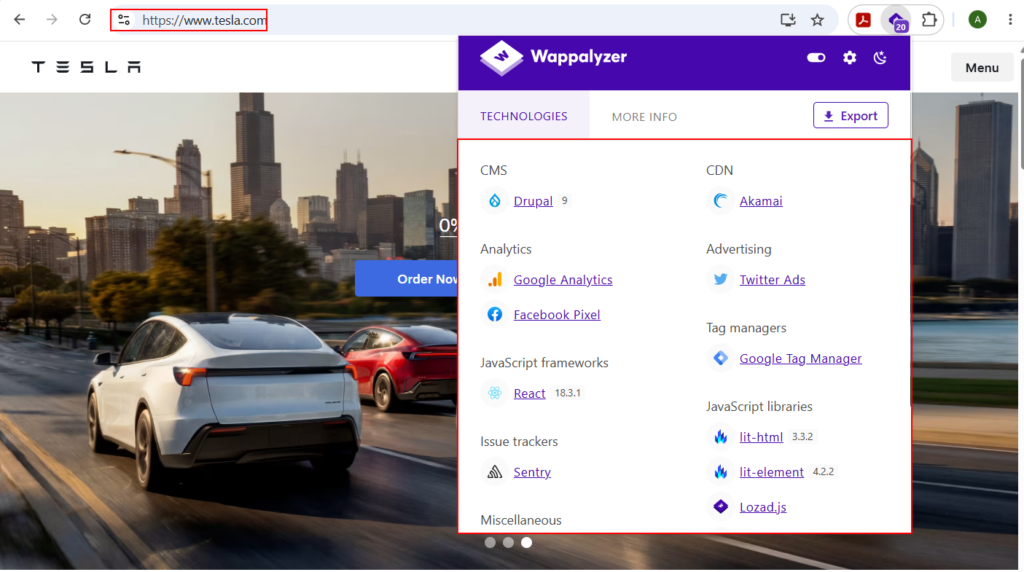
1. Web Technology FingerprintingExtension Name: Wappalyzer
Technology fingerprinting is the first step in most VAPT exercises. Understanding the underlying stack—frameworks, servers, analytics tools, CDNs, CMS, and JavaScript libraries—directly influences attack surface identification.
Extensions like Wappalyzer passively analyze HTTP headers, DOM elements, cookies, and script patterns to identify:
- Frontend frameworks (React, Angular, Vue)
- Backend technologies (PHP, Java, .NET, Node.js)
- CMS platforms (WordPress, Drupal, Joomla)
- Analytics, marketing, and third-party integrations
2. Identifying Vulnerable Libraries and PluginsExtension Name: Retire.js
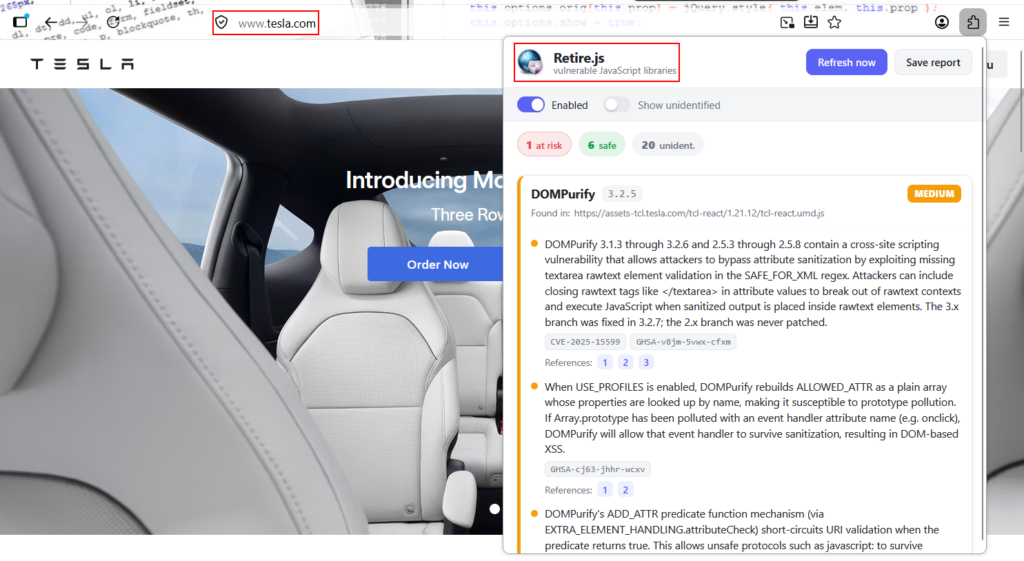
Modern applications heavily depend on third-party JavaScript libraries. Outdated or vulnerable libraries can introduce serious risks such as XSS, prototype pollution, or RCE.
Retire.js inspects loaded JavaScript files and compares versions against known vulnerability databases. During VAPT, this enables:
- Rapid identification of outdated client-side dependencies
- Validation of issues often missed by server-side scanners
- Evidence-backed reporting with library name, version, and known risks
This is particularly valuable for large single-page applications (SPAs) where JavaScript attack surfaces are extensive.
These extensions and their demonstration have been covered in detail in YouTube Video also which is mentioned below:
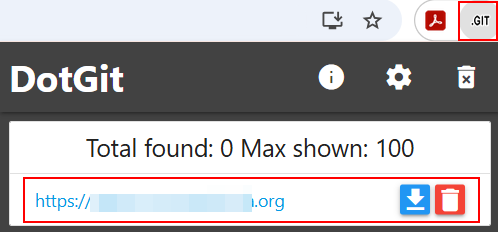
3. Git Directory and Repository Exposure:Extension Name: DotGit
Exposed .git directories remain a surprisingly common misconfiguration. A publicly accessible Git repository can reveal:
- Source code
- API keys and secrets
- Hardcoded credentials
- Internal endpoints and logic
Git directory scanner extensions quickly check for .git exposure and accessible repository metadata. When identified, this often escalates findings to high or critical severity, especially in production environments. This also comes in handy when you are traversing through different websites, sometimes there will be applications having .git files accessible which can be reported responsibly.
4. JavaScript Analysis for Secrets and Sensitive DataExtension Name: TruffleHog Browser Extension
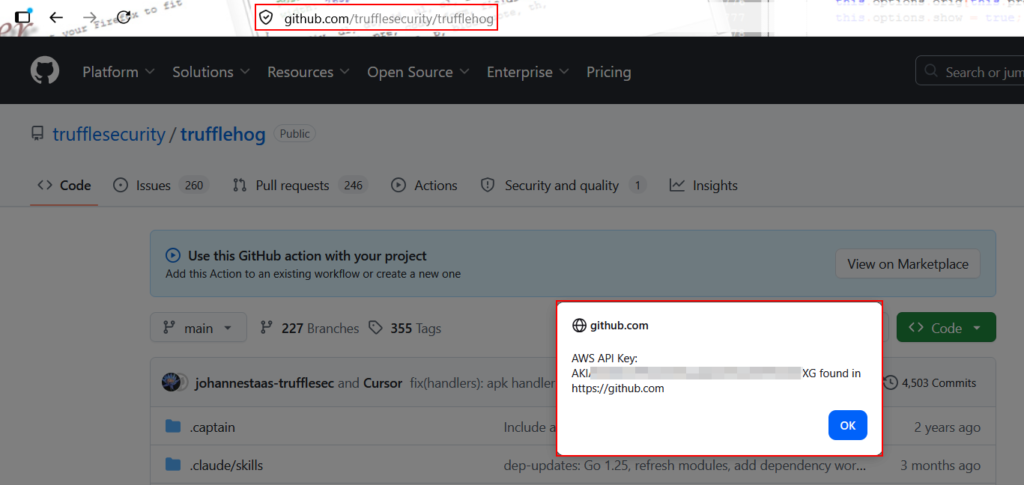
The TruffleHog browser extension scans loaded scripts in real time to detect high-entropy secrets and known patterns. This is extremely effective for:
- Runtime-generated JavaScript files
- CDN-hosted assets
- Single-page applications where JS changes dynamically
Such findings often lead to lateral movement opportunities or API abuse scenarios. An alternative to Trufflehog is FindSomething.
5. Translating Websites for Better CoverageExtension Name: Google Translate Extension
Language barriers should never limit security testing. Applications built for regional or non-English audiences often hide critical functionality behind untranslated UI elements. Using translation extensions helps testers:
- Understand business logic
- Identify sensitive workflows
- Navigate forms and dashboards accurately
This is especially useful during black-box testing of government portals, regional banking applications, or localized enterprise systems.
6. Switching User AgentsExtension Name: User-Agent Switcher
Some applications behave differently based on device type or browser identity. Switching user agents can uncover:
- Mobile-only endpoints
- Legacy code paths
- Debug or admin features exposed to specific clients
Testing with varied user agents helps identify inconsistent security controls and broken access restrictions.
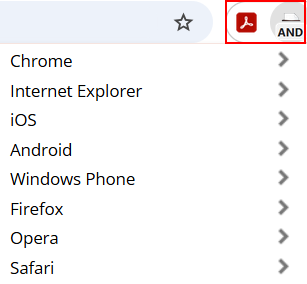
7. Revealing Hidden Fields and ParametersExtension Name: XnlRevealHidden form fields and disabled parameters often control Roles, Pricing, Feature flags etc. Extensions that reveal hidden fields allow testers to:
- Manipulate client-side controls
- Test for parameter tampering
- Identify missing server-side validation
This is a powerful technique for business logic testing and authorization bypass scenarios. Alternative to this are Quick Javscript Switcher and Web Developer.
8. Cookie Manipulation and Session TestingExtension Name: Cookie Editor
Cookies control authentication, authorization, preferences, and feature toggles. Cookie Editor extensions make it easy to:
- Modify session values
- Test privilege escalation
- Analyze insecure cookie attributes
- Replay or clone sessions
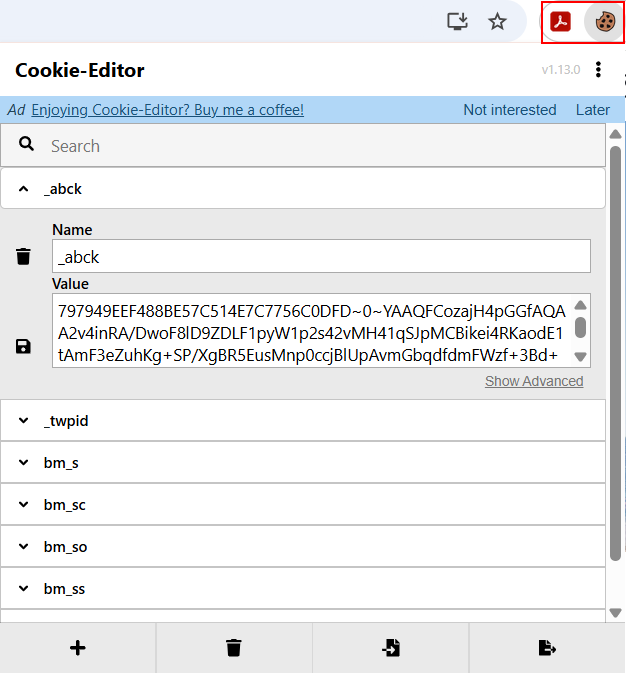
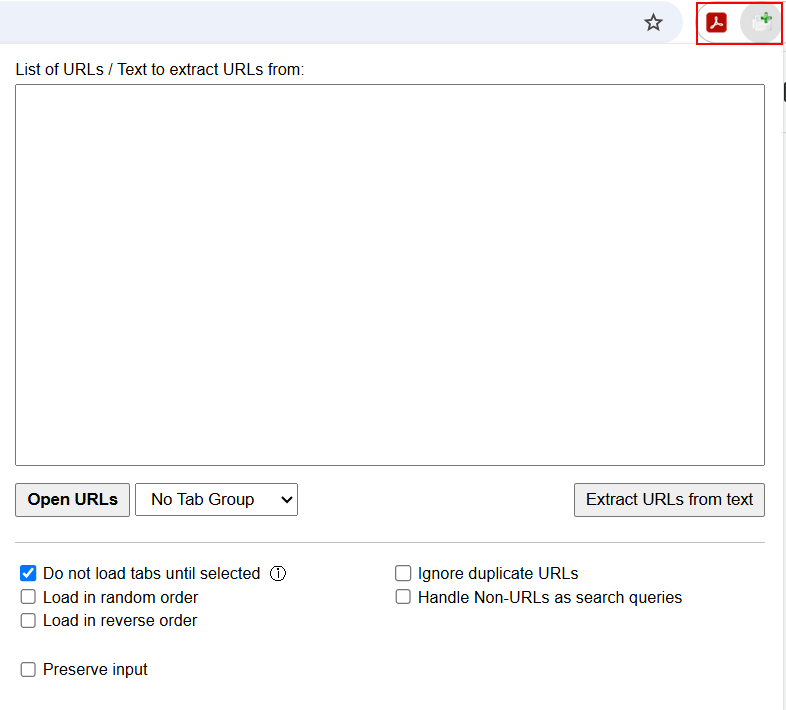
9. Bulk URL Handling and Workflow EfficiencyExtension Name: Open Multiple URLsDuring large-scale testing, opening dozens of endpoints manually is inefficient. URL opener extensions allow:
- Rapid verification of enumerated endpoints
- Validation of archive or JS-discovered paths
- Faster triage of potential findings
This saves time and improves coverage during manual testing phases.
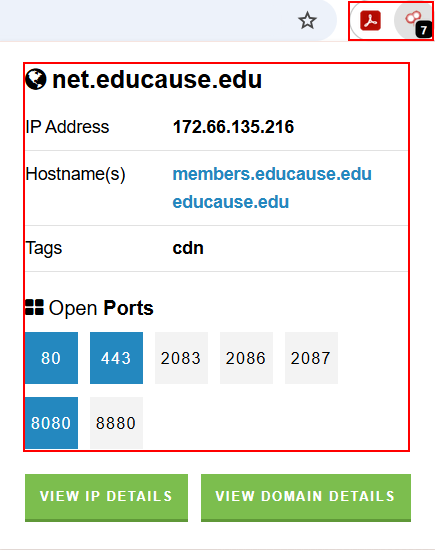
10. External Intelligence and Exposure MappingExtension Name: Shodan Browser ExtensionShodan provides immediate infrastructure context for IPs and domains encountered during testing. The browser extension can reveal:
- Exposed services
- Open ports
- Known vulnerabilities
- TLS and certificate details
This bridges web application testing with infrastructure awareness, enhancing overall VAPT depth.
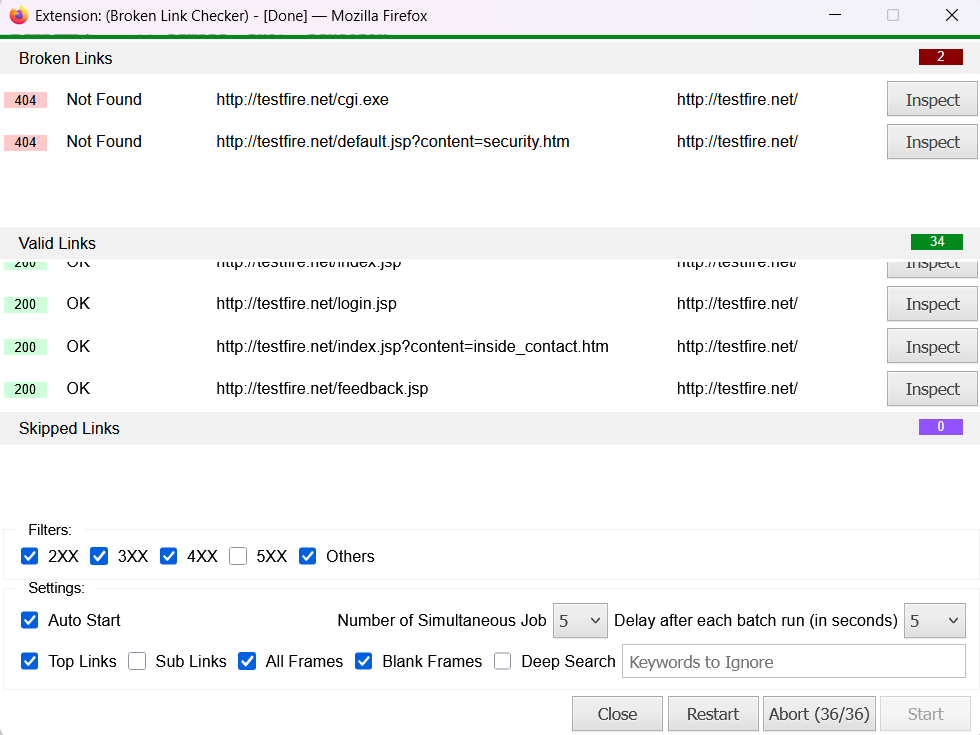
11. Broken Link and Dead Endpoint AnalysisExtension Name: Broken Link CheckerBroken links may indicate:
- Deprecated functionality
- Removed authentication layers
- Legacy endpoints still reachable
While often low severity on their own, broken links can guide testers toward forgotten or poorly maintained attack surfaces.
12. Proxy Management for Advanced TestingExtension Name: FoxyProxy
Proxy extensions simplify switching between:
- Burp Suite
- OWASP ZAP
- Direct browsing
This is essential for maintaining clean workflows, testing different environments, and avoiding accidental proxying of unrelated traffic. An alternative to Foxyproxy is Proxy Switch Omega3
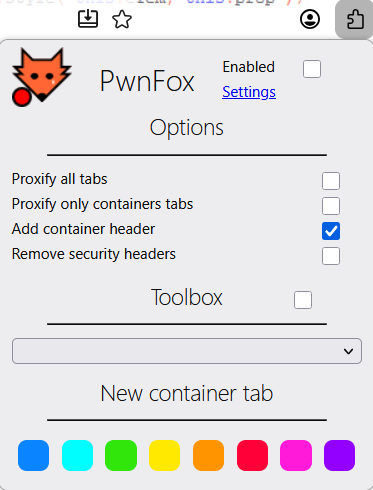
13. Browser Isolation and ContainerizationExtension Name: PwnFox
Containerized browser tabs isolate sessions, identities, and cookies. This enables:
- Testing multiple roles simultaneously
- Comparing authorization behaviors
- Preventing session contamination
For complex applications with multi-user workflows, this dramatically improves testing accuracy. Alternatives to this are Temporary Containers & Multi-Account Containers.
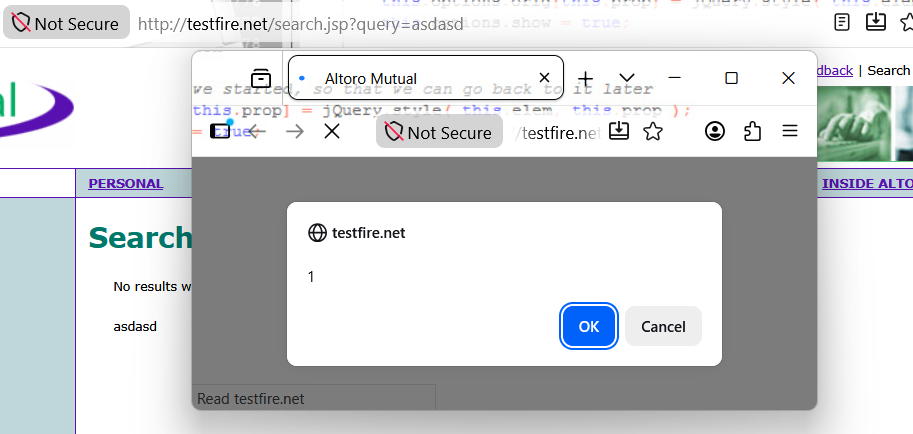
14. Cross-Site Scripting (XSS) Detection and ValidationExtension Name: KNOXSS Community EditionKNOXSS assists VAPT testers by automatically analyzing request and response flows to identify potential XSS injection points and validate them using context-aware payloads. From a practical testing perspective, this enables quicker identification of reflected and DOM-based XSS issues, reduces false positives, and helps confirm whether user-controlled input can be executed in the browser. While manual validation remains essential, KNOXSS significantly improves triage efficiency and strengthens the technical credibility of reported XSS findings.
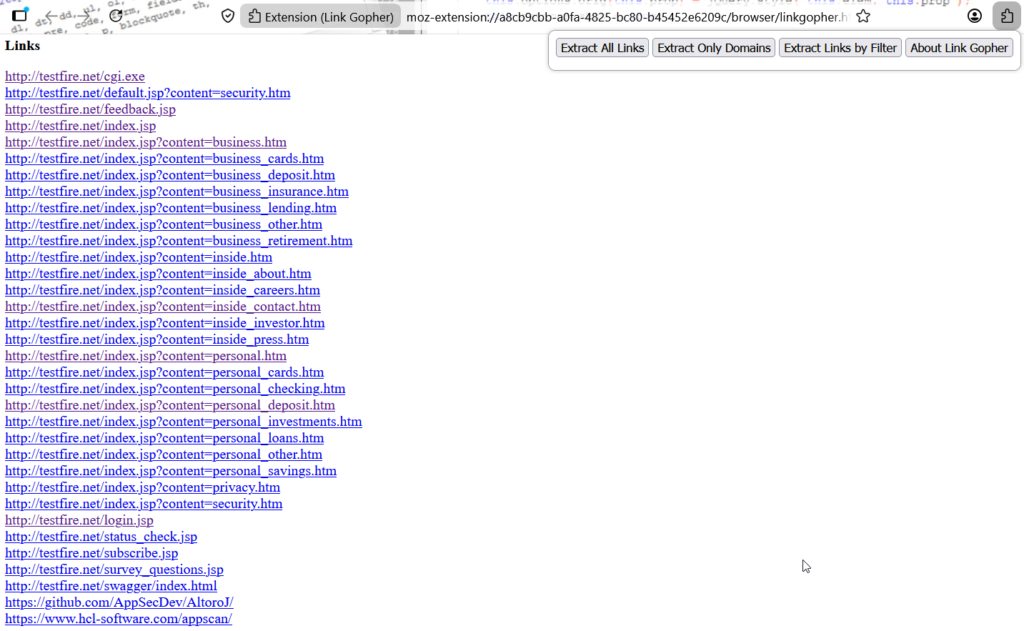
15. Bulk Link and Endpoint Extraction Extension Name: Link GopherExtension Name: Link GopherManually collecting URLs from a large application is slow and error-prone. Link Gopher extracts every link on the current page, deduplicates them, and separates them by domain, producing a clean list that can be fed straight into other tooling. During VAPT, this enables:
- Fast collection of in-scope endpoints for manual review
- Separation of first-party links from third-party integrations
- Building input lists for the Open Multiple URLs workflow covered earlier
- Identification of unexpected external domains that may indicate data leakage
Used alongside a bulk URL opener, this turns endpoint triage from a manual chore into a two-click process.
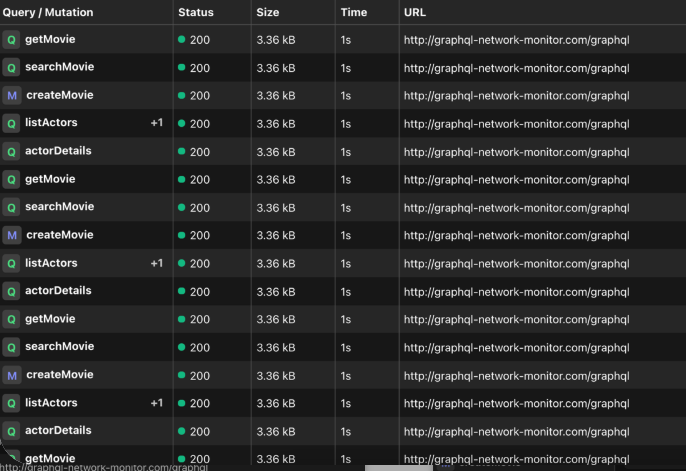
16. GraphQL API Testing Extension Name: GraphQL Network Inspector Extension Name: GraphQL Network Inspector
- Enumeration of queries and mutations actually used by the application
- Discovery of over-fetched fields that expose data the UI never renders
- Identification of IDOR and authorization gaps at the field and resolver level
- Analysis of GraphQL subscriptions delivered over WebSocket or Server-Sent Events
Combined with an introspection check, this gives a fairly complete picture of the GraphQL attack surface without leaving the browser.
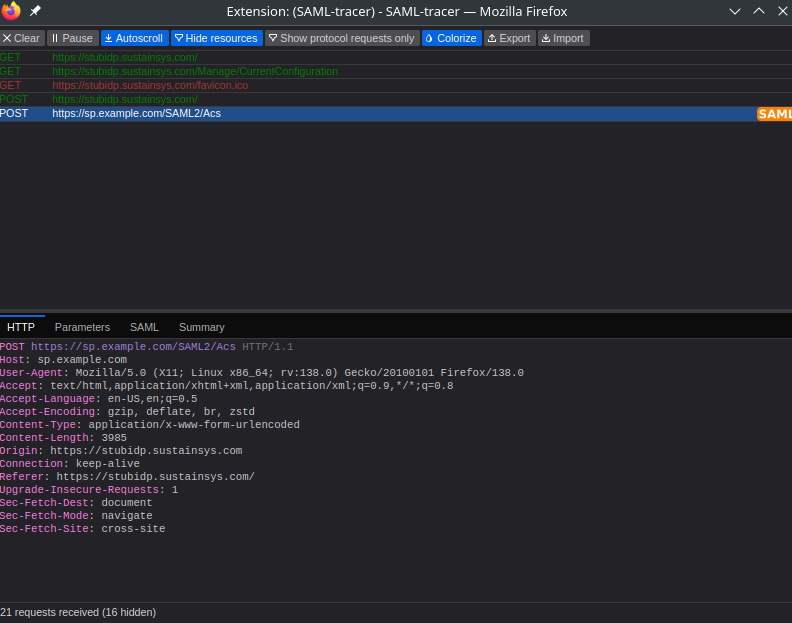
17. SAML and Single Sign-On Flow Analysis Extension Name: SAML-tracerExtension Name: SAML TracerEnterprise applications increasingly rely on SAML, WS-Federation, and OAuth for authentication, yet these flows are frequently skipped during testing because the messages are base64-encoded, deflated, and scattered across multiple redirects. SAML-tracer logs the full request chain and automatically decodes and highlights SAML and WS-Fed messages as they pass through the browser. During VAPT, this enables:
- Inspection of assertion contents, attribute statements, and audience restrictions
- Identification of missing or weak signature validation on the service provider side
- Testing for assertion replay, recipient confusion, and audience mismatch issues
- Capturing raw assertions as evidence for the report
For any engagement involving Okta, ADFS, Azure AD, Keycloak, or a custom identity provider, this is one of the highest-value extensions a tester can have installed.
18. Historical Endpoint Discovery Extension Name: Wayback MachineExtension Name: Wayback MachineApplications change, but old code paths often remain reachable. Archived snapshots reveal functionality that has been removed from the interface yet never decommissioned on the server, which is one of the more reliable sources of high-impact findings in mature applications. During VAPT, this enables:
- Recovery of endpoints and parameters removed from the current version
- Access to older JavaScript bundles that may contain unminified code or stale secrets
- Comparison of previous authentication and authorization behaviour against the current build
- Context for broken links identified during earlier testing phases
This ties directly into the broken link analysis discussed above—an archived version often explains exactly what a dead endpoint used to do.
Browser extensions are not replacements for scanners, intercepting proxies, or custom scripts—but they are powerful enablers. When used thoughtfully, they:
- Accelerate reconnaissance
- Improve visibility
- Strengthen manual testing
- Enhance validation and reporting quality
For VAPT professionals, A well-configured browser can act as a lightweight, always available pentesting workstation, perfectly complementing deeper automated and manual testing techniques.