A Practical Approach for Banking, Internal, and Regulated Environments
In an ideal world, a security tester would always be provided with a fully privileged testing machine, complete with the freedom to install any tool required for a thorough Vulnerability Assessment and Penetration Testing (VAPT) exercise. However, real-world enterprise engagements sometimes doesn’t work this way.
In sectors such as banking, financial services, government, and large enterprises, testers are often placed inside hardened systems with:
- No local administrator access
- Application whitelisting policies
- Restricted PowerShell and CMD usage
- Blocked software installations
- Endpoint Detection & Response (EDR) controls
- Strict change-management requirements
Despite these restrictions, application security testing is still expected to be effective, accurate, and comprehensive. This blog outlines a field-tested approach to performing Application VAPT in hardened environments without installing tools, relying only on standalone binaries, portable executables, and native OS capabilities.
Key Assumption: This approach works when the organization allows copying standalone executables to the system or downloading pre-approved portable tools from the internet or an internal repository.
Why tools Installation aren’t allowed in some enterprises?
Most clients, especially banks are uncomfortable with testers installing software because:
- Installations generally require admin privileges
- Installed tools may persist beyond engagement scope
- Security teams cannot easily audit changes
- Software may conflict with endpoint protection policies
Using standalone or portable tools solves this problem:
- No registry modifications
- No services installed
- No drivers added
- Minimal footprint
- Easy cleanup post-engagement
This makes the approach audit-friendly, compliant, and acceptable to security teams.
Engagement Scope Where This Approach Fits Best
This methodology is highly effective for:
- Internal Web Application VAPT
- Banking & Financial Institution Assessments
- Regulated Industry Testing (PCI, ISO, SOC environments)
- Assumed-Breach or Controlled Desktop Scenarios
- VDI or Jump-Host Based Testing
Application Vulnerability Scanning Using Standalone Tools (Without Installation):
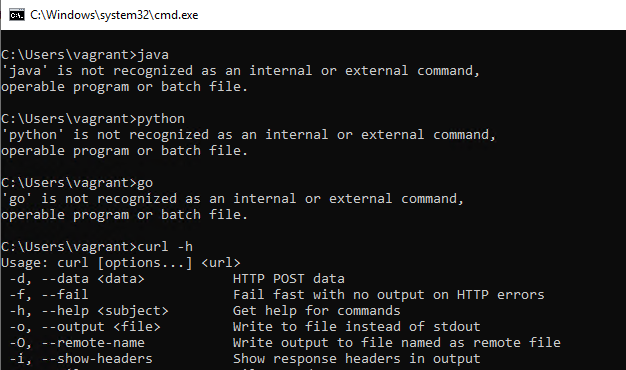
Automated scanning is often questioned in hardened environments, but portable scanners are fully viable.
1. Nmap Standalone EXE
Nmap can be run without installation and used for open port discovery, service fingerprinting, TLS/SSL configuration review, and HTTP service identification. It is particularly effective in scenarios where no internal visibility is available and testing is limited to target IPs or domains.Download Link: https://nmap.org/dist/
nmap.exe -Pn <Domain / IP Address> 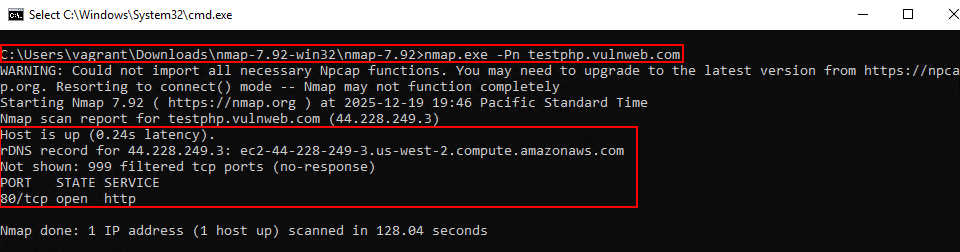
2. FFUF Standalone EXE
FFUF is a portable tool suited for directory and parameter fuzzing without requiring installation. It enables hidden endpoint discovery, file enumeration, and parameter brute-forcing, with its speed and simplicity making it well-suited for use on restricted or hardened systems. Custom wordlists or wordlist from one of the most popular and best repo “SecLists” can also be used as input to ffuf.Download Link: https://github.com/ffuf/ffuf/releases/download/v2.1.0/ffuf_2.1.0_windows_amd64.zip
ffuf.exe -w -u http://testphp.vulnweb.com/FUZZ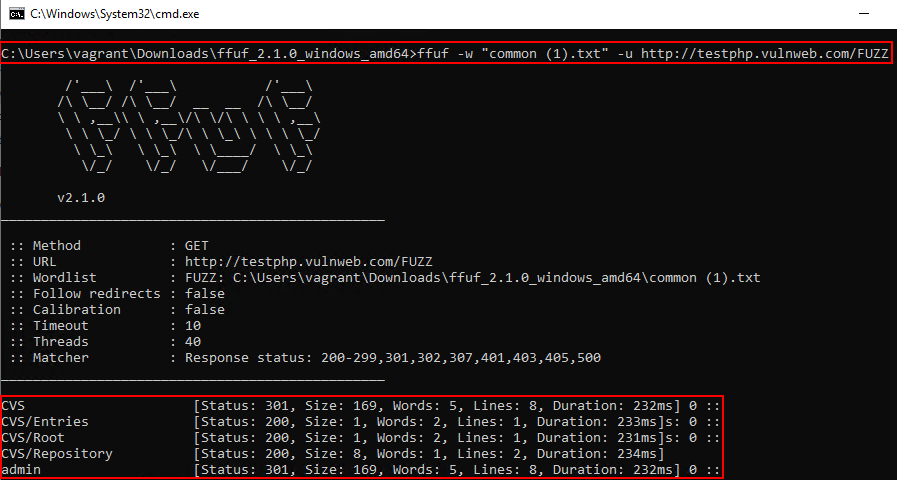
3. OWASP ZAP (EXE / Java Mode)
OWASP ZAP can be used in standalone EXE or Java-based portable mode, making it suitable for environments where installation is restricted. It is primarily effective for passive scanning, baseline security checks, and quick vulnerability identification, and is often accepted by enterprises due to its OWASP backing.Download Link (JDK): https://download.oracle.com/java/21/archive/jdk-21.0.8_windows-x64_bin.zip
Download Link (ZAP): https://sourceforge.net/projects/zap.mirror/files/v2.16.1/ZAP_2.16.1_Core.zip/download?utm_source=chatgpt.com
java.exe -jar zap-2.16.1.jar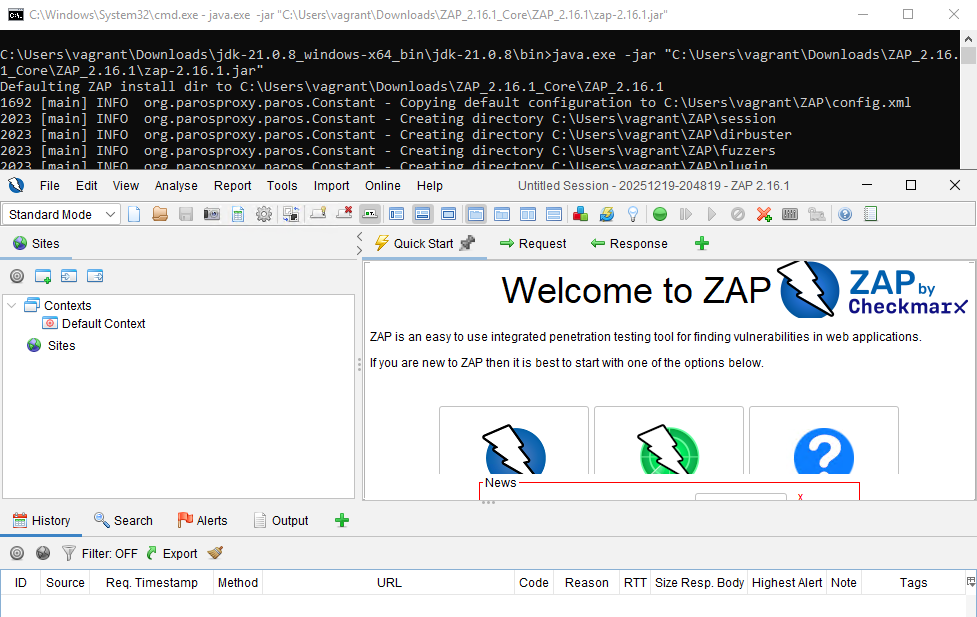
4. Nuclei Standalone EXE
Nuclei is highly effective in hardened environments due to its single-executable, template-driven design that requires no installation and allows tightly scoped, low-noise scanning. It is commonly used for detecting known CVEs, identifying misconfigurations, and uncovering technology-specific vulnerabilities. The tool will download required templates, however sometimes some templates have chance of getting flagged by defender, copying required templates can be a better approach here.Download Link: https://github.com/projectdiscovery/nuclei/releases/download/v3.6.1/nuclei_3.6.1_windows_amd64.zip
nuclei.exe -u http://testphp.vulnweb.com
nuclei.exe -t customtemplate.yaml -u http://testphp.vulnweb.com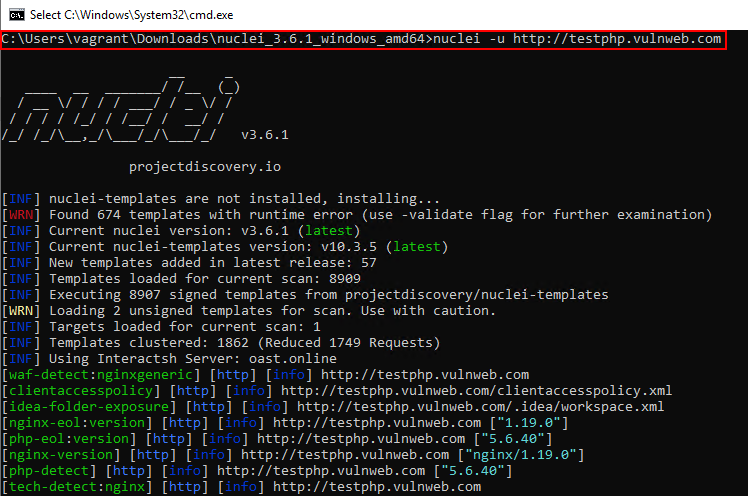
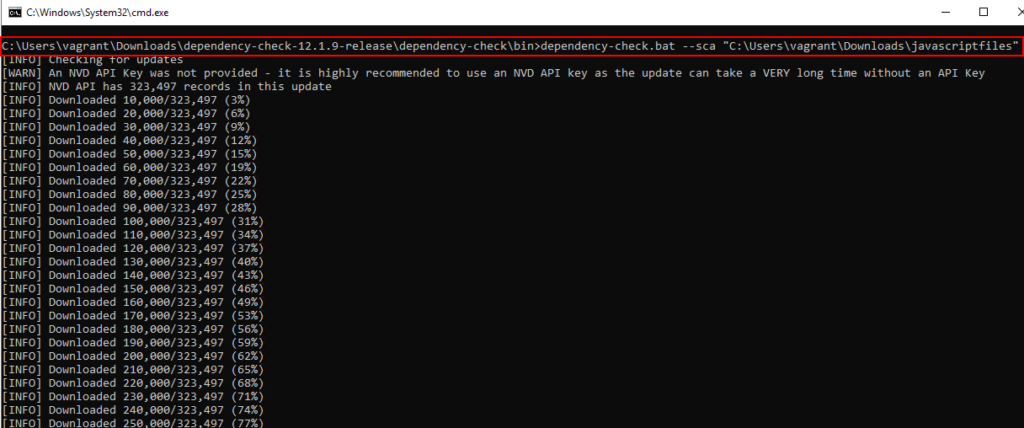
5. OWASP Dependency-Check (Standalone CLI)
OWASP Dependency-Check can be used in a standalone, no-installation manner to identify vulnerable third-party libraries and components. It analyzes application dependencies and libraries against known vulnerability databases to detect outdated or insecure versions. This is important because server-side and bundled dependencies are often inherited silently by applications, and vulnerabilities in these components frequently lead to critical, high-impact security issues when left unpatched. Java file path inside the “.bat” file will have to be modified for it to work properly as java will not be installed in the system.Download URL: https://github.com/dependency-check/DependencyCheck/releases/download/v12.1.9/dependency-check-12.1.9-release.zip
6. Katana Standalone EXE
Katana standalone EXE is used to crawl modern single-page applications, discover runtime-generated endpoints, and enumerate hidden routes, making it particularly effective for React, Angular, and Vue-based applications.Download Link: https://github.com/projectdiscovery/katana/releases/download/v1.3.0/katana_1.3.0_windows_amd64.zip
katana.exe -u http://testphp.vulnweb.com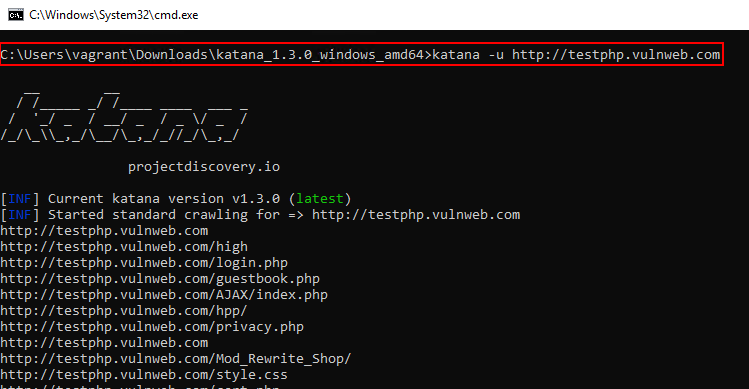
Web Application Manual Testing (Without Installation):
Manual testing remains the foundation of any strong VAPT engagement, even in hardened environments.
1. Java Standalone + Burp Suite Community (JAR)
Burp Suite does not require installation when used as a standalone JAR file. Java is often pre installed in many systems, however even if there is no java, a portable version of java can be used to launch the portable/standalone jar file of Burpsuite Community.Download Link (JDK): https://download.oracle.com/java/21/archive/jdk-21.0.8_windows-x64_bin.zip
Download Link (Burp Suite Community): https://portswigger.net/burp/releases/professional-community-2025-11-6
java.exe -jar burpsuite_community_v2025.11.6.jar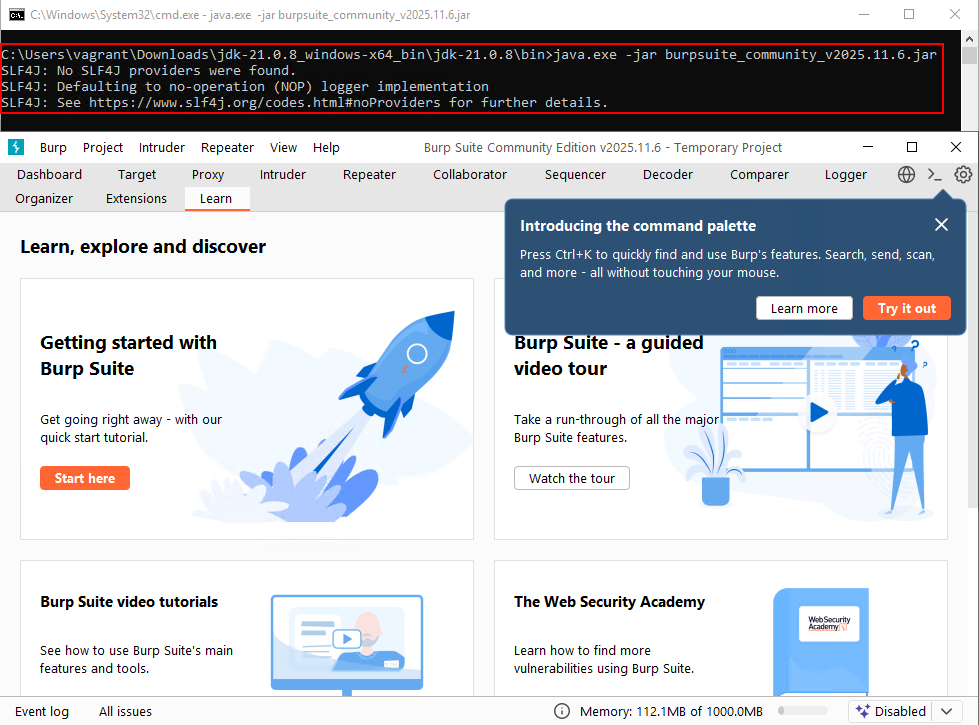
2. Curl (Native or Standalone)
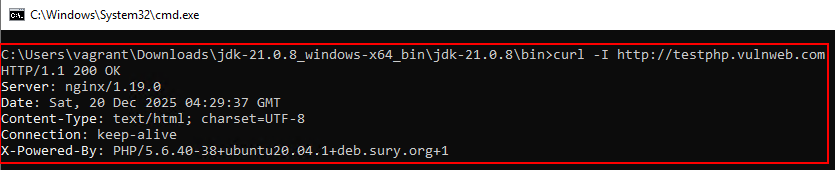
curl is one of the most powerful yet underutilized tools in hardened environments. It can be used to manually craft requests, header manipulation, Authentication testing, API Testing, File Upload Testing etc.
curl -i http://testphp.vulnweb.com
curl -o response.html http://testphp.vulnweb.com
3. Mitmproxy Standalone EXE
Instead of fiddler give me similar for mitmproxy:
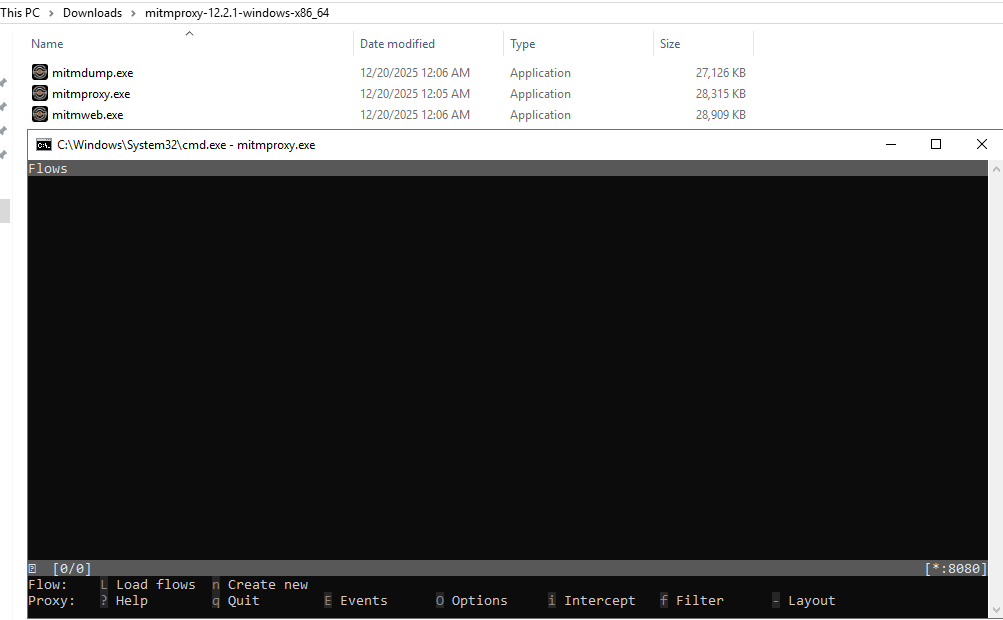
mitmproxy provides a lightweight, standalone interception alternative in environments where Burp usage is restricted. Available as a portable executable, it enables full HTTP/HTTPS traffic interception, inspection, and request/response manipulation through its interactive console and web-based interfaces. Similar to Burp, mitmproxy supports traffic analysis, header and parameter modification, replaying requests, and observing application behavior at runtime, making it a practical option for controlled testing scenarios in hardened or restricted systems.Download Link: https://downloads.mitmproxy.org/12.2.1/mitmproxy-12.2.1-windows-x86_64.zip
Archive Enumeration Without Installation
1. gau Standalone EXE
The gau standalone EXE leverages historical archives to uncover deprecated endpoints, legacy APIs, and sensitive files that are no longer linked in the UI. Running it in standalone mode enables Wayback and archive enumeration with zero installation footprint, providing high-value discoveries with minimal effort.Download Link: https://github.com/lc/gau/releases/download/v2.2.4/gau_2.2.4_windows_amd64.zip
gau.exe testphp.vulnweb.com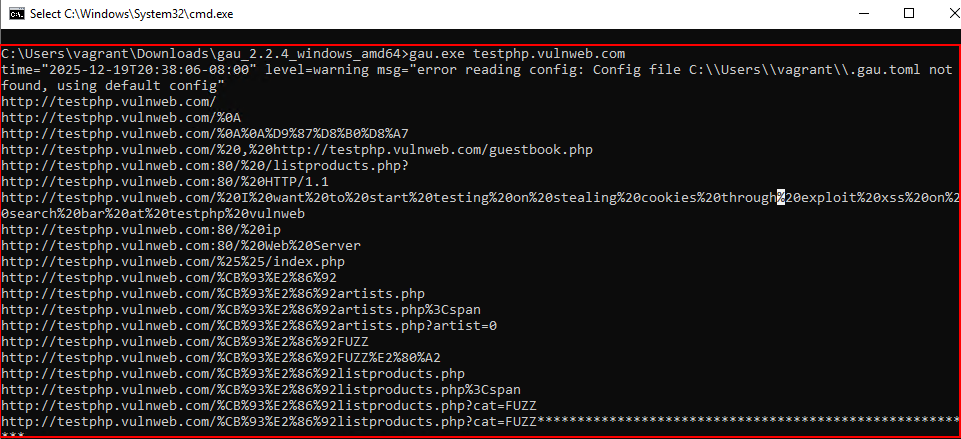
JavaScript File Analysis in Hardened Systems
JavaScript files are one of the richest sources of vulnerabilities—even in locked-down environments as it contains hardcoded secrets, details on application api endpoints, logic of important modules etc.
Step 1: Download JS Files Locally
The below mentioned tools and command can be used to obtain the same:
a. Curl
curl is commonly available on modern Windows systems and is one of the most flexible tools for downloading application resources.curl -o app.js https://sample.com/static/app.js
curl -O https://sample.com/static/main.bundle.js
b. PowerShell Invoke-WebRequest
PowerShell is almost always present in enterprise Windows environments and does not require additional binaries.Invoke-WebRequest https://sample.com/static/app.js -OutFile app.js
iwr https://target.com/static/vendor.js -OutFile vendor.js
c. CertUtil
CertUtil is a built-in Windows utility typically allowed even in tightly controlled environments. Although intended for certificate management, it can also download remote files.certutil -urlcache -split -f https://target.com/static/app.js app.js
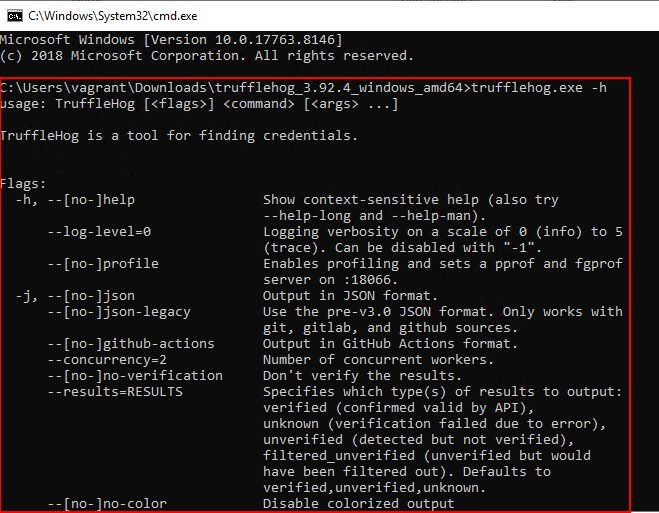
Step 2: Identify Secrets Using TruffleHog Standalone EXE
Using the TruffleHog standalone EXE enables detection of API keys, cloud credentials, and tokens or secrets embedded within JavaScript files. This step alone frequently leads to critical security findings.
Hardened systems are not a limitation, they are a reality of modern enterprise security testing. A skilled application security tester must be capable of:
- Adapting to restrictions
- Leveraging portable tooling
- Extracting maximum value from minimal access
This approach demonstrates that effective Application VAPT is possible even in the most locked-down environments, without compromising security, compliance, or depth of testing.
Leave a Reply