
In modern web applications, JavaScript (JS) is no longer a supporting component—it is the backbone of application logic, client-side security controls, API communication, and user interaction. Despite this, JavaScript file analysis remains one of the most underutilized yet high-yield techniques in Vulnerability Assessment and Penetration Testing (VAPT).
This blog explores why JS file analysis is critical, how JavaScript differs across technology stacks, how JS files can be enumerated and collected, and how analysis can be automated at scale using both standalone tools and proxy-based workflows like Burp Suite.
Why JavaScript File Analysis Matters in VAPT?
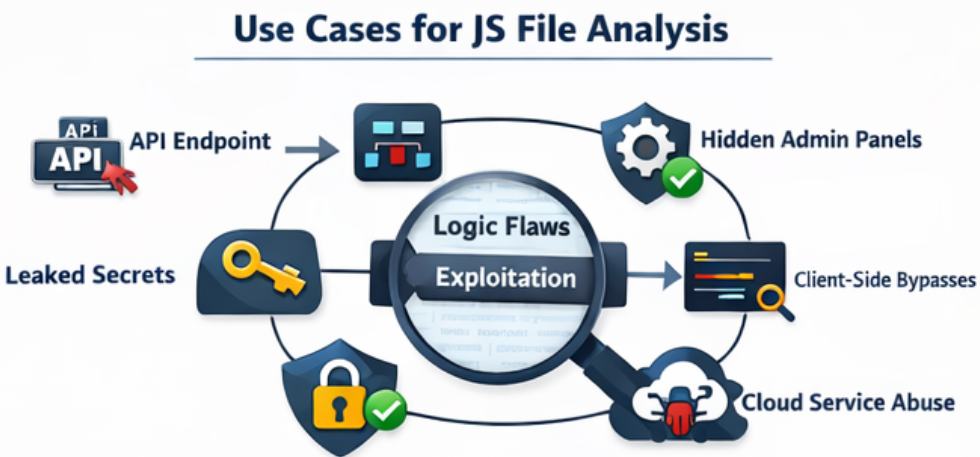
When testing applications, we come across lot of JavaScript files. JavaScript files often contain:
- Hidden or undocumented API endpoints
- Internal application routes
- Feature flags and environment variables
- Third-party integrations
- Hardcoded secrets (API keys, tokens, client IDs)
- Logic flaws in client-side validations
- Access control assumptions enforced only on the client
Unlike server-side code, JavaScript is delivered directly to the attacker. Any security-sensitive assumption made in JS must be treated as public knowledge. In real-world assessments, JS analysis frequently leads to:
- Discovery of unauthenticated APIs
- Bypasses of business logic
- Exposure of internal services
- Chained attacks (e.g., leaked key → API abuse → data exposure)
- Details on different roles in application
- Hidden parameters
- Logic on Implementation and Use cases of modules
- Encryption/Decryption Logic and Keys
- Hardcoded PII Details (Emails, Mobile Numbers, PAN, Aadhaar etc)
JavaScript Files Across Different Technology Stacks
Not all JavaScript is created equal. The structure, volume, and usefulness of JS files vary significantly depending on the underlying technology stack.
i. Traditional Server-Rendered Applications
Traditional applications build on PHP (laravel, codeigniter), Java, ASP.NET MVC, Ruby etc have fewer JavaScript Files. The files are mostly static file (main.js, app.js etc) with limited client side routing, API often partially visible and business logic largely at the server side.
ii. Modern SPA Frameworks (Runtime-Generated JS)
Modern applications build on React, Angular, Vue, Next.js etc have large bundled files (main.[hash].js, chunk.[hash].js). These applications generally have Runtime generated routes and API calls, It might have source map exposed, Environment-specific configurations embedded at build time.
Enumerating JavaScript Files – Where to Look
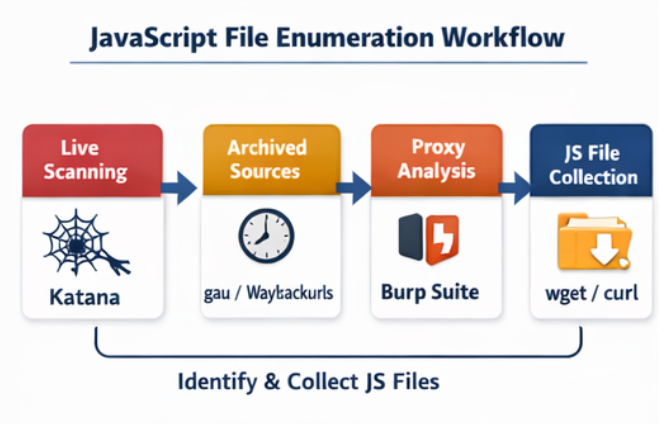
i. Crawling Live Application JS:
When performing JavaScript enumeration against a live application, Katana stands out as one of the most effective crawling tools available today. It is specifically designed to handle modern, JavaScript-heavy web applications where content is dynamically generated at runtime, a scenario in which many traditional crawlers struggle or completely fail.
Katana works by actively crawling the root domain of the target application and intelligently following JavaScript references discovered during the crawl. As the application loads additional resources, Katana identifies and extracts JavaScript file URLs, including those that are dynamically loaded through frameworks such as React, Angular, or Vue. This capability makes it particularly valuable for applications that rely heavily on client-side rendering and API-driven interactions.
ii. Historical & Archived JavaScript Files:
Archived JS files often contain deprecated endpoints and secrets that were never revoked.waybackurls
• Focused on Wayback Machine data
• Finds legacy and removed JS filesgau (GetAllURLs)
• Pulls URLs from multiple sources including wayback machine data
• Excellent for discovering old JS paths
Archives play a critical role in security testing because they often reveal historical versions of an application that are no longer visible in the live environment. Older API endpoints and deprecated features may still be active on the backend, providing attackers with unexpected entry points that bypass current security controls.
In addition, sensitive information such as API keys, tokens, or credentials that were once exposed can remain valid long after they were removed from the frontend. Even if an application has evolved, underlying business logic flaws or insecure workflows present in earlier implementations may still persist, making archived data a valuable source for uncovering hidden and overlooked vulnerabilities.
iii. Proxy-Based Enumeration (Burp Suite):
Proxy-based enumeration using Burp Suite provides deep visibility into how an application behaves at runtime. By simply browsing the application through Burp, testers can passively discover JavaScript files, including dynamically loaded chunks that are not accessible through static crawling.
Burp also allows observation of real-time API interactions as they occur during normal user activity, offering accurate insight into application logic and data flow. One of its key advantages is access to JavaScript files that are only served after authentication, making it possible to identify user-role–specific functionality and endpoints that differ between privilege levels.
Automating JavaScript Collection
When dealing with a large number of JavaScript files, manual collection and review quickly become impractical. To address this, JavaScript gathering must be automated at scale once the relevant URLs have been identified.
Tools such as wget or curl enable bulk downloading of JavaScript files directly to a local system. This approach allows testers to preserve the original directory structure, normalize file names for consistency, and store all JavaScript files in a centralized location. Having the files locally organized in this manner makes large-scale analysis, auditing, and automation significantly more efficient. JavaScript file collection offline enables:
- Offline review
- Automated scanning
- Version control comparisons
Automating JavaScript Analysis:
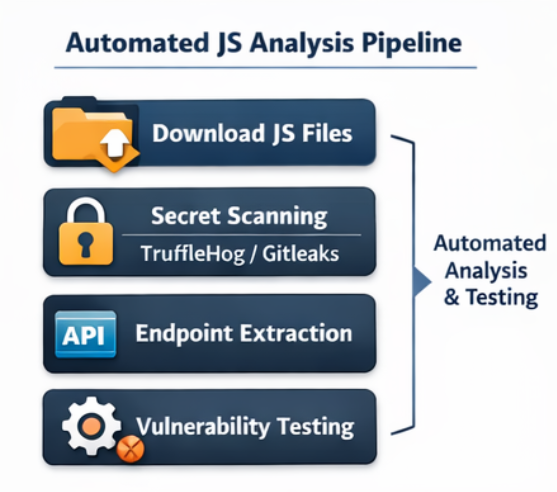
i. Secret Detection
Secret detection is a critical step in JavaScript analysis, and tools like TruffleHog are particularly effective due to their ability to identify high-confidence secrets while minimizing false positives. TruffleHog has browser extension to use it directly with browser and also has a cli. TruffleHog supports multiple service providers and commonly uncovers sensitive data such as cloud access keys, OAuth tokens, Firebase configurations, and third-party API credentials.
In addition to TruffleHog, tools like Gitleaks and Semgrep (using custom JavaScript rules) can be leveraged to broaden coverage. For advanced use cases, custom regex-based pipelines can further enhance detection by targeting organization-specific secret patterns.
ii. Endpoint & Path Extraction
Endpoint and path extraction is another key outcome of automated JavaScript analysis. By parsing JavaScript files at scale, testers can identify valuable artifacts such as API routes, GraphQL endpoints, WebSocket URLs, and references to internal services that are not always exposed through the user interface.
Once discovered, these endpoints can be systematically validated to determine whether authentication is properly enforced. They can then be tested for common access control issues such as IDOR and further fuzzed to uncover injection-based vulnerabilities, significantly expanding the overall testing coverage. Endpoint and path extraction can be done using various scripts and tools like linkfinder and secretfinder. It can also be done using burpsuite extensions like JS Link Finder and JS Miner.
iii. Vulnerable Library Detection
Vulnerable library detection is an essential part of JavaScript security analysis, as many applications rely on third-party client-side dependencies. Tools such as Retire.js and other dependency scanners help identify outdated or insecure JavaScript libraries used within the application.
By mapping these libraries to known CVEs, testers can uncover client-side exploit paths that may enable attacks such as XSS, prototype pollution, or logic manipulation. This visibility allows teams to assess real-world risk and prioritize remediation of vulnerable dependencies effectively.
Runtime JavaScript File Analysis – Manual
Runtime JavaScript file analysis focuses on identifying and analyzing JavaScript files that are generated, loaded, or modified dynamically when an application is running, rather than being statically present in the source code or server directories. Modern frameworks and build pipelines often generate hashed, chunked, or environment-specific JavaScript files at runtime (for example, during user interaction, feature toggling, or lazy loading), which may not be visible through simple directory enumeration. From a VAPT perspective, these runtime files are critical because they frequently contain application logic, API endpoints, feature flags, configuration values, and sometimes hard-coded secrets or debug artifacts that differ from archived or statically hosted JS files.
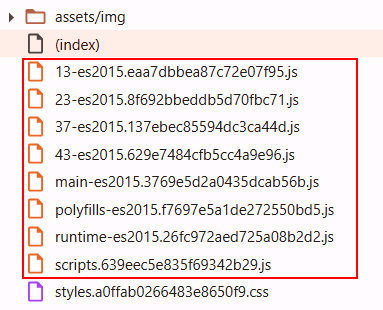
JavaScript files called Prelogin:Selective Javascript files get called and is visible as shown below:
JavaScript files called PostLogin:
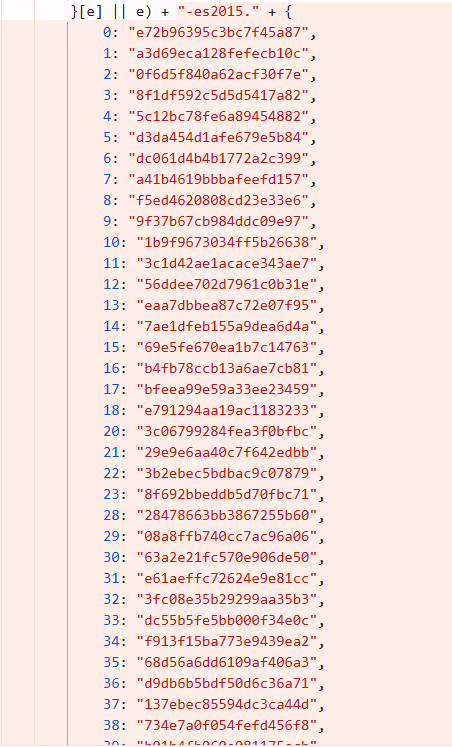
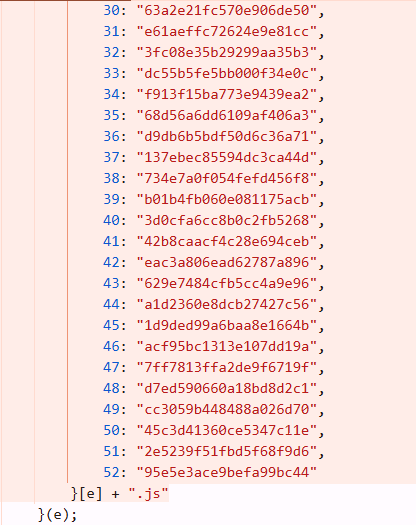
Run time files are defined in the Javascript files (main.js, runtime.js etc). They might not be called pre-login however the structure like “filename.hash.js” is already defined. These JavaScript file can be called pre-login and are known to contain post authentication data hardcoded inside it, sensitive keys, credentials etc. Examining run time files yield in very good output. Example snippet of defined run time files is as shown below:
JavaScript file analysis is no longer a “nice-to-have” skill—it is a critical competency for modern VAPT professionals. As applications become more frontend-driven, the attack surface increasingly shifts to client-side logic, making JS files one of the richest sources of vulnerabilities. For testers, mastering JS analysis provides outsized returns with relatively low effort, often turning a low-signal engagement into a high-impact assessment.
Thanks for the article