Thick client applications remain a high risk yet often under-tested attack surface in enterprise environments. Unlike thin clients (browser-based apps), thick clients run directly on end-user systems, communicate with backend services over custom protocols, and often embed sensitive logic locally. We have covered in detail about thick client testing, methodology, attack surface etc in our previous blog.
Thick Client Security Testing: Concepts, Attack Surface, Methodology & Vulnerabilities
In this blog we will provides a practical, step-by-step guide to thick client penetration testing, covering:
Architecture and attack surface
1. Tools required
2. Hands-on testing methodology
3. Common vulnerabilities
4. Commands and real testing techniques
Application Reconnaissance Checklist
Testcase 1 – Identify installation directories:
Using Native Windows Commands, the thick client installation directories can be identified.
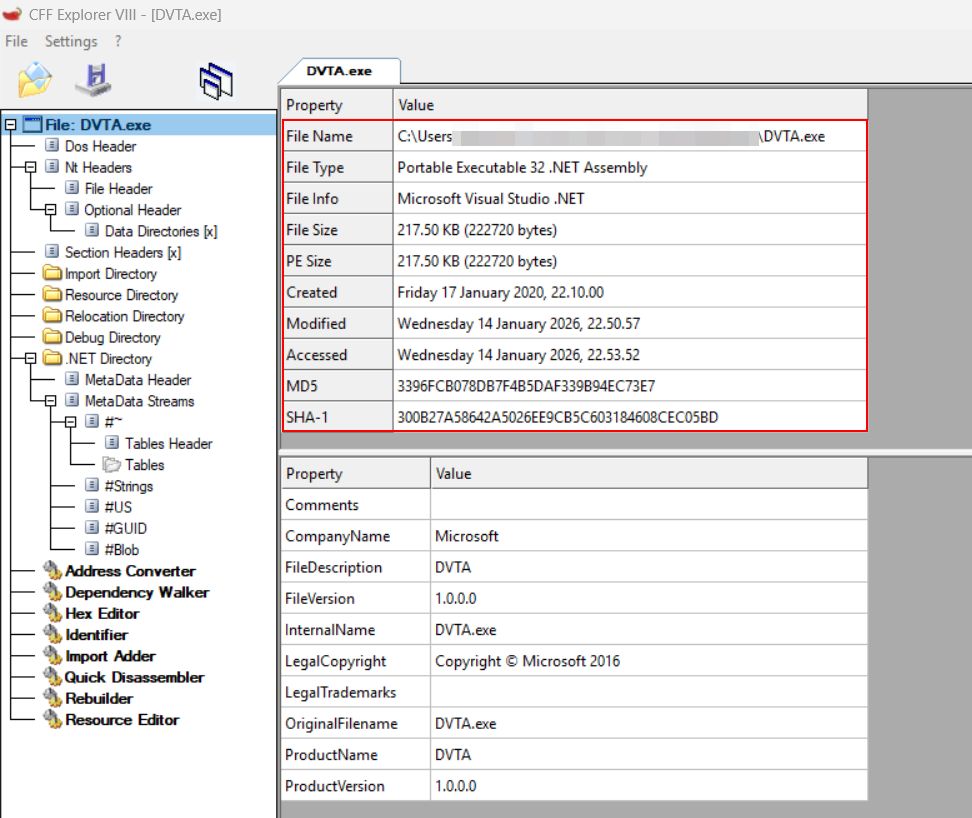
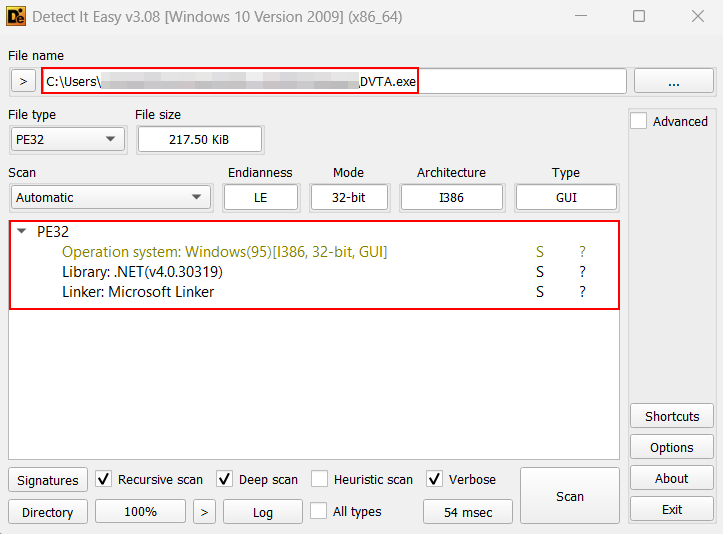
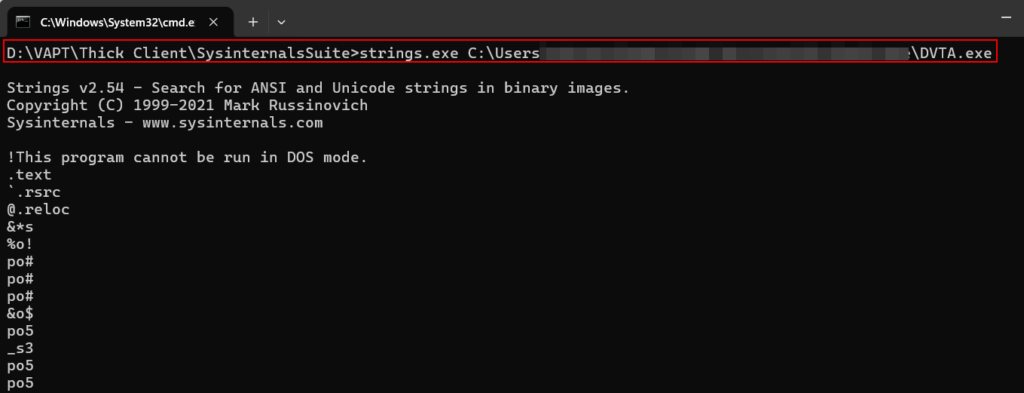
where appname.exeTestcase 2 – Identify application type (Java / .NET / Native):Tools Used: CFF Explorer, DIE and Strings (SysInternals)These tools can aid in the process of identifying the development language used to build the thick client application.
CFF Explorer:
Detect It Easy (DIE):
Static Analysis Checklist (Binary Review)
Testcase 3 – Decompile executableTools Used: DnSpy
In this case the application was made using .NET, therefore we can decompile it using Dnspy.
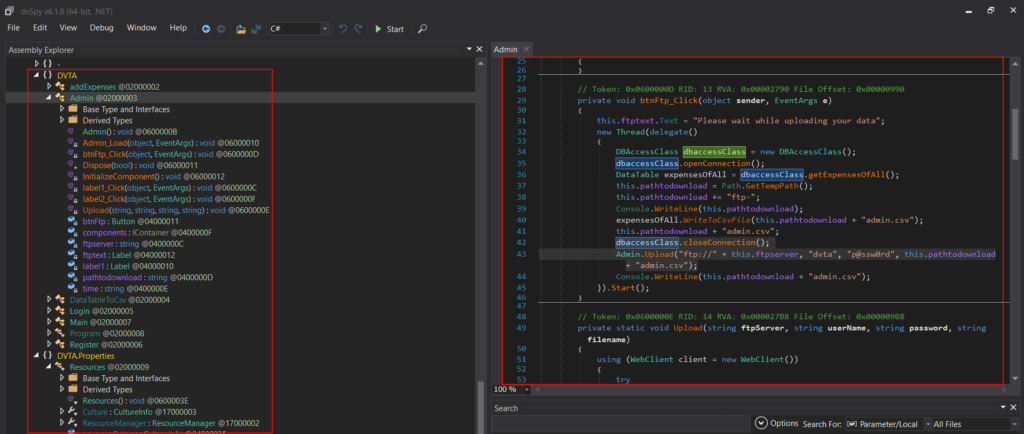
The project can be exported using dnSpy to go through the decompiled code manually.
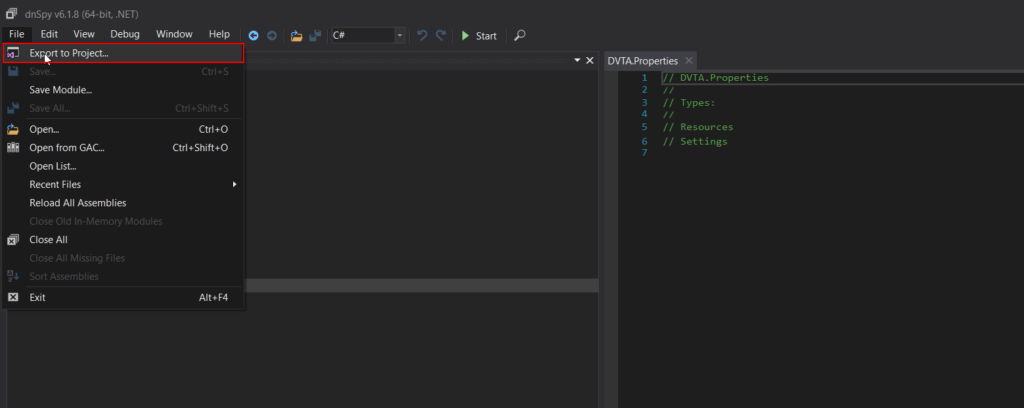
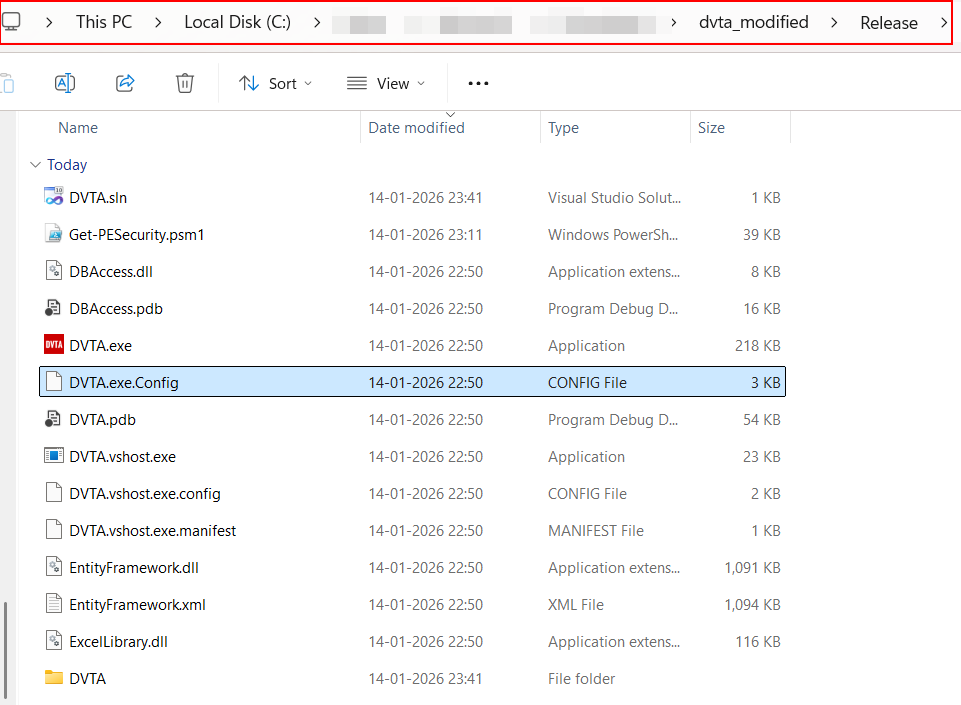
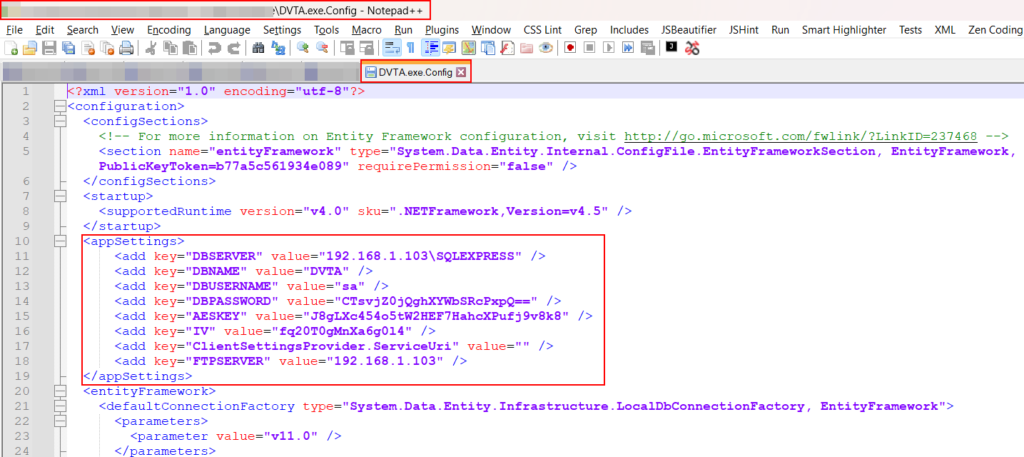
Decompile JAR (Java Based Application):Tools Used: JADX and JDGUIA jar file can be decompiled using tools such as JD-GUI or JADX.
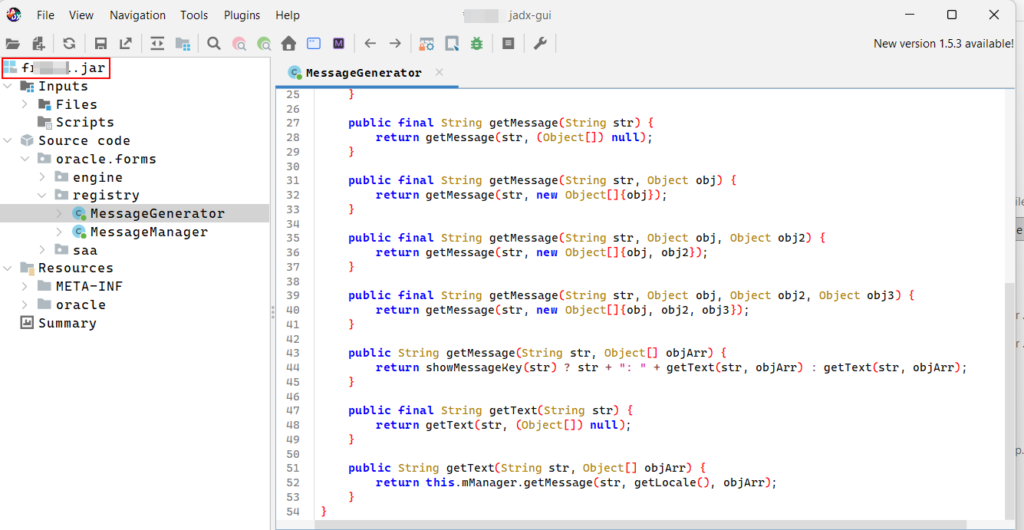
Decompile DLL:Tools Used: Dotpeek, dnSpy and ILSpyDLL files can be loaded and decompiled using tools like Dotpeek, dnSpy and ILSpy.
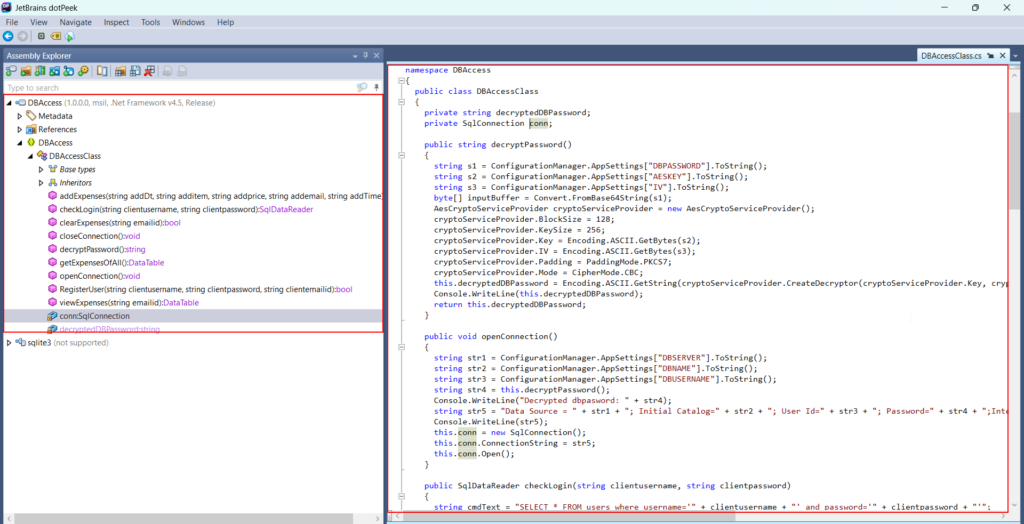
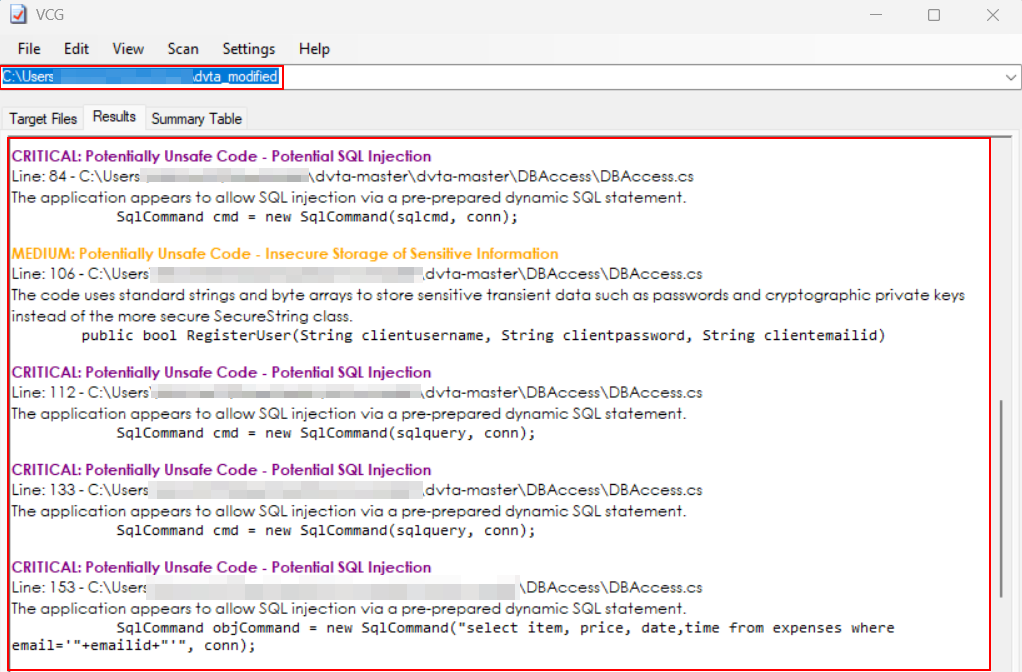
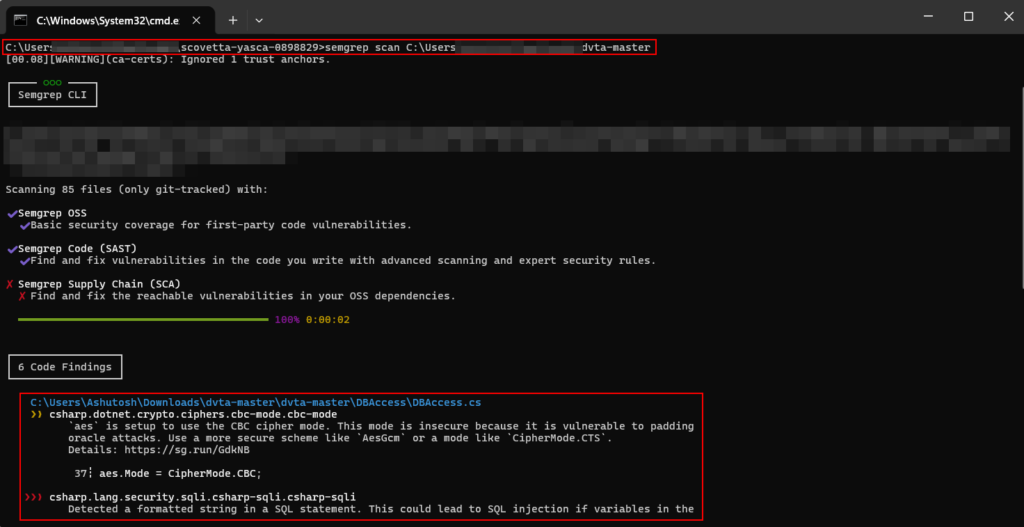
Testcase 4 – Automated Code Scans – Decompiled CodeTools Used: Visual Code Grepper (VCG), Trufflehog, Semgrep etcVarious open source tools like VSG, Trufflehog, Semgrep etc can be used to analyze the code and provide Hardcoded Secrets, Code Based Vulnerabilities etc.
Visual Code Grepper:
Semgrep:
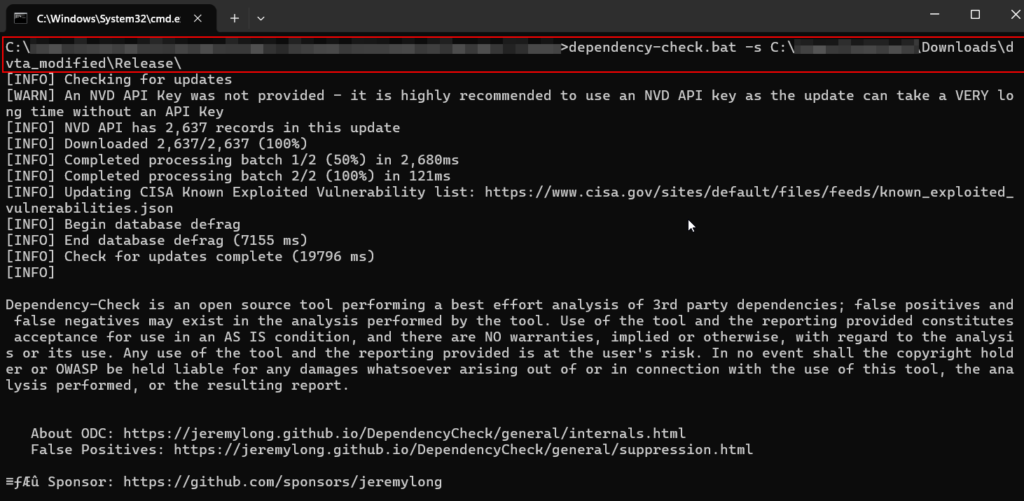
Testcase 5 – Vulnerable Libraries and Plugins (Dependency Scan):Tools Used: OWASP Dependency ScannerOwasp Dependency scanner can be used to run scans on the folder of the application to identify used libraries and plugins which might be vulnerable.
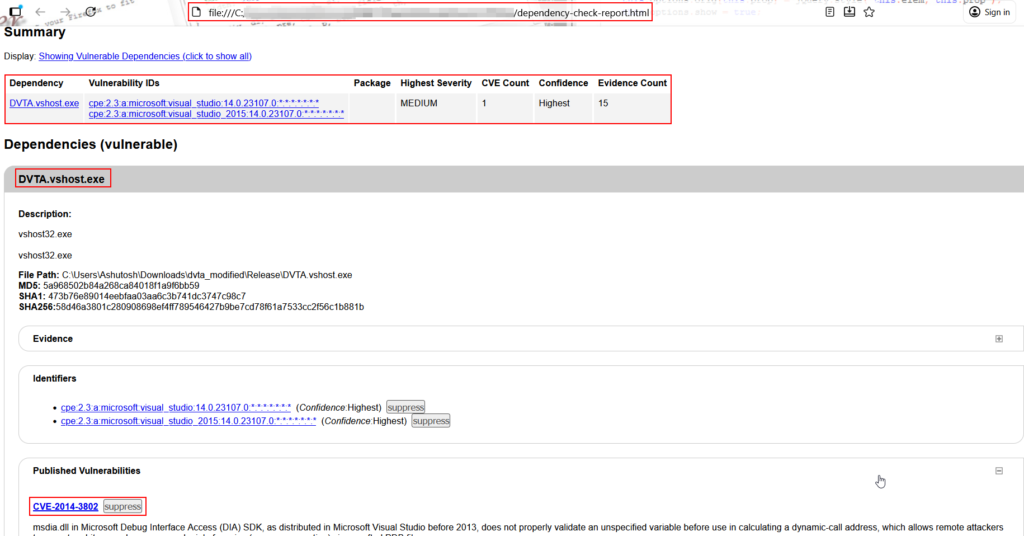
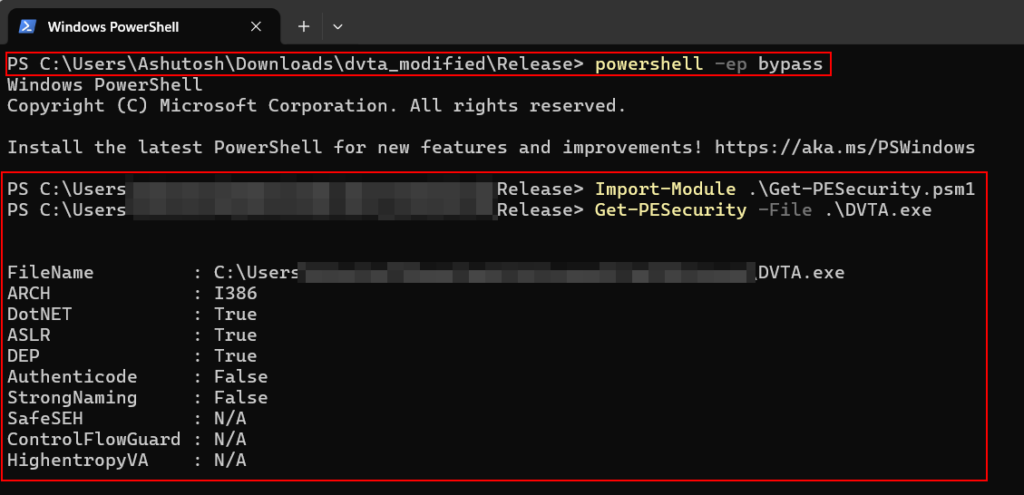
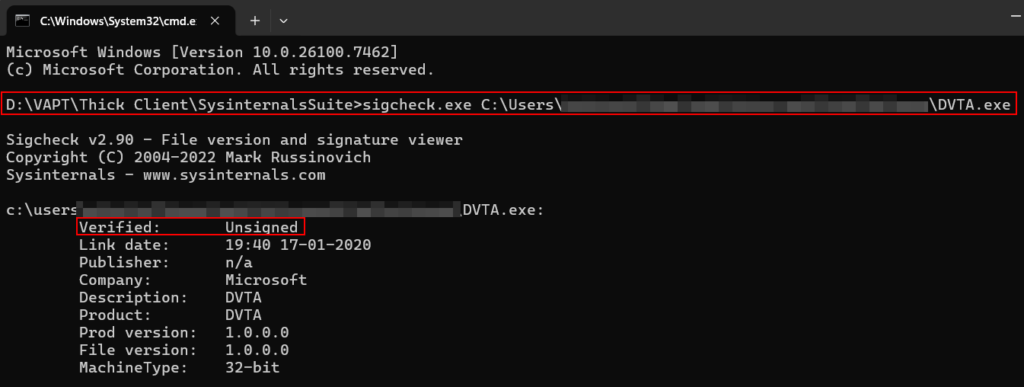
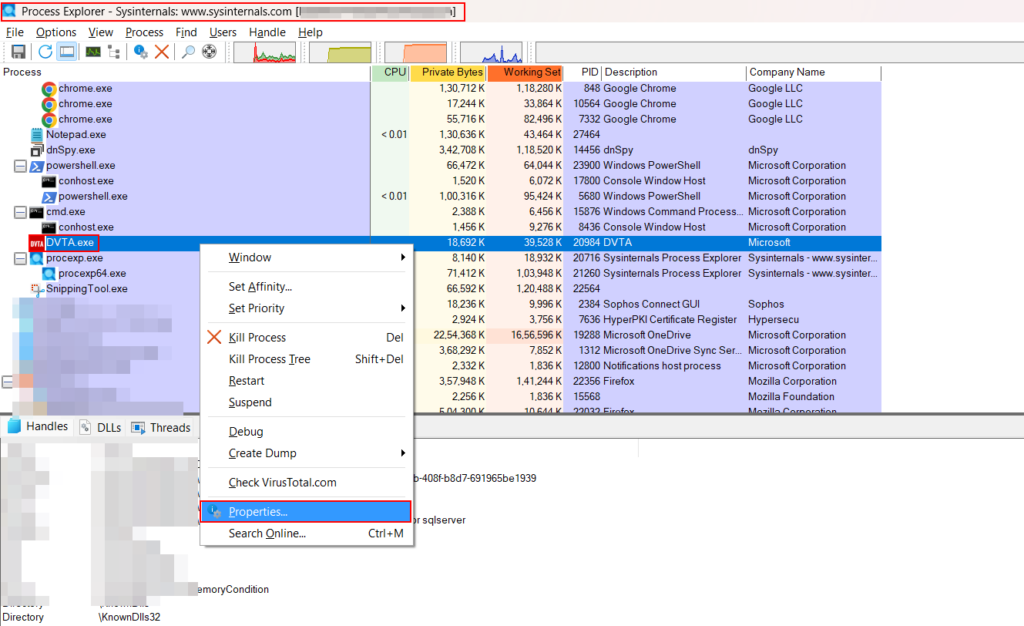
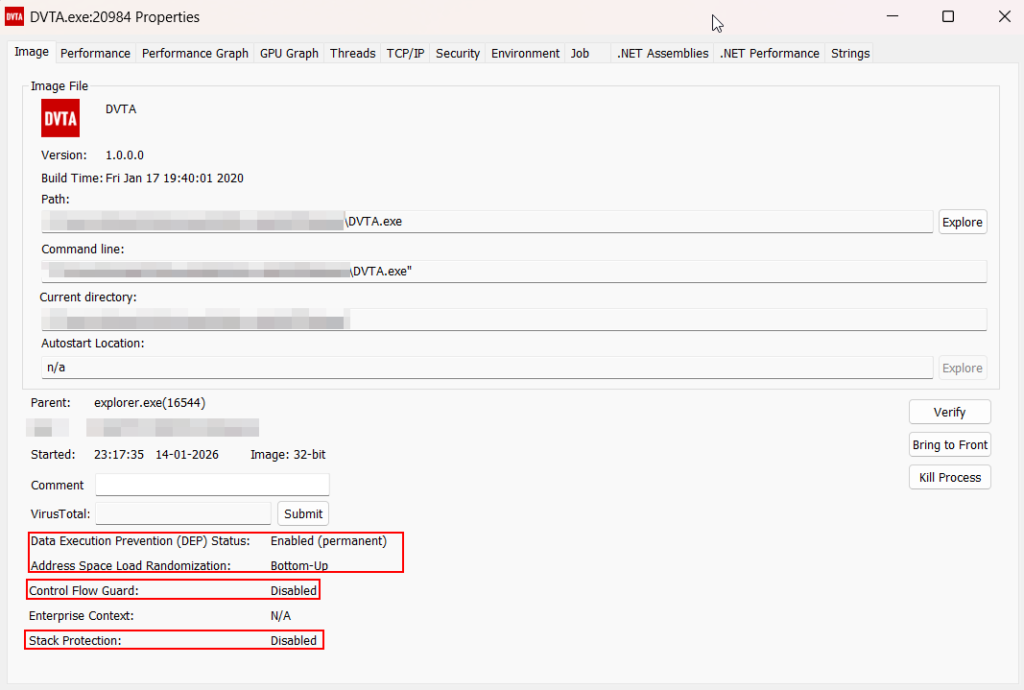
Testcase 6 – Binary Protection AnalysisTools Used: PESecurity (Powershell Script), Sigcheck (Sysinternals) and Process Explorer (Sysinternals)
PESecurity (Powershell Script):
PowerShell script can be used to check if a Windows binary (EXE/DLL) has been compiled with ASLR, DEP, SafeSEH, StrongNaming, Authenticode, Control Flow Guard, and HighEntropyVA.
Sigcheck.exe (Sysinternals):
Process Monitor (Sysinternals):
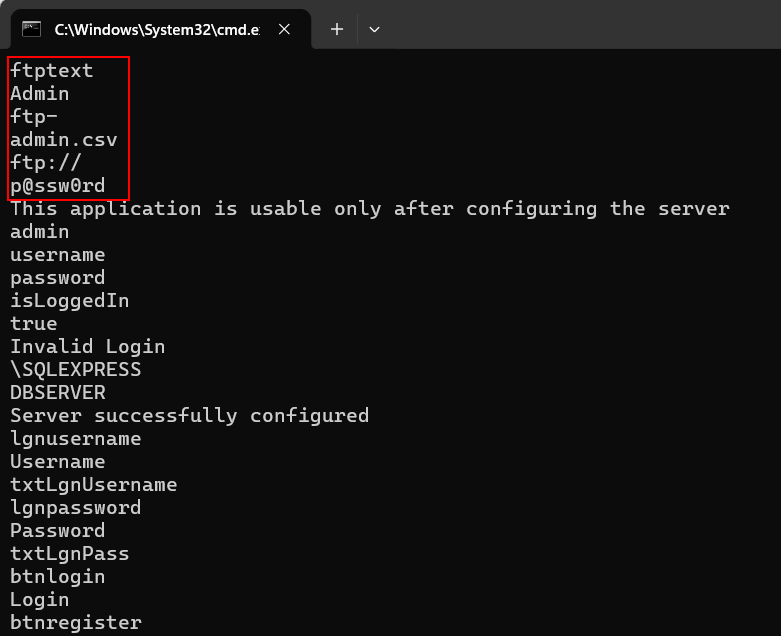
Strings.exe:
Local Storage Security Checklist
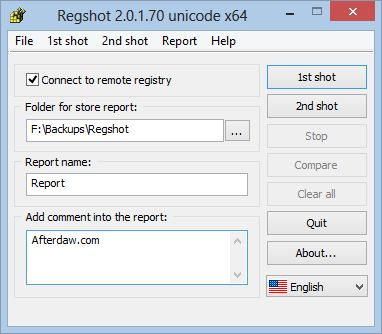
Testcase 7 – Insecure Registry Check:Tools Used: Regshot, Regedit (Windows Native)Applications also store credentials in registry. To check one of such scenario Regshot can be used. Once launched “1st shot” can be taken before entering credentials in the application. After entering credentials and obtaining login inside the application “2nd shot” can be taken to compare and see if any credentials have been stored inside the registry.
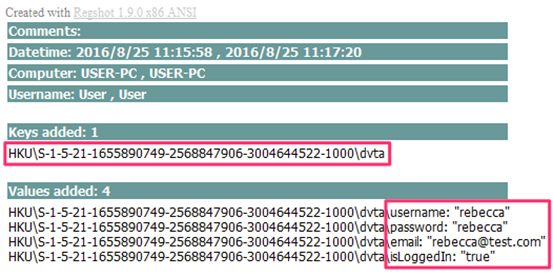
Testcase 8 – Credentials Stored Locally:
Thick client application logic lies at the client side. Most of the times, you can find hardcoded user credentials, encryption keys, DB credentials etc hardcoded inside application configuration files.
Network Communication Security Checklist
Testcase 9 – Unencrypted CommunicationTools Used: Wireshark, TCPView, tcpdump etcCheck if the application is sending traffic over HTTP or any other protocol. Check if the communication is secure or insecure using tools like Wireshark, TCPView and tcpdump.
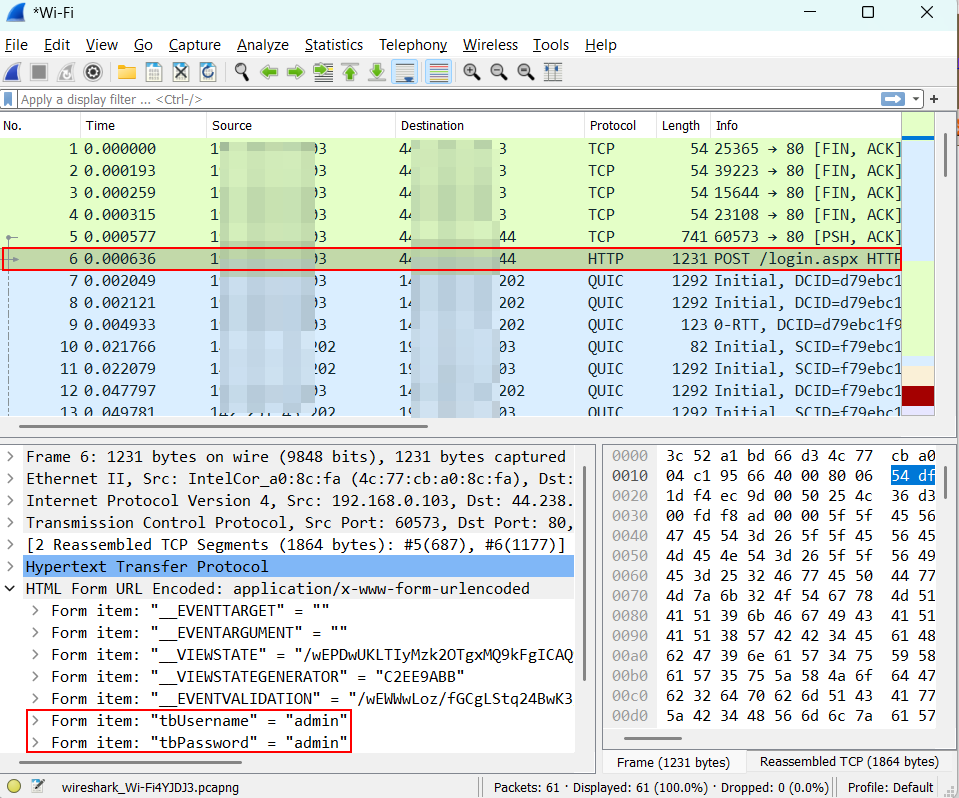
Testcase 10 – Certificate Pinning Implementation
This specific test case applies and depends on how the application is designed, deployed, and communicates. It is only applicable in applications that use HTTPS/TLS for data transmission and certain type of applications like Electron Applications, Java Thick Clients, Hybrid Desktop Applications etc.
Testcase 11 – TLS/SSL Implementation and MisconfigurationsTools Used: NmapNmap can be used in this case to identify TLS/SSL Implementation and Misconfigurations in cases where the application traffic is over HTTPS. Once the application is decompiled or traffic communication is intercepted, the domain with which the application is communicating can be identified. SSL/TLS misconfigurations on domain level like SSL Certificate Expiration, TLS/SSL Versions/Ciphers Suite Usage etc can be performed.
Dynamic Application Testing Checklist
Testcase 12 – HTTP Traffic Interception:Tools Used: BurpSuite, OWASP ZAP, Fiddler, Charles Proxy, Caido, EchoMirage etcIncase the application traffic is over HTTP/HTTPS, then the traffic can be intercepted to modify, replay etc to test the application dynamically with focus to identifying application functionality level and business logic issues.
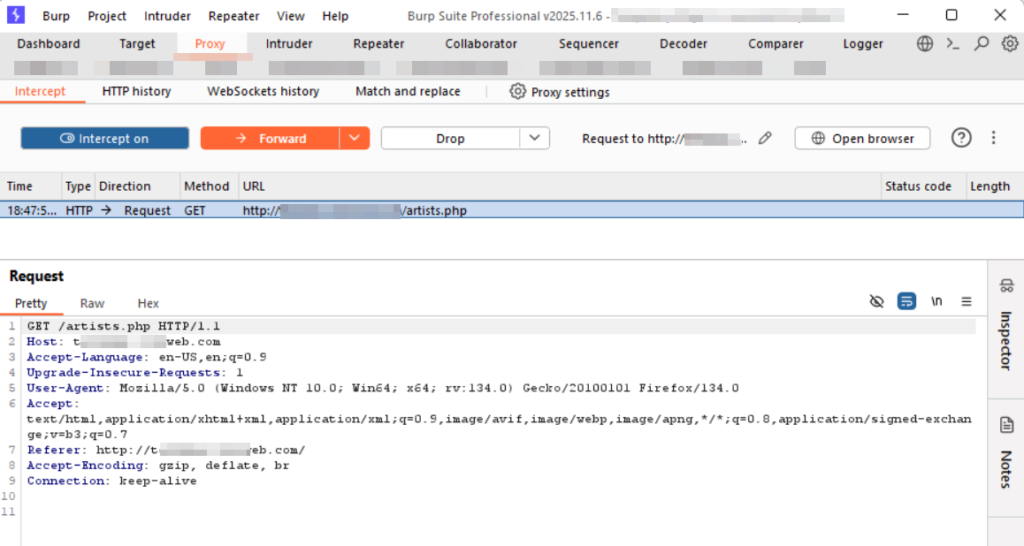
Testcase 13 – TCP Traffic Interception:Tools Used: EchoMirage
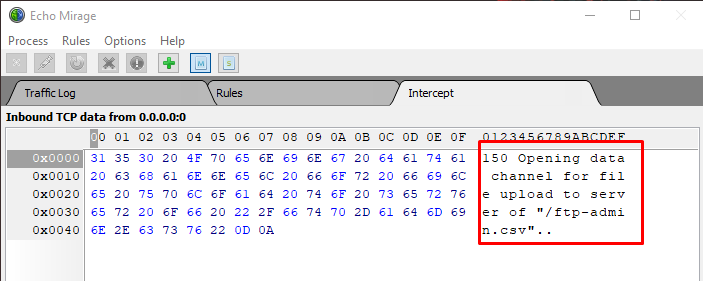
Memory & Runtime Manipulation Checklist
Testcase 14 – Sensitive Data Exposure in MemoryTools Used: Process Hacker, Process Monitor and Process Explorer
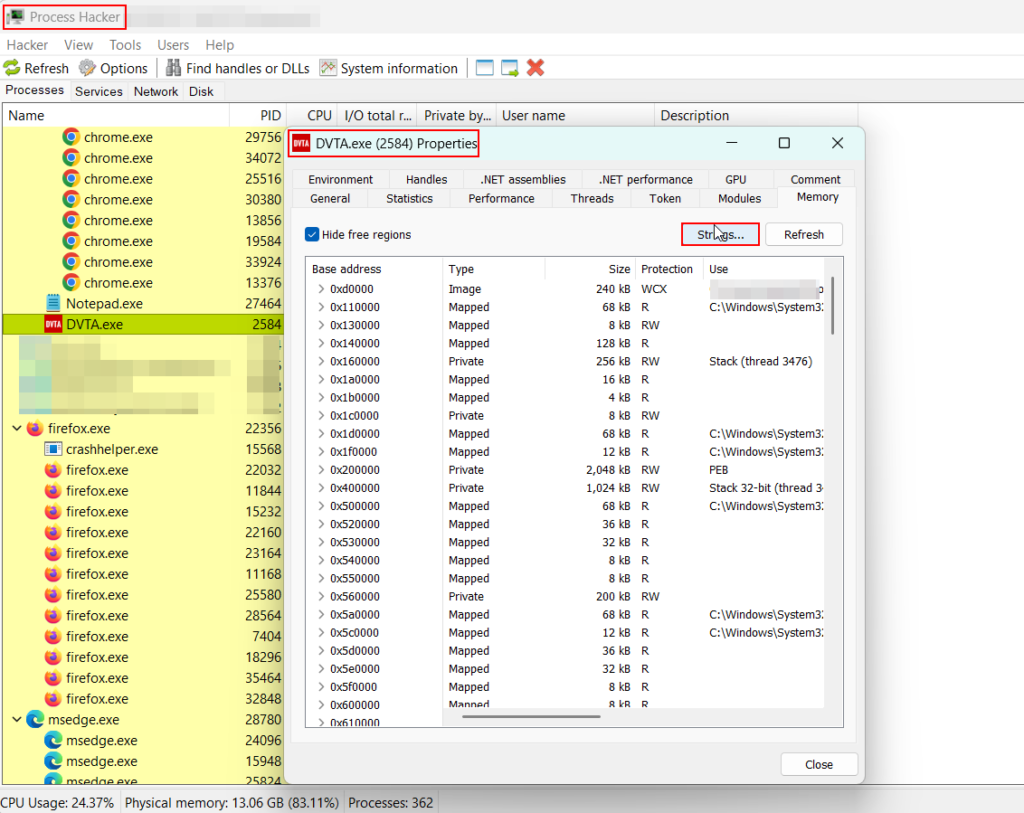
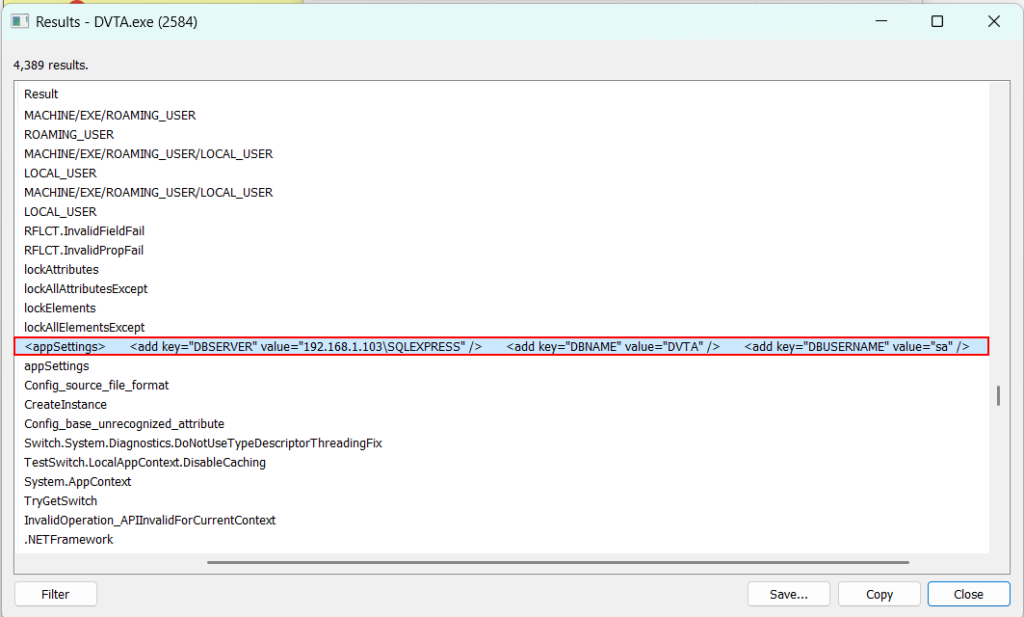
Testcase 15 – Sensitive Data Exposure via Memory DumpTools Used: WinHex, Hex Editor Neo etc
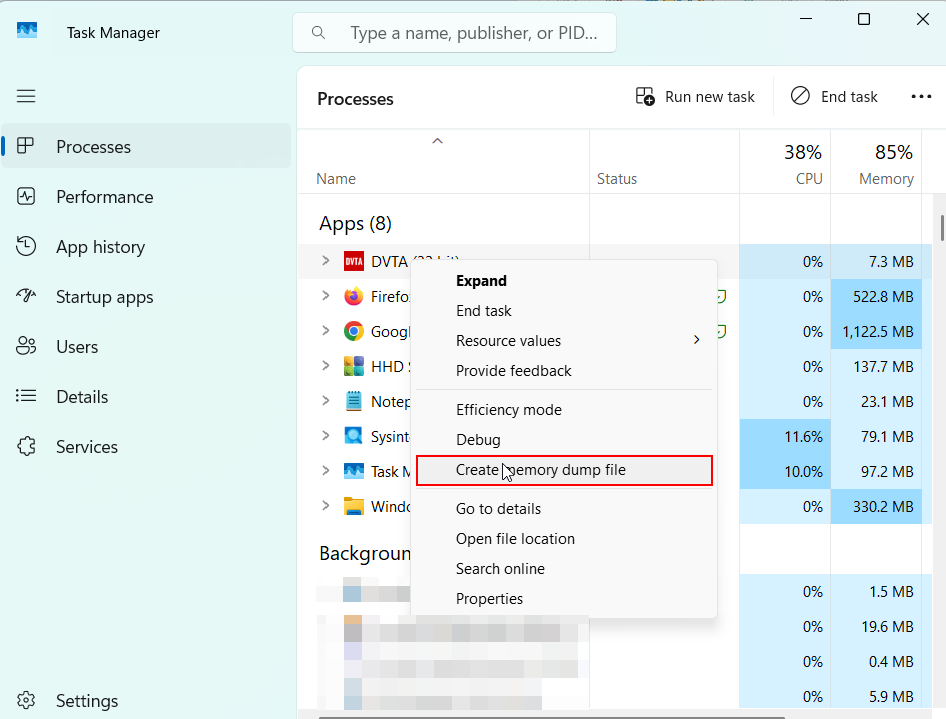
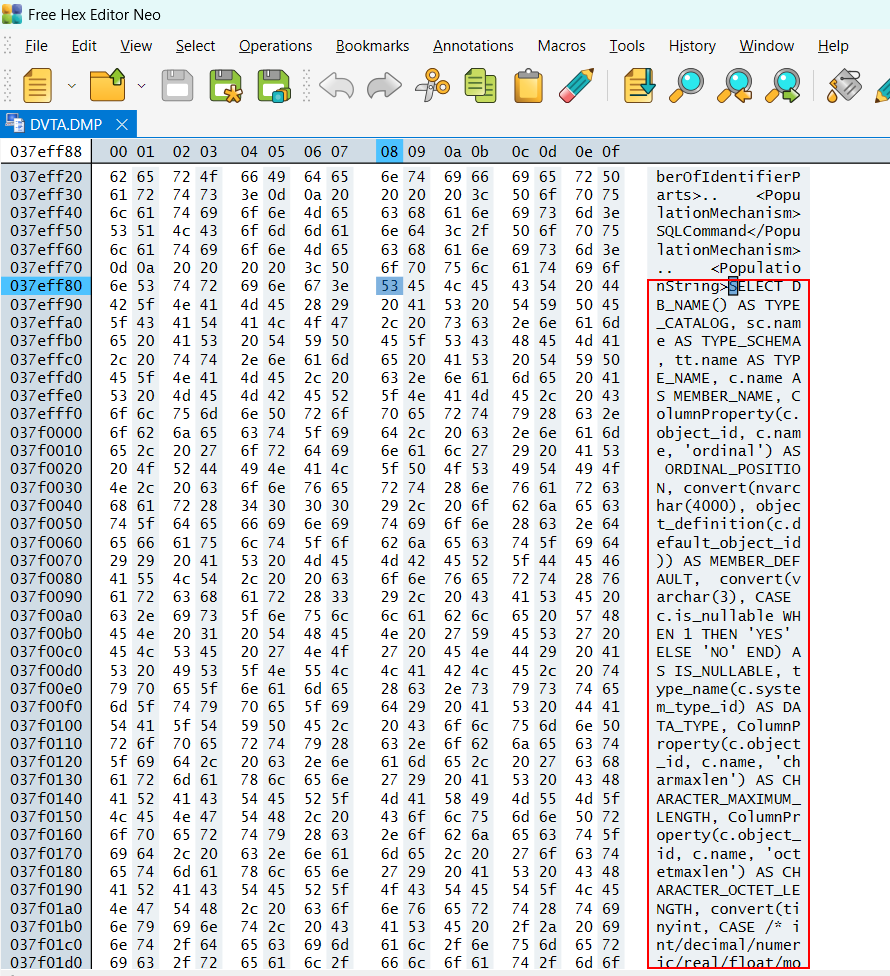
Testcase 16 – Anti-Tampering & Integrity Control Validation:
This test verifies whether the application detects Binary modification, Function patching, Runtime hook injection. Without integrity checks, attackers can persistently bypass controls by modifying the client.
Local Binary & Insecure Logging Security Checks
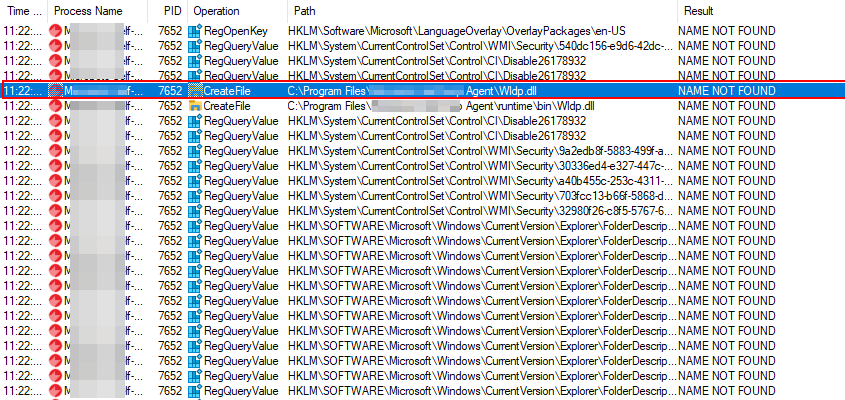
Testcase 17 – DLL Hijacking:Tools Used: Process Monitor (Sysinternals)Using tools like process monitor its easy to identify DLL that are getting called by the application, however are missing in the root directory. In such cases custom DLL can be created using Metasploit to even obtain reverse shell.
Testcase 18 – Insecure Logging:
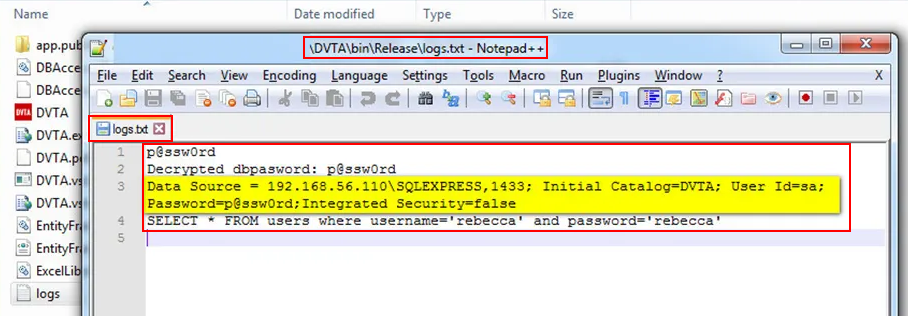
In some applications there are logs of application activities getting stored in the client side. The logs are created on user login in some cases the logs don’t get deleted even after user log out’s. Applications have been found to log User Credentials, DB queries, Application URL’s etc at the client side.
While thick client assessments focus heavily on client-side logic, local storage, and runtime behavior, there are scenarios where network communication between the thick client and backend services can be successfully intercepted (for example, due to missing or weak certificate pinning, custom protocols, or misconfigured TLS). In such cases, the thick client effectively behaves as a network client to an API or backend service, allowing testers to perform additional server-side and protocol-level security checks similar to API or web service testing.
The following test cases should be considered once interception and manipulation of traffic is possible:
- Input Validation/Sanitization Checks
- Logging and Error Handling Checks
- Authentication/Authorization Checks
- Tampering Requests Checks
- Injection Checks (Can be performed without Interception)
- Session Related Checks
- Privilege and Role based Checks
- Ratelimiting and Bruteforcing Checks
- API Security Testing Checks
- Encryption and Decryption Checks
- File Upload Checks
- GUI Based Testing and Checks (Can be performed without Interception)
Thick client security testing extends far beyond binary analysis and runtime manipulation. When communication between the client and backend can be intercepted, the attack surface expands to include backend APIs, authentication mechanisms, session handling, and business logic enforcement. A mature Thick Client assessment approach recognizes this overlap and adapts accordingly to ensure both client-side trust assumptions and backend validation mechanisms are rigorously tested. Ultimately, the true risk of a thick client application lies not just in what the client does, but in what the backend blindly accepts.
Leave a Reply